
Best CrossFit Gym Software for Box Owners: Top Picks

For most independent and mid-sized CrossFit boxes, the platforms worth trialing first are Fitness Flow, Wodify, PushPress, SugarWOD, and BTWB. Here is the one-line case for each:
- Fitness Flow — All-in-one operating system with branded member apps, WOD builder, billing, CRM, and multi-location reporting; built specifically for gyms, not generic studios.
- Wodify — The CrossFit-native choice for established boxes that need deep athlete performance tracking and leaderboards.
- PushPress — Fast setup, clean backend; best starting point for new boxes that want to be running in days, not weeks.
- SugarWOD — The strongest athlete-facing community and WOD app on the market; pairs well with a leaner management backend.
- BTWB (Beyond the Whiteboard) — Data-first analytics and benchmark tracking for coaches who want to program with precision.
On your first demo call with any vendor, ask one question before anything else: “Who answers the phone when my front desk has a problem at 6 AM?” CrossFit affiliate benchmarks show high recurring revenue and community loyalty, which means a software failure during peak class hours costs real money. Support responsiveness is not a nice-to-have.
Pro Tip: Trial at least two platforms with your actual coach and a front-desk staff member present. Their friction points will surface problems a solo owner demo never catches.
Key Takeaways
Fitness Flow, Wodify, PushPress, SugarWOD, and BTWB are the five platforms most CrossFit boxes should trial first, matched to gym model and feature priorities.
PointDetails
Match platform to gym model
CrossFit boxes need WOD tracking, leaderboards, and programming tools that generic studio software does not include.
Pricing typically runs from moderate to higher tiers per month depending on member count and features
All-in-one platforms typically cost $150–$400+ per month; confirm which features require add-ons before signing.
Trial with your actual team
Run a 14–30 day trial with a coach and front-desk staff member to surface real friction before committing.
Ask about phone support first
Vendor support responsiveness is a decisive tie-breaker; ask who answers the phone and what the response SLA is.
Fitness Flow for independent boxes
Fitness Flow covers WOD builder, branded apps, billing, CRM, and multi-location reporting in one platform for mid-sized CrossFit boxes.
Table of Contents
- What does the best CrossFit gym software actually compare on?
- Platform profiles: who each tool is actually built for
- How do you choose the right CrossFit box management software?
- What features does CrossFit software actually need to cover?
- How we evaluated these platforms
- The case for choosing software that was built for gyms
- Fitness Flow covers the full CrossFit box stack
- Useful sources
- FAQ
What does the best CrossFit gym software actually compare on?
The table below maps all 15 platforms across the axes that matter most to box owners. Pricing shapes are estimates; always confirm current tiers and add-ons directly with vendors, since all-in-one platforms frequently conceal costs for access control hardware, branded apps, and advanced reporting.
PlatformBest forPricing shapeWOD & performance trackingScheduling & bookingBilling & paymentsMember appIntegrations & access controlReporting & analyticsSupportScalability
Fitness Flow
Independent & mid-sized CrossFit boxes
Tiered SaaS subscription
Workout builder + programming
Unified calendar & class booking
Recurring billing + CRM
Branded iOS, Android, web
API integrations + wearables
Multi-location dashboards
Phone + onboarding
Multi-location
Wodify
Established CrossFit boxes
Mid-range; add-ons for some features
Deep athlete tracking + leaderboards
Class-based scheduling
Robust billing
iOS + Android
Integrations available
Strong reporting
Responsive
Scales well
Mindbody
Boutique studios & wellness businesses
Higher tier; enterprise features
Basic; not CrossFit-native
Mature scheduling
Strong billing
iOS + Android
Marketplace + integrations
Advanced
Tiered support
Enterprise
BTWB
Analytics-focused boxes
Lower entry; focused product
Best-in-class benchmarks
Basic
Basic
iOS + Android
Limited
Deep analytics
Community-based
Limited
PushPress
New or small boxes
Low starting price
Paired WOD app (separate)
Clean scheduling
Solid billing
iOS + Android
Integrations available
Standard
Fast onboarding
Moderate
SugarWOD
Member engagement-first boxes
Affordable; management features limited
Strong WOD logging + social feed
Basic
Basic
iOS + Android
Limited
Basic
Good
Limited
Zen Planner
CrossFit + martial arts + coaching
Mid-range
Moderate
Solid scheduling
Solid billing
iOS + Android
Integrations
Solid reporting
Phone support
Moderate
WellnessLiving
Studios prioritizing marketing
Mid-range
Basic
Strong scheduling
Good billing
iOS + Android
Integrations
Marketing analytics
Tiered
Moderate
Glofox
Class-based studios
Mid-range
Basic
Strong class management
Good billing
Branded iOS + Android
Integrations
Standard
Responsive
Multi-location
Exercise.com
Customization + ecommerce
Higher; custom pricing
Moderate
Flexible
Strong + ecommerce
Branded iOS + Android
Strong integrations
Custom reporting
Dedicated
High
Fit Viz
WOD/leaderboard-focused boxes
Low
WOD logging + leaderboards
Basic
Basic
iOS + Android
Limited
Basic
Limited
Limited
LegitFit
Straightforward management
Low-to-mid
Integrated tracking
Standard
Standard
iOS + Android
Limited
Standard
Standard
Limited
ABC Glofox
Class-based Glofox ecosystem users
Mid-range
Basic
Class-first management
Good
Branded iOS + Android
Integrations
Standard
Responsive
Multi-location
Gym Insight
Mid-market management
Mid-range
Basic
Standard scheduling
Solid billing
iOS + Android
Standard
Solid reporting
Standard
Moderate
BTWB (Beyond the Whiteboard)
Deep performance analytics
See BTWB above
See BTWB above
See BTWB above
See BTWB above
See BTWB above
See BTWB above
See BTWB above
See BTWB above
See BTWB above
Three differences that should drive your shortlist decision:
- WOD tracking depth — Platforms like BTWB and Wodify were built around athlete performance logging. Generic scheduling tools were not. If benchmark tracking and leaderboards are central to your culture, this gap is immediately obvious in a trial.
Pro Tip: Ask every vendor in writing: “Which features on your pricing page require an add-on or a higher tier?” Vendors who answer clearly are easier to work with long-term.
Platform profiles: who each tool is actually built for
Fitness Flow
Fitness Flow covers the full operating stack a CrossFit box needs: workout builder and program scheduling, unified class calendar, branded member apps (iOS, Android, and web), recurring billing, CRM with lead capture, referral and review management, wearable device integrations, and multi-location reporting dashboards. It is built by a gym team, which shows in the feature prioritization. The Fitness Flow product page details the full API and automation layer for boxes that want to connect third-party tools.
Best for: Independent and mid-sized CrossFit boxes that want one platform instead of a stack.
Strengths: Unified scheduling and programming in one place; branded apps without an enterprise price tag; multi-location reporting from day one.
Watch for: As with any all-in-one, confirm which integrations are native vs. API-dependent at your tier.
Wodify
Wodify is the most CrossFit-native of the established platforms. Athlete performance tracking, benchmark logging, and leaderboards are core features, not add-ons. Billing and scheduling are solid. The platform has been around long enough that most CrossFit coaches have used it or know someone who has.
Best for: Established boxes where athlete performance data is central to the coaching model.
Strengths: Deep WOD tracking; leaderboards; strong CrossFit community familiarity.
Watch for: Some features sit behind higher tiers; confirm access control and branded app costs upfront. For a detailed look at how Wodify stacks up against alternatives, the Wodify alternatives comparison covers the key trade-offs.
Mindbody
Mindbody is a mature, enterprise-grade platform built for boutique studios and wellness businesses. Its scheduling and marketplace reach are genuinely strong. For a CrossFit box, the gap is WOD-specific features: Mindbody was not designed around benchmark logging or athlete performance feeds.
Best for: Multi-location boutique studios or wellness businesses that happen to run functional fitness classes.
Strengths: Mature scheduling; consumer marketplace for new member discovery; enterprise reporting.
Watch for: Higher price point; CrossFit-specific features require workarounds. If you are considering a switch, the Mindbody alternatives guide is worth reading before you commit.
BTWB (Beyond the Whiteboard)
BTWB is the analytics specialist. Benchmark tracking, performance trends, and programming depth are unmatched in the category. It is not a full management platform, which is the trade-off: billing and scheduling are basic.
Best for: Coaches and boxes where programming precision and athlete data are the primary value proposition.
Strengths: Best-in-class benchmark analytics; deep performance history; programming tools.
Watch for: Needs a separate management platform for billing and scheduling; limited scalability as a standalone.
PushPress
PushPress is the fastest path from “nothing” to “running.” The backend is clean, setup is quick, and the learning curve is low. It does not have native WOD tracking at the same depth as Wodify or BTWB, which is why many boxes pair it with SugarWOD. That PushPress + SugarWOD combination is a common starter stack: simple admin, strong athlete experience.
Best for: New or small boxes that need to be operational fast without a steep onboarding process.
Strengths: Fast setup; clean UI; affordable entry price.
Watch for: WOD tracking requires a separate app; integration overhead grows as the box scales.
SugarWOD
SugarWOD’s athlete-facing social feed and WOD logging experience are the best in the category for community engagement. Members post scores, cheer each other on, and track progress in a way that generic management apps do not replicate. It is not a full management platform.
Best for: Boxes where community culture and member engagement are the primary retention levers.
Strengths: Best social feed; strong WOD logging UX; high member adoption rates.
Watch for: Billing and scheduling are limited; works best as part of a stack.
Zen Planner
Zen Planner covers CrossFit, martial arts, and coaching businesses with a balanced feature set. It is not the deepest on any single axis but handles member management, scheduling, and billing competently. Coaches and front-desk staff generally find it approachable.
Best for: Boxes that want a reliable all-rounder without committing to a CrossFit-specific platform.
Strengths: Balanced feature set; phone support; solid billing.
Watch for: WOD tracking is not as deep as Wodify or BTWB; less suited to analytics-heavy coaching models.
WellnessLiving
WellnessLiving leads on marketing automation and scheduling. For a CrossFit box, the scheduling tools are strong, but WOD tracking and athlete performance features are thin.
Best for: Studios running CrossFit alongside yoga, pilates, or wellness programming that need marketing automation.
Strengths: Marketing automation; scheduling; promotions management.
Watch for: CrossFit-specific features are limited; better suited to mixed-modality studios than pure boxes.
Glofox and ABC Glofox
Both Glofox and its ABC Glofox variant focus on class-based businesses with branded mobile apps and flexible scheduling. They handle the class management side well. WOD tracking and performance analytics are not their strength.
Best for: Class-based studios or boxes where the branded app and class booking experience are the priority.
Strengths: Branded apps; class management; multi-location support.
Watch for: CrossFit-specific performance tracking is basic; confirm add-on costs for advanced features.
Exercise.com
Exercise.com is the most customizable platform on this list. If your box runs personal training, sells online programming, or needs a custom ecommerce layer, it covers ground the others do not. That flexibility comes with a higher price and longer setup time.
Best for: Gyms with significant PT revenue or online training products that need a custom-built experience.
Strengths: Deep customization; ecommerce; strong integrations.
Watch for: Higher cost; implementation takes longer than most platforms.
Fit Viz, LegitFit, and Gym Insight
These three serve narrower use cases. Fit Viz focuses on WOD logging and leaderboards with a simple UX, suited to boxes that want a focused athlete experience without a full management suite. LegitFit offers integrated tracking and management for boxes that want straightforward tools without complexity. Gym Insight delivers mid-market scheduling, billing, and reporting with solid reporting capabilities. None of the three are full-featured CrossFit platforms, but each fills a specific gap cleanly.
How do you choose the right CrossFit box management software?
The best tool depends on your gym model, not on which platform has the most features. A box with 80 members and two coaches needs different things than a 300-member multi-location operation.
Evaluation checklist (prioritized):
- Match to gym model — Does the platform handle class-based CrossFit scheduling natively, or does it require workarounds?
- WOD tracking depth — Can coaches log benchmarks, build programs, and display leaderboards without a separate app?
- Billing and recurring payments — Are membership tiers, drop-ins, and payment retries handled cleanly?
- Member app quality — Is there a branded iOS/Android app, or do members use a generic shared platform?
- Access control — Is door/entry integration included at your tier, or is it an add-on?
- Reporting — Can you pull attendance, revenue, and retention data without exporting to a spreadsheet?
- Integrations — Does it connect to the wearables, nutrition apps, or payment processors your members already use?
- Onboarding and support — Is there live phone support, and does onboarding cover front-desk workflows?
Questions to ask on every demo:
- “Is access control hardware integration included at this pricing tier?”
- “Who answers the phone at 6 AM if my billing system fails?”
- “What is your SLA for ticket response?”
- “Can I export my member data if I switch platforms?”
- “What does the onboarding process cover, and how long does it take?”
Red flags to watch for:
- Pricing pages that list features without specifying which tier they require
- No native WOD performance tracking (means you need a second app)
- No branded member app option at mid-tier pricing
- Weak or CSV-only reporting exports
- Support that is email-only with no stated response SLA
Involve a coach and a front-desk staff member in the trial period. Coaches will test the programming and WOD tools; front-desk staff will stress-test billing, check-in, and scheduling. A 14–30 day trial with real classes running is the only reliable way to surface friction.
What features does CrossFit software actually need to cover?
CrossFit affiliates run on community loyalty and coach productivity, which makes certain feature categories non-negotiable for boxes that want software to pull its weight.
WOD and performance tracking: Coaches build daily workouts, log benchmark results (Fran, Grace, Fight Gone Bad), and track athlete progress over time. Leaderboards drive competition and retention. Platforms that treat this as an afterthought force coaches to manage it manually or in a spreadsheet.
Class scheduling and booking: CrossFit runs on fixed class slots with capacity limits. Members need to book, cancel, and waitlist from their phones. The scheduling engine needs to handle coach assignments, class types, and open gym blocks without friction.
Billing and recurring payments: Most boxes run monthly memberships with drop-in options. The billing system needs to handle failed payments, dunning, and membership pauses without manual intervention.
Member app and athlete experience: A branded app keeps the box’s identity front and center. Members log scores, book classes, and engage with the community in one place. Shared-platform apps work, but branded apps improve retention.
Programming tools: Beyond daily WODs, coaches build multi-week cycles, track athlete readiness, and schedule deload weeks. A programming tool inside the management platform removes the need for a separate Google Sheet or third-party app.
Access control: Door entry integration is increasingly standard. It is often an add-on, so confirm the cost at your tier before signing.
Reporting and analytics: Attendance trends, revenue per class, member retention rates, and churn signals are the metrics that drive business decisions. Weak reporting means owners are flying blind.
Community features: Event management, challenges, and in-app social feeds keep members connected between classes. SugarWOD leads here; most management platforms offer a lighter version.
Integrations CrossFit boxes commonly need:
- Wearable devices (Garmin, Apple Watch, WHOOP)
- Nutrition and meal planning apps
- Payment processors (Stripe, Square)
- Email marketing tools (Mailchimp, Klaviyo)
- Door access systems (Brivo, Kisi)
How we evaluated these platforms
The platforms in this article were evaluated against eight criteria: feature fit for CrossFit boxes, athlete experience quality, billing robustness, integration depth, support responsiveness, price transparency, scalability, and member app quality. Signals came from vendor documentation, product pages, and CrossFit affiliate industry benchmarks.
Disclosure: Fitness Flow (Joinfitnessflow) is the publisher of this article and one of the platforms reviewed. That creates an inherent conflict of interest. The recommendation to trial multiple vendors is genuine: no single platform is the right fit for every box, and the evaluation criteria above apply equally to Fitness Flow and its competitors.
The author of this article is Louis, a member of the Fitness Flow product team. Supporting resources, case studies, and platform comparisons are available on the Fitness Flow blog.
The case for choosing software that was built for gyms
Most gym software comparisons treat CrossFit boxes as a subset of “fitness studios.” They are not. A CrossFit box runs on benchmark culture, coach-led programming, and community competition in a way that a yoga studio or spin class does not. Software built for the broader fitness market tends to handle scheduling and billing well and handle everything else with workarounds.
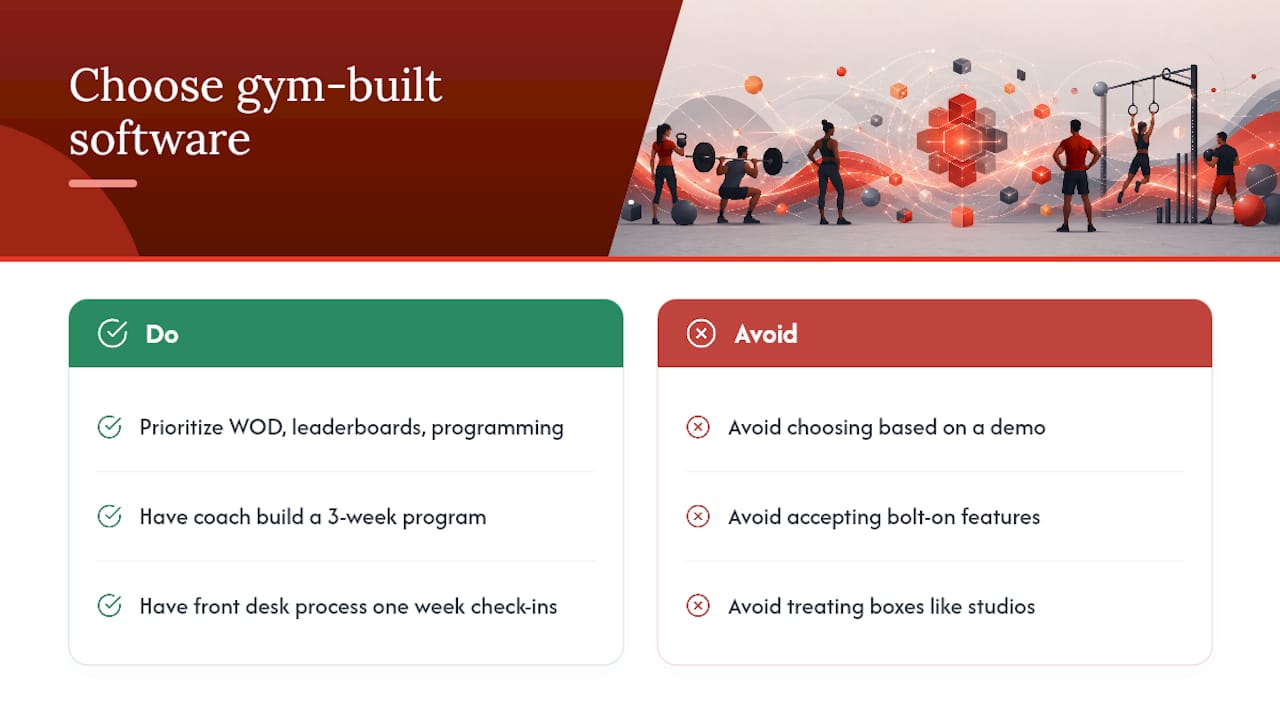
The platforms that consistently earn loyalty from box owners are the ones where WOD tracking, leaderboards, and programming are first-class features, not bolt-ons. That is a short list: Wodify and BTWB on the performance side, SugarWOD on the community side, and Fitness Flow when you want those capabilities inside a single management platform rather than a stack.
The honest advice: do not pick based on a demo. Pick based on what your coach says after building a three-week program in the trial, and what your front-desk staff says after processing a week of check-ins and a failed payment. Those two data points will tell you more than any feature comparison table.
Fitness Flow covers the full CrossFit box stack
Most CrossFit boxes end up managing two or three tools because no single platform covers everything well. Fitness Flow was built to close that gap: WOD builder and program scheduling, branded member apps on iOS, Android, and web, recurring billing with CRM and lead capture, wearable device integrations, and multi-location reporting in one subscription.
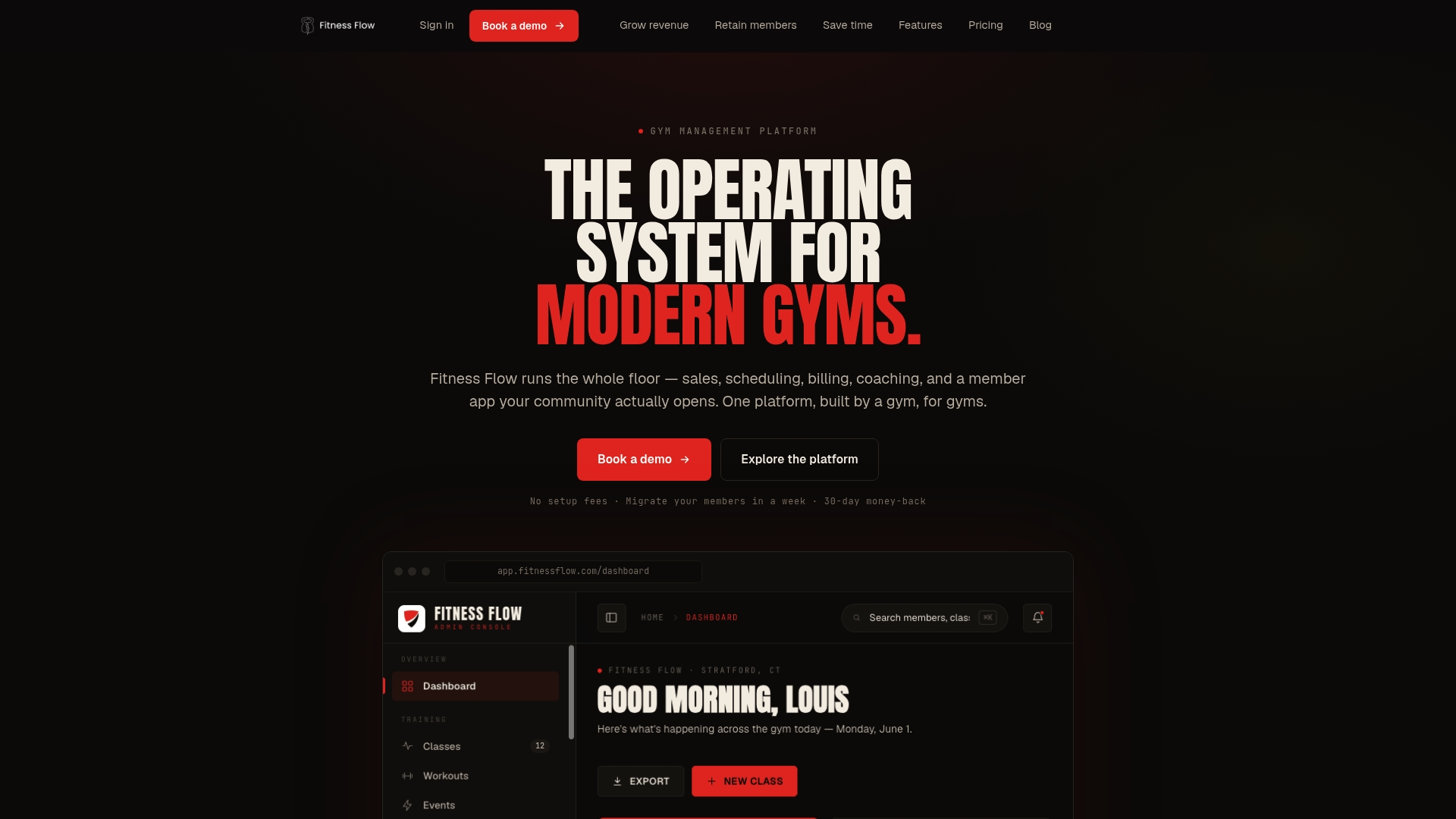
Onboarding includes live support and front-desk workflow training, not just a help center link. Pricing is tiered SaaS, paid monthly or annually, with no hidden enterprise fees for the features CrossFit boxes actually use day-to-day. If you want to see how it handles your specific class schedule and programming workflow, book a demo at joinfitnessflow.com and bring your head coach to the call.
Useful sources
For further reading and to verify platform claims directly, the following resources are worth bookmarking:
- Best Gym Management Software: US Buyer Guide (2026) | Hey Jodie
- CrossFit gym business benchmarks — BizMetricsHQ
- CrossFit vs. fitness gym business — CrossFit RRG
Schedule demos with at least two vendors before making a decision. Vendor feature pages describe capabilities; a live trial with your team reveals whether those capabilities hold up under real operating conditions.
FAQ
What is the best CrossFit gym software for a small box?
For a new or small box, PushPress offers the fastest setup and lowest barrier to entry, often paired with SugarWOD for athlete engagement. Fitness Flow is worth trialing if you want a single platform that covers billing, programming, and a branded member app from day one.
Does CrossFit gym software need to include WOD tracking?
Yes. Generic scheduling platforms handle class booking but lack benchmark logging, leaderboards, and programming tools that CrossFit coaching workflows require. Platforms like Wodify, BTWB, and Fitness Flow treat WOD tracking as a core feature.
How much does CrossFit box management software cost?
All-in-one platforms typically run $150–$400+ per month depending on member count and features. Access control integrations, branded apps, and advanced reporting often add cost at lower tiers.
Should I use one platform or a stack of tools?
A single all-in-one platform (Fitness Flow, Wodify, Zen Planner) simplifies billing, support, and data. A stack (PushPress + SugarWOD) can deliver a better athlete experience at launch but adds integration complexity as the box grows. The right answer depends on your team’s technical comfort and how quickly you expect to scale.
What questions should I ask during a gym software demo?
Ask who handles phone support, whether access control is included at your tier, what the onboarding process covers, and whether you can export your member data if you switch. Bring a coach and a front-desk staff member to the demo so all three workflows get tested.