

Class Waitlist Policy: How to Write One Members Trust

A good class waitlist policy answers five questions in plain words: who gets an open spot, how long they have to claim it, when automatic adds stop, what happens to no-shows, and how long the list can grow. Set those five and publish them where members book. Full classes then refill instead of running with empty mats.
This guide is for gym and studio owners. It uses real policies from U.S. studios and shows how to turn them into rules you can copy.
Getfitnessflow
Keep Class Waitlists Moving
Fitness Flow brings gym scheduling and member engagement together in one platform, helping owners manage classes and keep members connected.
TL;DR
- A waitlist policy is five settings: priority order, offer window, notification method, no-show handling and list cap.
- Most U.S. studios auto-add waitlisted members until 2 to 6 hours before class. After that, the spot goes to the first person to respond.
- Give members a short claim window. We suggest 10 minutes with one retry, sent by push notification first and SMS as the fallback.
- Tie the waitlist to your cancellation policy. A member added late should not be charged for a spot they had no time to plan around.
- Publish the rules on the booking page and in the confirmation message, in one short paragraph per setting.
Table of Contents
- What a class waitlist policy has to decide
- Decide who gets the open spot
- Set the offer window and notifications
- Align the waitlist with your cancellation cutoff
- Cap the list and size the class
- Tell members the rules in plain words
- Keep the policy consistent across locations
- Run the policy from one platform
- Roll it out in a week
- FAQ
- Sources
What a class waitlist policy has to decide
The waitlist is where your schedule meets demand. Every full class has people who wanted in. A policy decides whether they get in, or whether the spot stays empty because nobody saw the message in time.
Our waitlist rules guide breaks the policy into five settings that work together:
- Priority rules: who is first in line.
- Auto-offer timing: how long an offered spot stays open.
- Notification rules: how the member hears about it.
- No-show handling: what happens when someone takes a spot and vanishes.
- Waitlist caps: how many people can queue.
Get one wrong and you get either empty seats or frustrated members. A 60-minute window with email only leaves spots empty. A list of 40 people for a class of 12 sets expectations nobody can meet.
College registrars publish waitlist rules too, and the top search results are mostly campus pages. Their core idea carries over. One university page says waitlisting is first come, first served and does not guarantee a seat. That sentence belongs in your policy as well, in your own words.
Decide who gets the open spot
Start with timestamp order
The simplest rule is the fairest-looking: the person who joined the list first gets the first offer. Members understand it without explanation, and it is easy to defend when someone asks why they were skipped.
We recommend timestamp order as the default, with an optional allotment for tiered members. In our guide, that allotment is 10 to 20% of the offers going to higher-tier members, such as those on unlimited plans. If you do this, say so in the policy. A hidden priority system is the quickest way to lose trust.
Know when the queue stops mattering
Most studios do not keep the queue order all the way to class start. Close to class time, the rule changes to “first to claim.” Several U.S. studios publish this:
- inTension Pilates in Utah says auto-add closes two hours before class. After that, remaining waitlisted members get a text with a link to add themselves, first come, first served.
- 2nd Story Pilates+Yoga in Queens says waitlisted students can be added automatically up to six hours before class. Inside that window, everyone left on the list gets a text and the first to claim wins.
- Studio Resistance uses the same two-hour cutoff. After it, automatic booking stops and the first person to respond by email or SMS is added.
The logic is practical. A member 15th in line should not be passed over because a person ahead of them is on a train and cannot confirm. Opening the offer to everyone close to class time fills the spot faster.
Set the offer window and notifications
The claim window is the setting that most affects whether a cancelled spot gets filled. Too long and the class starts with an empty mat. Too short and members feel ambushed.
Examples from studios show a range. CrossFit South Brooklyn texts the first waitlisted member and gives a one-hour confirmation window, and asks members to remove themselves from other waitlists once they claim a class. That works when a class is hours away. It is too slow when it is 90 minutes out.
Our recommendation for software-driven waitlists is tighter: a 10-minute auto-offer window with one retry to the next person in line, as laid out in our waitlist rules guide. Use the longer window when the class is a day away and the shorter one as class time approaches.

Pick the channel deliberately
Push notification first, with SMS as the fallback, works better than email alone. Email is checked too slowly to matter for a short claim window. Some studios still use email as a backup for the all-members blast near class time, which is fine because that message is a broadcast, not a timed offer.
Platform Lagree adds one more line worth copying: it tells waitlisted clients they may be added at any time and should turn on text and email notifications. Tell members that notifications are part of the deal. A member with notifications off will miss offers and blame the studio.
Write the claim steps
Keep the member’s action to one tap. A policy line that works:
When a spot opens, we will send you a notification. Tap to confirm within 10 minutes. If you do not, the spot goes to the next person on the list.
Align the waitlist with your cancellation cutoff
The waitlist and the cancellation policy are one system. If members can cancel up to the minute before class, the waitlist gets spots too late to fill them. If the cutoff is early, the waitlist has time to work.
U.S. studios use different cutoffs:
StudioCancellation cutoffFee or ruleWaitlist behavior
FORM BY TWO
At least 8 hours before class
Applies to class and waitlist cancellations
Auto-add ends 2 hours before class, then all waitlisted members are emailed and the first responder gets the spot
Platform Lagree
At least 8 hours before class
Waitlisted clients may be added at any time
Pulse Fitness Co.
6 hours standard; 4 hours for high-demand Friday and Saturday classes
$12 late cancel, rising to $24 within two hours on peak classes
Not stated in the source
inTension Pilates
8 hours for charge protection
Members added inside 8 hours who cannot attend are not charged
Auto-add closes 2 hours before class
Two patterns stand out. First, peak classes often get stricter rules, because an empty seat costs more when others are waiting. Second, the best policies protect members added late. inTension Pilates does not charge a member added from the waitlist inside the cancellation window who cannot attend. That is fair: they had no chance to plan.
For fee design, how booking software handles cancellation rules and fees is worth a look, since the fee logic decides how waitlist adds are treated. We also cover the full setup in our guides to class booking policies and automating late cancellation fees.
Handle repeat no-shows
A waitlist only works if people who take a spot show up. We recommend a simple strike system: two no-shows within a rolling 30-day window trigger a temporary waitlist block of one to two weeks. The block applies to the waitlist only, not to regular booking, so a member is not locked out of the gym over one bad month. State the strike rule in the policy and in the message sent after the first no-show. A warning is more effective than a surprise block.
Cap the list and size the class
An uncapped waitlist looks generous and works badly. A member 25th in line for a 12-person class will almost never get in, and each unanswered offer wastes a few minutes of your window.
We suggest capping the waitlist at roughly twice the class size. A 12-person class holds 24 names at most. That keeps offers meaningful and gives members an honest picture of their odds.

A constantly long waitlist is also data. If the same Tuesday 6 p.m. class hits its cap every week, you do not have a waitlist problem. You have a capacity or schedule question. Our guides to class capacity planning and fixing class scheduling help you decide whether to add a session, move a time or raise the room limit.
Tell members the rules in plain words
Most complaints about waitlists are not about the rule. They are about surprise. A member who did not know the cutoff, or did not know that offers expire in ten minutes, feels treated unfairly even when the policy is reasonable.
Place the policy in four spots:
- At booking: a one-line summary next to the “Join waitlist” button, such as “You are not guaranteed a spot. We will notify you if one opens.”
- In the confirmation message: the member’s position, the cutoff for automatic adds and the claim window.
- In the offer message: the deadline in minutes, and what happens if they miss it.
- On the policies page: the full text, with the same wording used everywhere else.
A copyable policy
Adjust the numbers to your studio:
Waitlist policy. Joining a waitlist does not guarantee a spot. Members are offered open spots in the order they joined. When a spot opens, you will get a push notification, followed by a text if you do not respond. You have 10 minutes to confirm. If you miss the window, the spot goes to the next person. Automatic adds stop 2 hours before class. After that, everyone still on the list is notified and the first person to claim the spot is added. If you are added from the waitlist and cannot attend, cancel as soon as you can. Two no-shows within 30 days pause waitlist access for one to two weeks. Remove yourself from other waitlists for the same time slot once you have claimed a spot.
Read it aloud. If a front-desk employee cannot say it in two breaths, shorten it.
Keep the policy consistent across locations
With more than one location, the weak point is drift. One manager gives a 30-minute window, another does not enforce the strike rule, and members who visit both notice. Software should apply the rules for you.
Look for these capabilities in your scheduling system:
- Automatic offers in timestamp order, with the window set per class type or per location.
- A switch to first-come-first-served at your cutoff time.
- Push, SMS and email notifications in a set order.
- Automatic no-show tracking that feeds the strike rule.
- A waitlist cap set per class capacity.
- One policy template applied to every site, with local overrides where you want them, such as peak-time classes.
Without automation, a staff member has to watch the list and text people by hand, which rarely happens at 5:40 a.m. on a Monday.
Our view on waitlists
We see the waitlist as a retention tool first and a filling tool second. A member who is told “the class is full” may go elsewhere. A member who gets a notification, taps once and walks into the class they wanted has a reason to stay.
That is why we built waitlist logic into the same platform that handles scheduling, billing and the member app. When offers, cancellations, fees and notifications run in one place, the policy you write is the policy members experience. You do not need a separate tool to text people or a spreadsheet to track no-shows.
Our advice is to write the policy in five short lines, publish it everywhere members book, and let the software enforce it. Review the numbers after a month: how many offers were claimed, how fast, and how many spots still started empty. Then adjust the window, not the principle.
Louis
Run the policy from one platform
Fitness Flow brings class scheduling, booking, recurring billing, a fully branded member app and automated retention workflows into one system, so your waitlist, cancellation rules and member messages follow the same logic. Plans are published on our site: Solo at $149 per month and Studio at $349 per month, with Multi-site for operators running several locations.
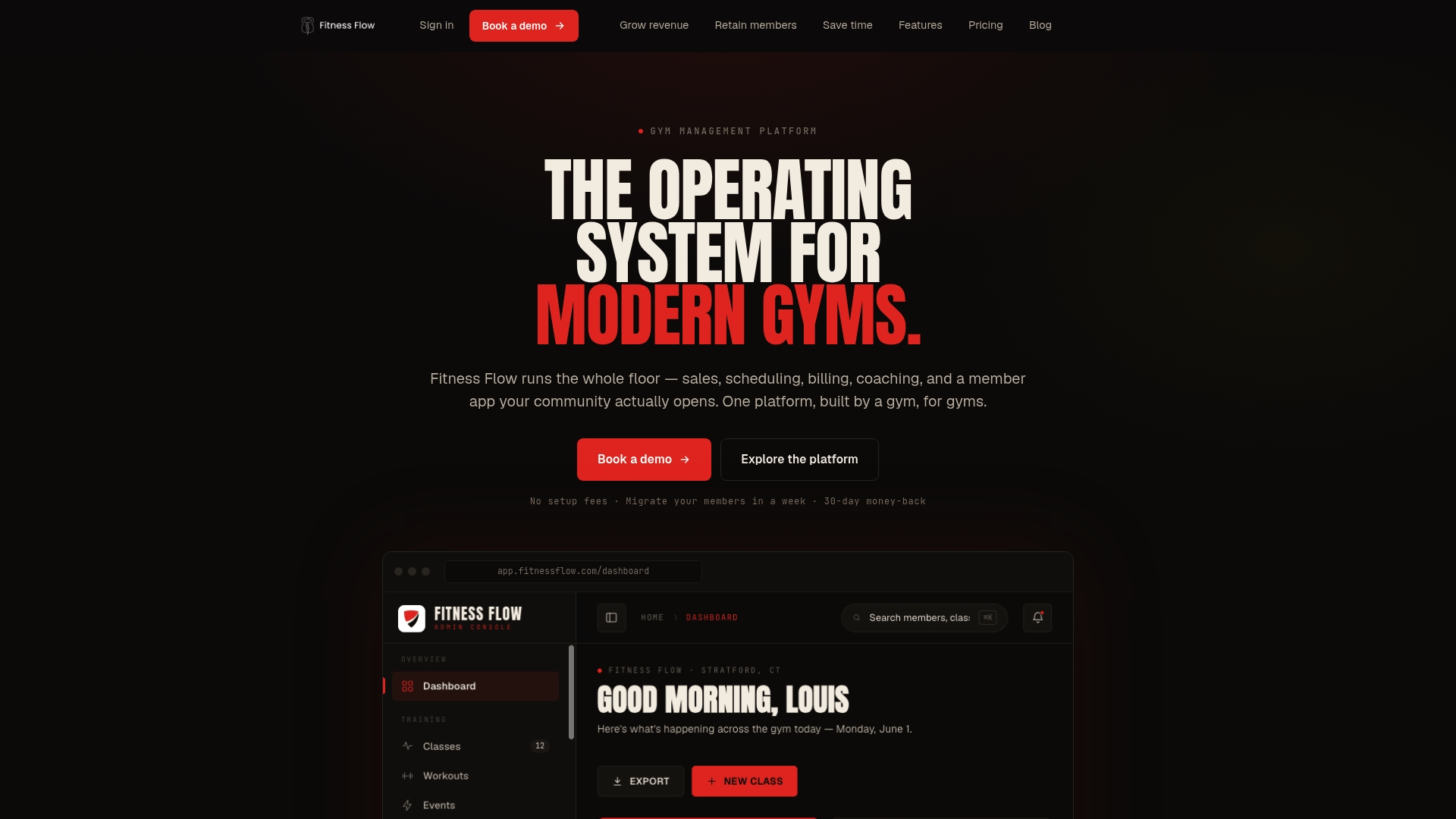
See the plans and what each includes on our pricing and plans page, or read how the platform fits modern gyms and studios.
Roll it out in a week
- Day 1: Pull last month’s data: classes that hit capacity, cancellations inside the cutoff and no-shows.
- Day 2: Set your five settings. Start with timestamp priority, a 10-minute window, push then SMS, a two-hour auto-add cutoff and a cap of twice the class size.
- Day 3: Match your cancellation cutoff to the waitlist. If you charge fees, decide how members added late are treated. Our guide to turning a cancellation policy into software rules walks through this.
- Day 4: Write the policy text and the three member messages: confirmation, offer and missed offer.
- Day 5: Post the policy at booking, on your policies page and in your welcome email. Brief staff so they give the same answer.
- Day 6 to 7: Test with a full class and a staff account. Check that notifications arrive in order.
- After 30 days: Review claim rate and empty starts, then adjust.
For a deeper look at the strategy behind filling cancelled spots, see our class waitlist strategy guide.
FAQ
How does a class waitlist work at a gym?
When a class is full, a member joins a list instead of being turned away. If someone cancels, the system offers the spot to the first person in line, or to everyone on the list close to class time. The member confirms and is booked. Joining does not guarantee a spot.
How long should members have to accept an open spot?
It depends on how far away the class is. One U.S. CrossFit gym gives one hour by text. For automated, same-day offers we suggest 10 minutes with one retry to the next person. Shorter windows fill spots faster, so tell members exactly what to expect.
Should members be charged if they cannot attend after being added from the waitlist?
That is your call, but the fairest approach protects members added close to class time. inTension Pilates does not charge people added inside its eight-hour window who cannot attend. Whatever you choose, write it in the policy so members know before they join.
How big should a waitlist be?
We suggest capping it at about twice the class size. Longer lists give members little chance of getting in and slow your offers. If you hit the cap often, consider adding a session or changing the class time.
Do waitlisted members need notifications turned on?
Yes. Offers are time-sensitive, and a member who has notifications off will miss them. Say so when they join the list. Push notification first with SMS as a fallback is the most reliable combination.
Sources
- inTension Pilates FAQ
- 2nd Story Pilates+Yoga policies
- Studio Resistance FAQ
- CrossFit South Brooklyn membership policies
- Platform Lagree studio policies
- FORM BY TWO studio policies
- Pulse Fitness Co. tips and FAQs
- Xolapp fitness studio booking software