
Automate Gym Late Cancellation Fees With Trigger, Waitlist, Review

Set a fixed cancellation window before class start, tie it to an automated trigger that drafts or charges a fee the moment a member cancels late or no-shows, and route every exception to a manager review queue before the charge finalizes. This single configuration, paired with an immediate waitlist cascade to backfill the open spot, does more to protect revenue and member goodwill than any punitive fee schedule alone.
TL;DR:
- Implement a fixed cancellation window aligned with class refill speed, with tighter limits for high-demand classes and longer ones for specialty sessions.
- Use a mixed approach of drafting or applying fees, waitlist cascades, and human review for exceptions to prevent disputes and preserve member goodwill.
- Ensure the software can detect cancellation events in real time, support stored payment methods, enable waitlist notifications, and restrict waiver approvals to designated staff.
- Schedule multiple reminders, set shorter claim windows for peak times, and use deposits for one-on-one sessions to reduce last-minute cancellations effectively.
- Monitor key metrics like late-cancel and no-show rates, waiver volume, and chargeback rates weekly to adjust policies and avoid increasing disputes or dwindling capacity.
Table of Contents
- Policy Essentials: What to Define Before You Configure Software
- Technical Setup: System Prerequisites and Data Mapping
- Automation Workflows: Trigger → Waitlist → Fee Draft → Rebooking Outreach
- Exception Handling and Human-in-the-Loop Review
- Billing Mechanics: Payment Methods, Invoice Labeling, and Dispute Handling
- Monitoring and Metrics: KPIs to Measure Policy Performance
- Rollout Checklist and Member Communications
- Publisher Perspective: What Actually Makes This Work
- Set Up Automated Fee Enforcement With Getfitnessflow
- Implementation Resources and Documentation
- Sources
Policy Essentials: What to Define Before You Configure Software
Before you touch a single automation setting, decide what actually counts as a violation. Most studios operate with three distinct states, and your software needs to treat each one differently: early cancellation (member gets a refund or credit back), late cancellation (credit is forfeited or a flat fee applies), and no-show (a fee or a strike against a behavior threshold). Blurring these into one bucket is the fastest way to generate confused members and inconsistent staff decisions.
Your cancellation window should match how fast a spot can realistically be filled. A high-demand HIIT class with a waitlist might justify a tighter short window, while a specialty workshop with limited refill potential needs more lead time. Studio management software that displays this window at the point of booking, not buried in a terms page, cuts down on disputes before they start.
Enforcement should also vary by product type:
- Class packs: forfeit a credit rather than charging a separate fee.
- Drop-in or single-session bookings: apply a flat fee, since there’s no credit to claw back.
- Unlimited memberships: use a strike system tied to behavior, since a flat fee on an unlimited plan often feels arbitrary to members.
- Exception categories (illness, family emergency, app glitches) should be listed in advance so your automation knows what to auto-flag versus auto-waive versus send to a human.
Require a checkbox acknowledgment at booking, and repeat the cutoff time on the confirmation message.
Technical Setup: System Prerequisites and Data Mapping
Your platform needs five capabilities before any of this works reliably. Skip one, and you’ll end up patching gaps manually, which defeats the purpose of automating in the first place.
- Webhook or event emission for booking status changes (booked, cancelled, no-show, waitlisted) so external tools can react in real time.
- Saved payment methods or payment-intent support, so a fee can be drafted without asking the member to re-enter a card.
- Editable member contact fields for accurate SMS and email delivery on reminders and fee notices.
- Waitlist functionality that can auto-notify and auto-release a claimed spot.
- Staff permission controls, so only certain roles can approve or reverse a waiver.
Map these fields precisely: booking ID, booking status, class start time, member ID, membership tier, payment token, waiver flag, and staff reviewer ID. Miss the waiver flag and you lose the audit trail managers need to defend a reversal later.
On the charge question, draft the fee first and queue it for review rather than auto-charging immediately, unless your confirmation flow is airtight. A drafted charge gives you a buffer against disputes when a member claims they never got the reminder. If your booking platform doesn’t support this natively, an orchestration layer like n8n or Make can listen for the webhook and run the workflow externally.
Automation Workflows: Trigger → Waitlist → Fee Draft → Rebooking Outreach
The sequence that actually protects both revenue and member trust follows a specific order, and skipping steps is where most gyms lose either capacity or goodwill. A trigger-to-approval workflow that maps cancellation events to waitlist action, fee logic, and human review recovers more capacity than enforcement alone.
- Cancellation or no-show detected → the system fires immediately.
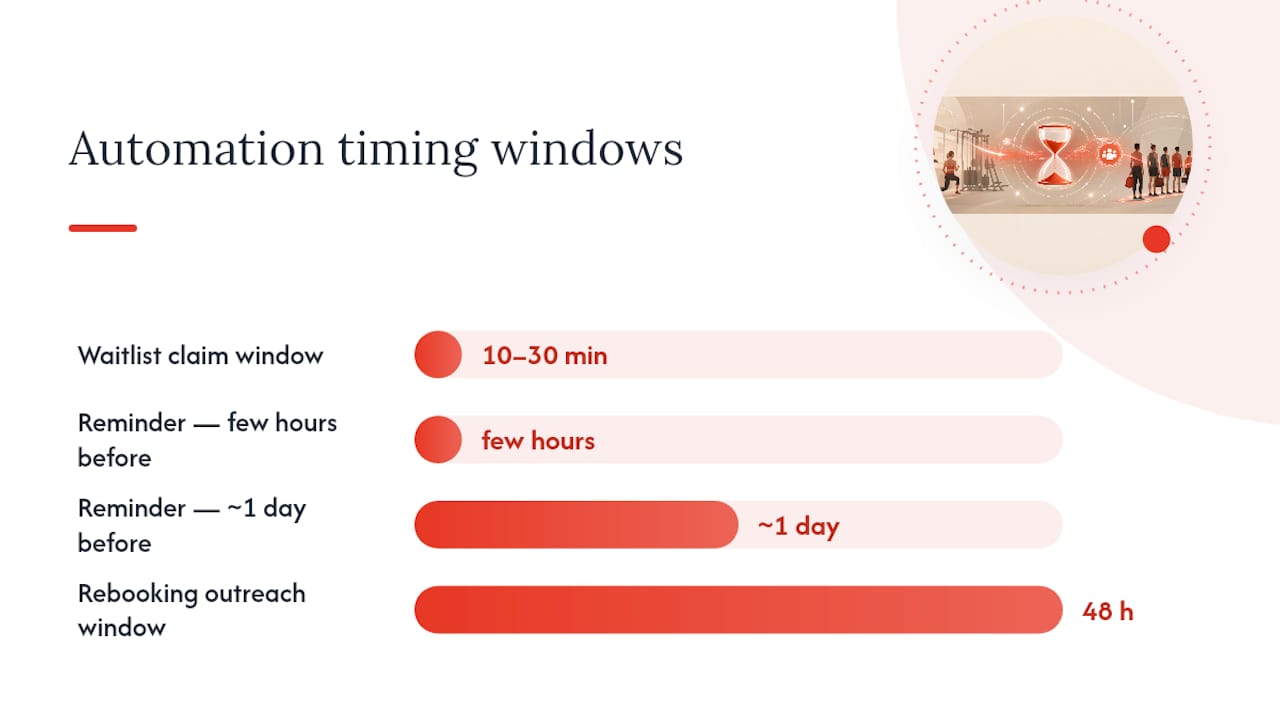
- Waitlist cascade begins within minutes, offering the open spot to the next member with a 10 to 30 minute claim window before it auto-releases to the next person in line.
- Fee is drafted or applied according to your policy rules, tagged with the booking ID and timestamp.
- Exception criteria check runs automatically, and if the cancellation matches a pre-listed exception (first-time late cancel, documented emergency), it routes to the waiver queue instead of finalizing.
- Rebooking outreach fires within 48 hours, inviting the member back to a comparable class slot.
Reminder cadence matters as much as the fee itself. Send a confirmation immediately at booking, a reminder roughly a day before, and a second one a few hours before class start. That two-touch pattern catches both the member who forgot entirely and the one whose plans quietly changed during the day.
For one-on-one sessions, a small refundable deposit works better than a flat penalty. Charge the deposit only if the member hasn’t confirmed within a defined window some hours before the appointment.
Pro Tip: Set your waitlist claim window shorter for high-demand time slots (10 minutes) and longer for off-peak classes (30 minutes) — a rigid one-size window either rushes eager members or leaves spots empty too long.
Exception Handling and Human-in-the-Loop Review
Automation without a human checkpoint is where fee policies backfire. Studios that auto-charge with no review path tend to generate more disputes than the revenue they collect, since a single wrongly-charged fee can undo weeks of member goodwill.
Auto-flag these events for manager review rather than instant charging:
- First-time late cancellations from an otherwise reliable member.
- Documented emergencies (medical, family, verified in writing).
- Payment gateway errors or booking system glitches.
- Instructor-initiated cancellations, which should never trigger a member fee.
Build a daily waiver review queue where managers approve or reverse drafted charges, and require a reason code plus staff ID on every reversal. Track waiver volume as a percentage of total fees. If it climbs past a set threshold, pause auto-charges and investigate whether your policy or your reminder timing is the actual problem. On receipts, keep reversed fees clearly separated from membership dues so account history stays legible to both staff and members.
Billing Mechanics: Payment Methods, Invoice Labeling, and Dispute Handling
Clean billing mechanics prevent most disputes before they happen. Automated billing systems built around saved payment methods and payment-intent flows reduce friction significantly compared with manual card entry after the fact.
- Use card-on-file with payment-intent style processing, and default to drafting the charge when disputes are likely rather than charging instantly.
- Label every charge explicitly as “Late Cancellation Fee” or “No-Show Fee” in both the invoice and the member’s account history, kept separate from membership line items.
- Build a retry schedule for failed collections: attempt again in 3 days, then 7, with a clear notification at each stage before escalating to manual collections.
- Document your refund window, assign clear staff ownership for dispute resolution, and retain booking history plus reminder logs as evidence.
Monitoring and Metrics: KPIs to Measure Policy Performance
You can’t tell if the policy is working without a dashboard. Track late-cancel rate, no-show rate, waitlist fill rate, fee collection rate, waiver rate, chargeback rate, and short-term churn following any enforcement change.
Review fill rate and waiver volume weekly, and hold a monthly business review to decide whether the policy itself needs adjusting. Change only one variable at a time, such as adding a second reminder or testing a deposit on one-on-one sessions, and measure the result over a 30 to 60 day window before drawing conclusions.
- A sudden spike in waiver requests usually signals a reminder timing problem, not a member behavior problem.
- A rising chargeback rate means your drafted-charge buffer isn’t catching disputes early enough.
- Pause auto-charges the moment either anomaly appears, and debug before resuming.
Rollout Checklist and Member Communications
- Pick one class type or membership tier and run the new policy for 30 to 60 days before expanding studio-wide.
- Display the policy everywhere it matters: the booking screen, the checkout acknowledgment, confirmation emails, reminder texts, and an app banner.
- Train staff on the waiver workflow, dispute handling, and consistent use of reason codes so two employees don’t handle the same situation differently.
- Frame the language around capacity, not punishment. Members respond better to “this fee lets us open your spot to someone on the waitlist” than to language that reads as a penalty.
Pro Tip: Run your pilot on the class with the longest waitlist first. That’s where a fee policy’s capacity-recovery benefit is most visible to members, which makes the studio-wide rollout an easier conversation later.
Publisher Perspective: What Actually Makes This Work
Owners tend to overengineer the fee logic and underinvest in the exception path. Getfitnessflow customers using an integrated scheduling, billing, and branded app stack report a 27% average increase in member retention and save roughly 12 hours a week in administrative work, largely because reminders, card-on-file billing, and waiver tracking live in one system instead of three disconnected tools. Centralizing that data is what makes the manager review queue fast enough to actually use daily.
— Louis
Set Up Automated Fee Enforcement With Getfitnessflow
Getfitnessflow gives you the exact stack this article describes in one place, so you’re not stitching together a booking tool, a payment processor, and a spreadsheet for waiver tracking. It handles scheduling webhooks, waitlist cascades, card-on-file billing, drafted charges, a built-in waiver review queue, automated reminder sequences, and the reporting dashboards to track fill rate and waiver volume without manual exports.

If you’re currently running late-cancellation policy off spreadsheets or a booking tool with no fee automation, a demo of Getfitnessflow’s platform will show you exactly how the trigger-to-review workflow maps onto your existing class schedule. Book a setup call to see your specific membership tiers and class formats configured live.
Implementation Resources and Documentation
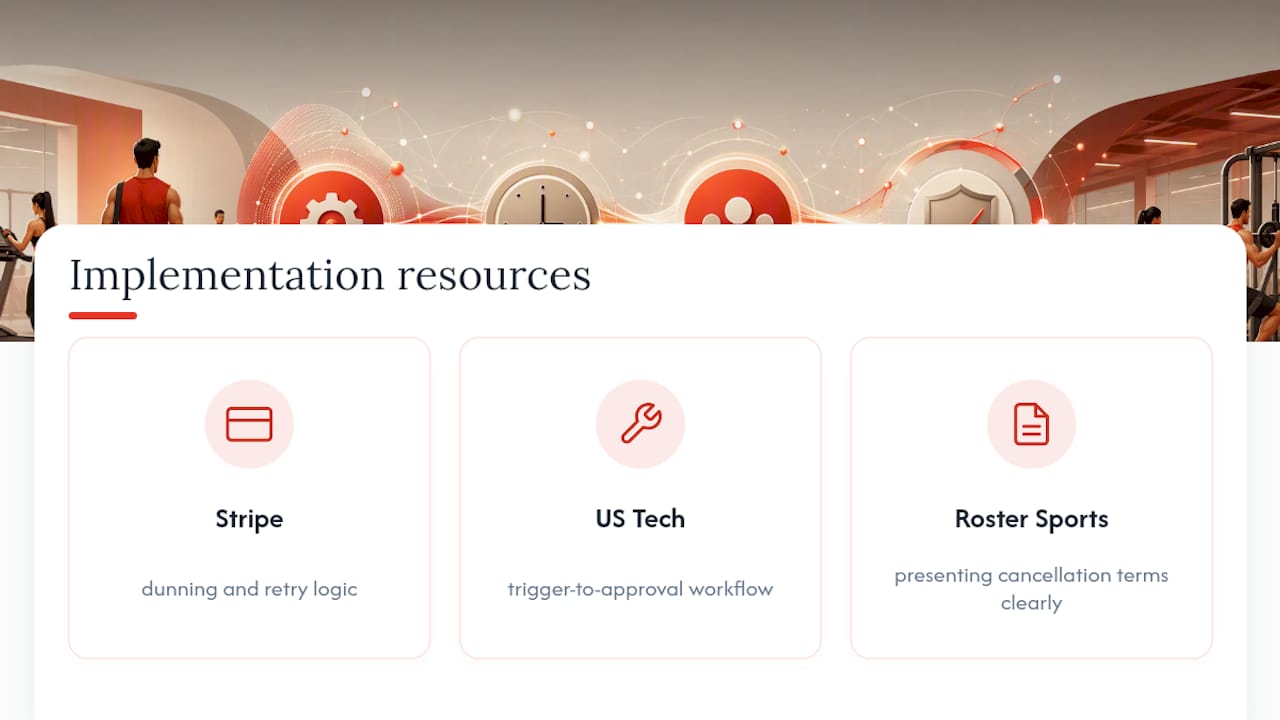
For deeper technical detail on the pieces covered above, these resources are worth bookmarking: Stripe’s guide to automated gym billing covers dunning and retry logic, US Tech Automations’ workflow breakdown details trigger-to-approval sequencing, and Roster Sports’ terms guidance shows how to present cancellation terms clearly to members.