On-Demand Workout Library: A Gym Owner’s Launch Playbook
An on-demand workout library is a catalog of recorded classes and programs that gyms deliver through their own branded member app, complete with scheduling, tagging, and access controls. For most independent and mid-sized studios, the fastest and lowest-risk way to launch one is through an integrated studio platform or a white-label OTT provider, not a custom-built video stack.
Speed matters here more than most operators assume. Orangetheory built its video-on-demand backend using AWS Amplify Video and Elemental Media services, replacing infrastructure and going live within hours rather than months, and racked up millions of views shortly after. On-demand content is no longer a nice add-on. Connected on-demand experiences now sit at the center of retention strategy for boutique studios, turning occasional drop-ins into paying digital regulars. Two things determine whether your launch mirrors that success or drags into a costly, half-finished project:
- Choosing a platform that matches your team’s technical capacity, not just your budget
- Treating video specs, metadata, and scheduling as launch requirements, not afterthoughts
Key Takeaways
An on-demand workout library succeeds when studios pair a fast, integrated platform with disciplined video specs, clear metadata, and drip scheduling built around member behavior.
PointDetails
Match platform to team size
Use an LMS for the fastest solo launch, white-label OTT for branded apps and TV support.
Lock video specs early
Export MP4 at 1080p and 5 to 8 Mbps to avoid playback complaints.
Tag everything
Type, duration, difficulty, equipment, and instructor fields make content findable.
Track completion, not just views
Low completion with high views usually flags a pacing or audio problem.
Run it on one platform
Fitness Flow combines video upload, drip scheduling, billing, and analytics in a single system built for gym operators.
Table of Contents
- What Is an On-Demand Workout Library for Gyms?
- How Do You Launch an On-Demand Library Step by Step?
- LMS vs. White-Label OTT vs. DIY Cloud: Which Fits Your Gym?
- What Video Format and Specs Work Best for Workouts?
- How Should You Organize and Schedule Your Catalog?
- Which Monetization Model Should Your Gym Use?
- What KPIs Actually Prove Your Library Is Working?
- What Does a 30 to 90 Day Rollout Actually Look Like?
- What Do Gym Operators Get Wrong About Launching On-Demand?
- How Fitness Flow Builds Your Branded Video Library
- Sources
- FAQ
What Is an On-Demand Workout Library for Gyms?
Think of it as your studio’s own streaming shelf, built inside the app your members already use to book classes and check their billing. Unlike a public video platform, it lives behind your membership wall, carries your branding, and connects to the same member records your front desk already relies on. A member finishes a 6 a.m. spin class, opens your app that evening, and picks up a strength session tagged for their skill level, all without leaving your ecosystem.
The operational upside is concrete. On-demand catalogs give studios a second revenue lane that doesn’t depend on floor space or instructor headcount, and they extend your brand’s reach to members traveling, injured, or just squeezing in a workout before the kids wake up. Every view, completion, and repeat session also becomes usable engagement data, something a rack of DVDs or a generic streaming subscription never gave you.
How Do You Launch an On-Demand Library Step by Step?
- Define scope and business model. Decide if this is a digital-only add-on or bundled into existing hybrid memberships before you touch any tools.
- Pick your platform. Match an LMS, white-label OTT, or cloud-based build to your budget and in-house technical skill (more on trade-offs below).
- Confirm music and content rights. Commercial tracks used in class recordings need licensing cleared before anything goes live.
- Produce your content. Film in batches, using consistent lighting and framing so your catalog looks cohesive, not stitched together from different eras.
- Prep files and naming conventions. Standardize resolution, format, and file names so uploads don’t turn into a guessing game.
- Build your taxonomy. Tag every video by type, duration, difficulty, equipment, and instructor before it hits the catalog.
- Set access rules. Configure drip schedules, tier gating, and expiration windows tied to membership level.
- Test everything, then launch. Check playback across phones, tablets, and TVs, confirm payment flows work, and set a content refresh calendar.
Pro Tip: Batch-film four to six weeks of content in one or two production days. Splitting shoots across months almost always causes lighting, audio, and instructor-energy mismatches that members notice even if they can’t say why.
LMS vs. White-Label OTT vs. DIY Cloud: Which Fits Your Gym?
The right choice depends less on your wish list and more on your timeline and team size.
- All-in-one LMS platforms are the simplest starting point. Guides consistently recommend LMS tools for coaches and studios because hosting, payments, and drip scheduling live in one system with no separate integrations. They fit solo operators or small studios that want to launch in days, though native mobile apps and TV support are usually limited or unavailable.
- White-label OTT platforms are the practical winner once you need branded native apps or TV casting. These vendors bundle hosting, transcoding, digital rights management, monetization, and app builds so studios can launch in weeks instead of months, while keeping full ownership of subscriber data and revenue. Expect a modest setup cost and a two to six week runway.
- DIY cloud stacks, built on infrastructure like AWS, offer complete control over the player, delivery, and content protection, mirroring what Orangetheory built with Amplify Video. This route demands in-house or contracted engineering and typically takes three months or more before launch, so it fits multi-location operators with development resources, not a single-site studio testing an idea.
What Video Format and Specs Work Best for Workouts?
Get this wrong and members blame your gym for buffering that’s actually a bad export setting. Hosting guides converge on MP4 files using H.264 video and AAC audio codecs, 1080p resolution, and a bitrate around 5 to 8 Mbps as the reliable sweet spot for workout content across devices.
A 45-minute class at 1080p and 6 Mbps generally produces a file size that gym operators should consider when planning storage and bandwidth. Plan storage and upload bandwidth around that math before you commit to filming a hundred-video launch catalog in month one.
A few production habits make a bigger difference than expensive gear:
- Never upload finished paid content to a consumer platform like YouTube; it strips your access controls and hands the content away for free.
- Standardize file names with a pattern like
program_week_number_instructor.mp4so your team can batch-upload without renaming everything manually. - Frame wide enough to show full range of motion, and prioritize clear audio over cinematic visuals. Members forgive a plain background; they don’t forgive muffled instruction.
- Clear music licensing for gym sessions before recording, not after. Retroactively swapping audio on a finished catalog is a slog nobody enjoys.
How Should You Organize and Schedule Your Catalog?
A library only works if members can find what they need in under ten seconds. Tag every title with type, duration, difficulty, equipment required, and instructor name, since these five fields form the backbone of a searchable catalog and directly support drip release logic.
- Build multi-week programs (four to eight weeks) rather than dumping isolated videos into one folder.
- Use drip release for structured programs: Week 1 unlocks on enrollment, Week 2 after seven days, and so on, which curbs sharing and nudges completion.
- Keep an evergreen “quick workouts” section fully unlocked for members who just want a 20-minute session tonight.
- Write short, specific descriptions (“Lower-body strength, dumbbells, 35 minutes”) instead of vague titles like “Workout 12.”
A cohort-based nutrition or strength challenge might drip weekly to build anticipation, while your general cardio and mobility library stays fully open from day one.
Which Monetization Model Should Your Gym Use?
Match the model to your member base, not to what a competitor across town is doing.
- Digital-only subscription: A separate, lower-priced tier for members who only want on-demand access, useful for reaching people outside driving distance of your facility.
- Hybrid membership: On-demand bundled into your existing in-person plan at no extra charge, positioned as a retention perk rather than a revenue line.
- Pay-per-class or program: One-time purchases for specialty programs (a six-week marathon prep series, for example), good for testing demand before building a full tier.
- Program bundles: Discounted packages of three or four programs, which tends to raise average order value without requiring a subscription commitment.
Start with a short free trial or a discounted launch bundle to gauge uptake before locking in permanent pricing, and gate premium programs behind your top membership tier so the perk feels earned.
What KPIs Actually Prove Your Library Is Working?
Track five numbers weekly, not fifty: views per title, completion rate, weekly active digital members, digital ARPU, and churn among digital-only subscribers. Completion rate is the number that catches problems earliest — a title with high views but low completion usually signals a pacing, difficulty, or audio issue, not a content-quality problem.
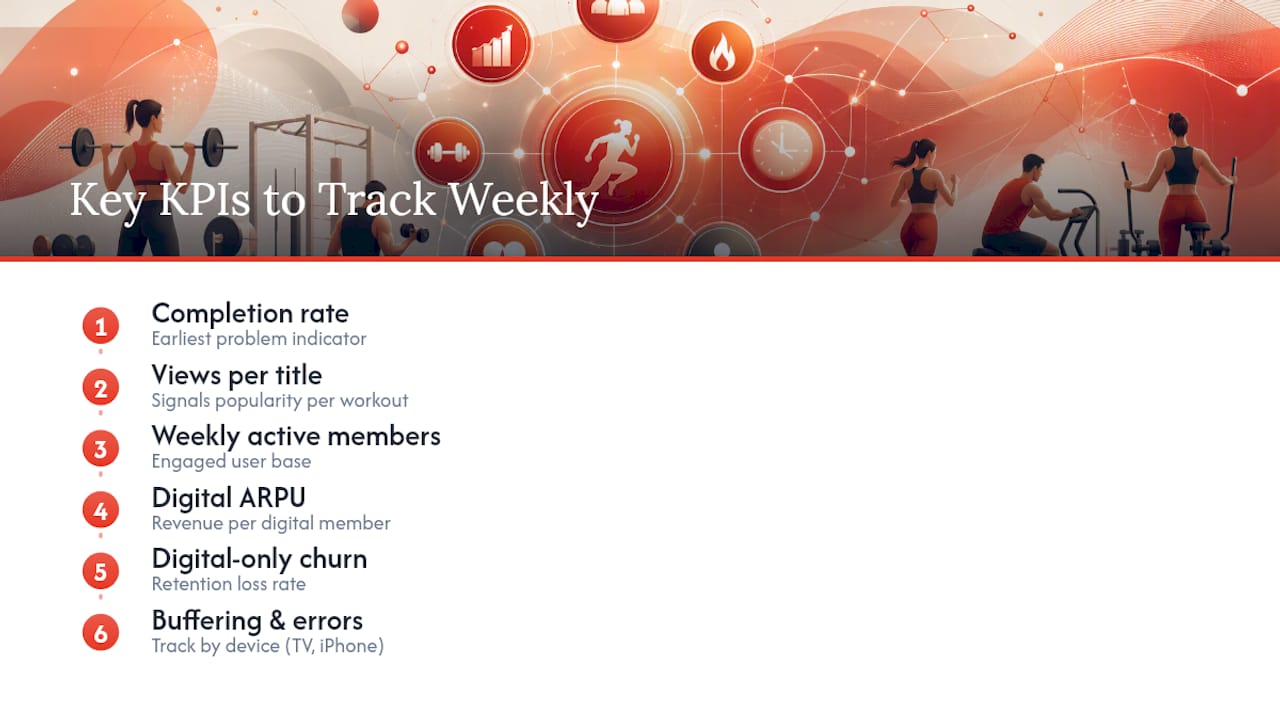
Watch buffering and error rates by device type too. A library that plays flawlessly on iPhone but stutters on smart TVs will quietly bleed your TV-watching segment without a single support ticket being filed.
Small, frequent tests beat a single big annual content overhaul.
What Does a 30 to 90 Day Rollout Actually Look Like?
- Weeks 0 to 2: Lock scope, choose your platform (LMS, white-label OTT, or cloud build), and confirm music licensing terms.
- Weeks 2 to 6: Film and edit your launch catalog, build your tagging taxonomy, and draft drip schedules for any structured programs.
- Weeks 6 to 8: Upload content, configure access tiers and gating, then run full QA: playback on phone, tablet, and TV, drip timing checks, and live payment flow tests.
- Weeks 8 to 12: Launch to a pilot group first, gather completion and buffering data, fix what breaks, then promote the full library to your entire membership.
This timeline assumes a platform that already handles hosting and billing. Add four to eight weeks if you’re building custom infrastructure instead of using an LMS or white-label OTT, since backend engineering rarely finishes on the first estimate.
What Do Gym Operators Get Wrong About Launching On-Demand?
Gym-built tools save time because they assume you don’t have a dev team on call, they assume your front desk staff will manage uploads, and they assume your member data already lives somewhere else you need to sync with. The three most common launch mistakes: filming a hundred videos before testing member demand, skipping drip scheduling entirely, and choosing a platform based on video quality instead of billing integration. If billing and video live in separate systems, someone on your team becomes the manual sync between them forever.
— Louis
How Fitness Flow Builds Your Branded Video Library
Uploading video, scheduling drip releases, running billing, and reading engagement data usually means stitching together three or four separate tools, and that patchwork is where most launch timelines stall. Fitness Flow was built to close that gap: video upload and scheduling, a branded member app, billing, and analytics dashboards all run from one system, so your team never has to manually sync a video host with your membership database.
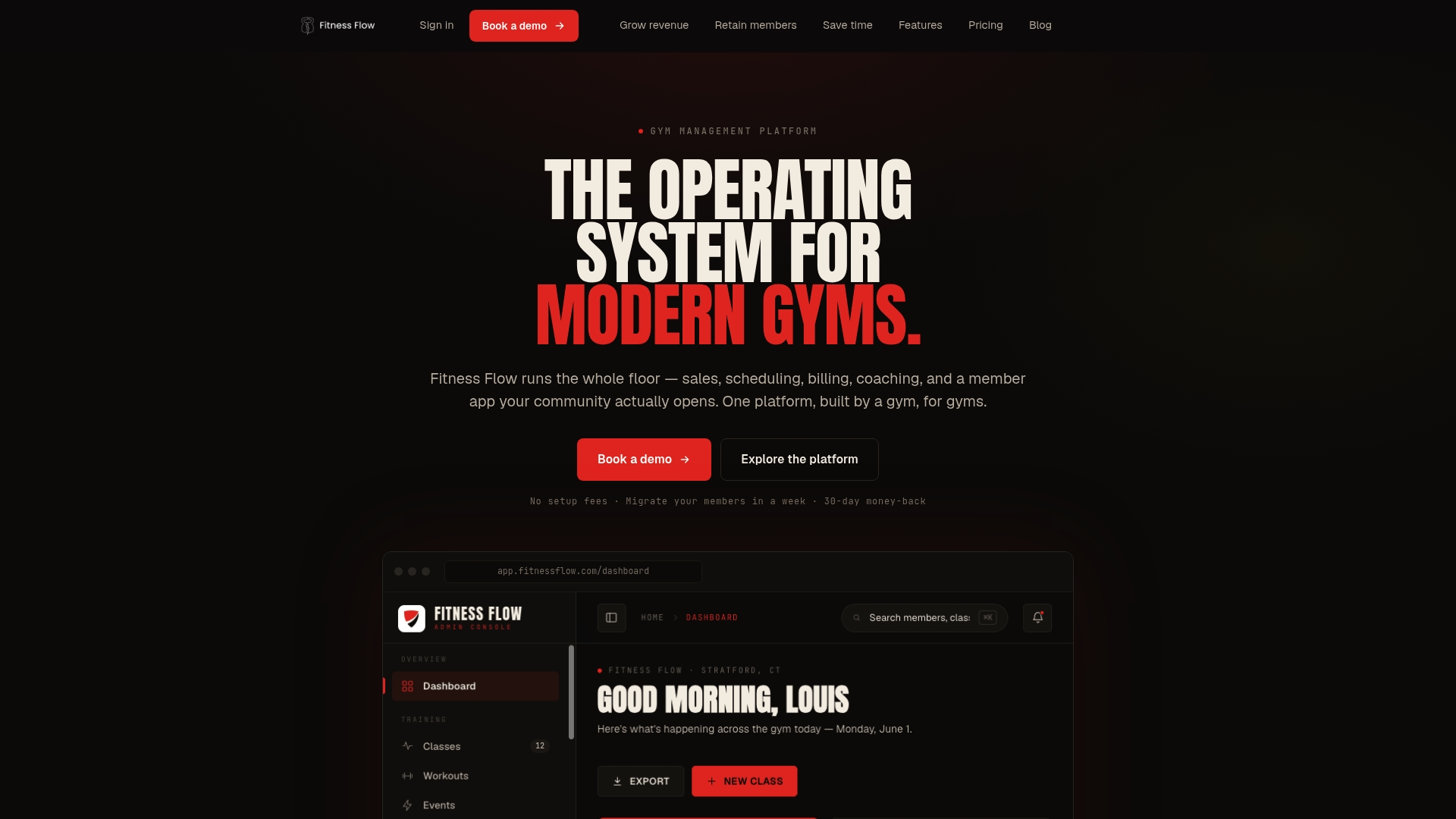
That matters most for completion tracking and ARPU reporting, the two metrics that actually show whether your digital catalog earns its keep. Instead of exporting spreadsheets from three platforms, you see views, completions, and digital revenue in the same dashboard where you already manage class scheduling and payments. If you’re weighing an LMS against a white-label build, see how Fitness Flow’s platform handles on-demand class sales or start a trial at Fitness Flow to test the upload and drip workflow with your own catalog.
Sources
- Why Every Boutique Studio Needs an On Demand Strategy - IPSTUDIO
- Host Workout Videos Online in 2026 (Best Options)
- Delivering video at scale in mobile and web applications with Orangetheory Fitness
- Fitness Streaming Platform: Launch an OTT Workout App
- LES MILLS Content | Clubs & Facilities | Les Mills
FAQ
What Is an On-Demand Workout Library for Gyms?
It’s a branded catalog of recorded classes delivered through your studio’s own member app, distinct from public consumer streaming apps, complete with scheduling, tagging, and membership-based access controls.
How Long Does It Take to Launch One?
With an LMS or white-label OTT platform, most studios launch in two to eight weeks; a custom cloud build typically takes three months or longer.
What Video Format Should I Use for Workout Content?
Use MP4 files at 1080p resolution and a bitrate around 5 to 8 Mbps for reliable playback across phones, tablets, and TVs.
Should I Use Drip Release or Give Full Access Immediately?
Drip release, unlocking new weeks on a schedule, improves completion rates and reduces content sharing for structured programs, while evergreen quick workouts work better fully unlocked.
Can I Use Licensed Content Instead of Filming Everything Myself?
Yes. Licensed catalogs like LES MILLS Content let you populate a library quickly, though recurring licensing fees are worth weighing against long-term brand differentiation from original content.