
Best Pilates Studio Software for Owners: Compare and Switch

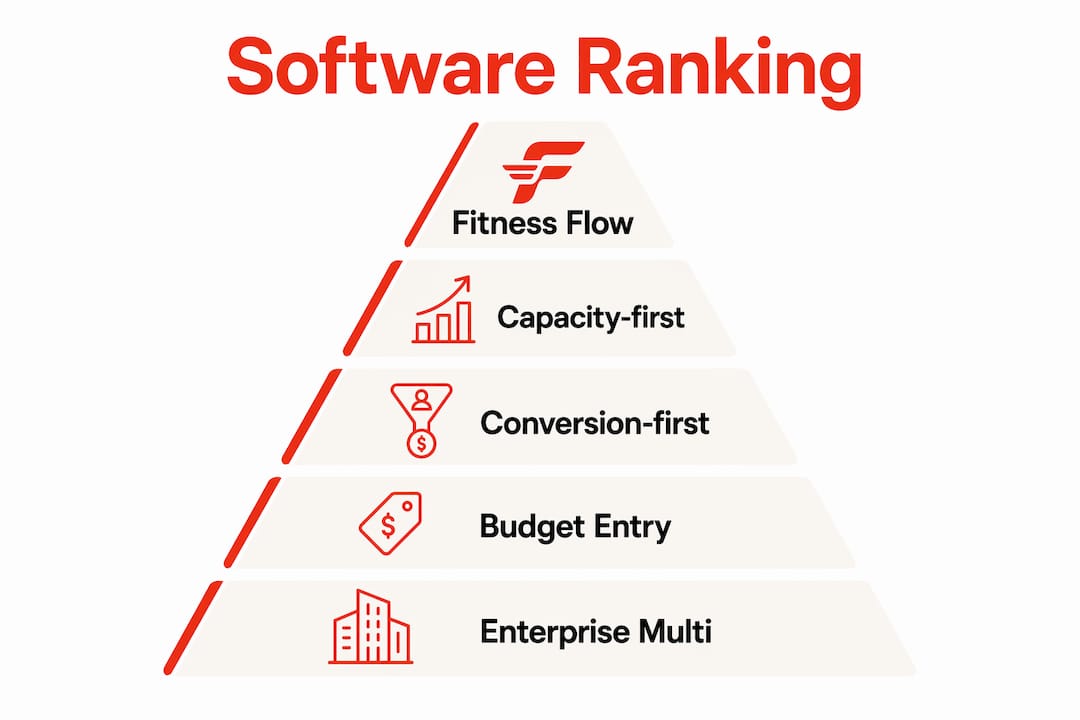
Fitness Flow is the best pilates studio software for most studios because it covers scheduling, membership logic, reformer-capacity controls, a branded member app, and cross-location reporting in one platform. If you run a reformer-heavy boutique, a multi-location operation, or a solo private-session practice, the right pick shifts slightly, but Fitness Flow handles the widest range of operational realities without forcing you to bolt on third-party tools for core functions.
Quick shortlist:
- Best overall: Fitness Flow (scheduling + memberships + branded app + reporting, all in one)
- Best for budget-minded solo instructors: Entry-level scheduler (low monthly fee, simple private-session billing)
- Best for reformer-capacity focus: Capacity-first platform (apparatus mapping, per-equipment utilization rules)
- Best for multi-location scale: Enterprise multi-location platform (governance, advanced reporting, marketplace exposure)
Three steps to act now:
- Pick two finalists from the shortlist above based on your class mix and billing complexity.
- Run a 7–14 day live test script during your free trial — not just a sales demo.
- Confirm migration support, PCI DSS compliance, and QuickBooks integration before signing anything.
Budget roughly 3% to 4% of your monthly revenue for software, as most studios do. Start monthly. Convert to annual only after the live test passes.
Table of Contents
- What’s the best pilates studio software at a glance?
- Per-platform reviews: strengths, limitations, and who each fits
- How we evaluated these platforms
- How do you choose the right Pilates studio software?
- What does Pilates studio software actually cost?
- What does a software migration actually look like?
- Why Fitness Flow works for most Pilates studios
- How does studio software protect your client data?
- What branding options go beyond a white-label app?
- What hardware does studio software need to support?
- How do you know if a platform can grow with your studio?
- Key Takeaways
- The software decision most studio owners get wrong
- Fitness Flow covers what most Pilates studios actually need
- Useful sources and vendor resources
- FAQ
What’s the best pilates studio software at a glance?
The table below maps each platform class to the dimensions studio owners actually use to decide. Fitness Flow leads because it covers the most ground without requiring paid add-ons for critical functions.
PlatformBest forPricing (starting)Free trial / demoClass typesMemberships & billingBranded appPayment & feesOnboarding & supportReporting & analyticsMulti-locationIntegrations
Most Pilates studios (all sizes)
Mid-tier; tiered by gym size
Free trial + demo
Drop-in, series, private, reformer/equipment
Recurring, autopay, packs, coexistence logic
Yes, fully branded (iOS, Android, web)
Multiple processors; transparent fee structure
Dedicated onboarding rep, data migration tools
Full dashboards, cross-location exports
Yes, multi-site reporting
QuickBooks, email/marketing, Zoom/streaming
Capacity-first platform
Reformer-heavy studios
Mid-tier
Demo available
Drop-in, reformer/apparatus booking
Memberships, packs
White-label or limited
Varies by processor
Standard onboarding
Utilization-focused reports
Limited
Core integrations
Conversion-first booking platform
Boutique acquisition-focused studios
Mid-tier
Free trial
Drop-in, series, private
Memberships, passes
Limited customization
Hosted processor
Standard
Booking & retention reports
Limited
Email/marketing, booking widgets
Budget/entry-level scheduler
Solo instructors, private-session studios
Under $100/mo
Free trial
Private, drop-in
Simple memberships
No or basic
Limited processor options
Self-serve setup
Basic reports
No
Limited
Enterprise multi-location platform
Large multi-location operators
$500+/mo or custom quote
Demo only
All class types
Advanced membership logic
Yes, branded
Enterprise processor options
Dedicated rep, SLA
Advanced, custom exports
Full governance
Full ecosystem
Mindbody / MindbodyOnline
Established studios wanting marketplace exposure
Mid-to-premium
Demo
All class types
Memberships, packs
Yes
Mindbody Pay
Onboarding support
Strong
Yes
Broad
WellnessLiving
Studios wanting all-in-one at competitive price
Mid-tier
Free trial
All class types
Memberships, packs, autopay
Yes
Multiple
Onboarding rep
Strong
Yes
QuickBooks, Zoom, email
Momence
Boutique studios focused on client experience
Mid-tier
Free trial
Drop-in, series, private
Memberships, passes
Limited
Stripe-based
Standard
Good
Limited
Email, Zoom
Vagaro
Hybrid salon/spa/fitness studios
Affordable–mid
Free trial
Drop-in, private, series
Memberships, packs
Yes
Vagaro Pay
Standard
Good
Yes
QuickBooks, email
Acuity Scheduling
Solo instructors, appointment-first studios
Under $100/mo
Free trial
Private/appointment
Simple packages
No
Stripe, Square, PayPal
Self-serve
Basic
No
Calendars, Zoom, email
TeamUp
Group-class-first studios, UK-origin
Mid-tier
Free trial
Drop-in, series, memberships
Memberships, packs
No native app
Stripe, GoCardless
Standard
Good
Limited
Email, Zapier
Arketa
Modern boutique studios, hybrid/streaming
Mid-tier
Free trial
Drop-in, series, on-demand
Memberships, passes
Limited
Stripe
Standard
Good
Limited
Zoom, email, Zapier
Bookeo
Budget-conscious studios, appointment-heavy
Under $100/mo
Free trial
Private, group, series
Packages, packs
No
PayPal, Stripe
Self-serve
Basic
Limited
Email, calendar
Walla
Growth-focused boutique studios
Mid-tier
Demo
Drop-in, series, private
Memberships, autopay
Limited
Stripe
Standard onboarding
Good
Limited
Email, Zapier
Badges:
- Best Overall: Fitness Flow
- Best Budget: Budget/entry-level scheduler (Acuity Scheduling, Bookeo)
- Best Reformer Capacity: Capacity-first platform
- Best Multi-Location: Enterprise multi-location platform (Mindbody, WellnessLiving)
Per-platform reviews: strengths, limitations, and who each fits
Fitness Flow
Fitness Flow is built for studios that want one platform to handle everything from the first client inquiry to the monthly revenue report. Its scheduling handles drop-in classes, private duets, reformer-equipment bookings, and series without requiring separate modules. The branded member app (iOS, Android, and web) is included, not an add-on, and it supports live and on-demand video so hybrid studios don’t need a second subscription for streaming.
Strengths:
- Unified scheduling, CRM, billing, and cross-location reporting
- Branded member app with wearable device integration
- Built-in migration support and dedicated onboarding rep
- Membership coexistence logic (unlimited + class pack on one account)
- Referral and review management built in
Limitations:
- Feature depth may exceed what a solo instructor with five private clients per week actually needs
- Tiered pricing scales with gym size, so very small studios should confirm the entry tier covers their needs
Pricing pointer: Mid-tier, tiered by studio size. Contact for a migration estimate and demo.
Ideal profile: Single-location boutique Pilates studio, reformer-heavy boutique, or multi-location operator that wants one vendor instead of three.

Capacity-first platform
Reformer studios live and die by apparatus utilization. A capacity-first platform maps each reformer to a specific spot, enforces per-equipment limits, and surfaces utilization data so you know which machines are underbooked on Tuesday mornings. The trade-off is that these platforms often sacrifice CRM depth and marketing automation to stay laser-focused on apparatus booking logic.
Strengths: Tight reformer-to-spot mapping, utilization-focused reporting, capacity enforcement rules.
Limitations: Thinner CRM, limited branded-app options, marketing automation usually requires a third-party tool.
Pricing pointer: Mid-tier. Validate whether the branded-app and email-marketing features you need are included or cost extra.
Ideal profile: High-volume reformer studio where every machine needs to run at 80%+ utilization to hit margin.
Conversion-first booking platform
These platforms prioritize the client-facing checkout experience: fast web booking, automated confirmation and reminder sequences, and trial-signup flows designed to convert first-timers into recurring members. Momence and Walla both lean this direction. The front-end UX is genuinely polished, and the automation sequences reduce no-shows without manual follow-up.
Strengths: Strong web checkout, automated client communications, trial-to-membership conversion flows.
Limitations: Back-office depth (payroll exports, multi-location governance, equipment capacity) is often thinner than purpose-built studio platforms.
Pricing pointer: Mid-tier. Watch for per-SMS or per-email charges on high-volume automation.
Ideal profile: Boutique studio with a strong new-client acquisition focus and a simple class menu.
Budget/entry-level scheduler (Acuity Scheduling, Bookeo)
Acuity Scheduling starts under $100 per month and handles appointment-based private sessions cleanly. Bookeo sits in a similar range. Neither offers a native branded member app, and membership logic is basic, but for a solo instructor running 20 private sessions a week with simple package billing, the overhead of a full studio platform is overkill. Setup is self-serve, which means no migration hand-holding.
Strengths: Low cost, fast setup, reliable appointment scheduling, integrates with Stripe, Square, and PayPal.
Limitations: No branded app, limited group-class logic, thin reporting, no multi-location support.
Pricing pointer: Under $100/mo. Confirm whether Zoom integration and package billing are included at the base tier.
Ideal profile: Solo instructor or studio with mostly private sessions and straightforward billing.
Enterprise multi-location platform (Mindbody, WellnessLiving)
Mindbody (MindbodyOnline) is the category incumbent. Its marketplace gives studios discovery exposure, and its integration ecosystem is broad. WellnessLiving competes on price and includes a branded app at a lower tier than Mindbody. Both platforms handle multi-location governance, advanced reporting, and staff management at scale. The catch: enterprise-tier pricing is often quote-based, and onboarding timelines can stretch to 60–90 days for large operators.
Strengths: Marketplace exposure (Mindbody), broad integrations, multi-site governance, advanced reporting.
Limitations: Quote-based pricing for enterprise tiers, longer onboarding, and per-location seat costs can add up fast.
Pricing pointer: Mid-to-premium for standard tiers; custom quote for enterprise. Enterprise platforms typically use quote-based pricing for multi-location contracts.
Ideal profile: Multi-location studio group or franchise that needs governance controls and marketplace visibility.
Vagaro
Vagaro is the platform for hybrid businesses: a studio that also does massage, skincare, or personal training under one roof. Its pricing is affordable-to-mid, it includes a branded app, and it connects to QuickBooks. The scheduling logic handles mixed-service businesses better than most pure-fitness platforms.
Ideal profile: Pilates studio with adjacent wellness services that needs one booking system across all service types.
TeamUp
TeamUp originated in the UK and has a strong following among group-class-first studios. It handles drop-in, series, and membership billing cleanly, and Stripe and GoCardless integrations make recurring billing straightforward. There is no native branded member app, which is a real gap for studios that want a white-labeled client experience.
Ideal profile: Group-class-focused studio comfortable with a web-first client experience and no native app.
Arketa
Arketa targets modern boutique studios that run hybrid in-person and on-demand content. Zoom integration and on-demand video libraries are first-class features. If your studio sells a streaming membership alongside in-person classes, Arketa handles that dual model without requiring a separate platform.
Ideal profile: Boutique studio with a meaningful on-demand or streaming revenue line.
Pro Tip: Ask Arketa specifically whether on-demand video storage and bandwidth are included in your tier or billed separately. Studios with large video libraries have been surprised by overage costs.
How we evaluated these platforms
Industry reviewers consistently use a feature-matrix approach to compare Pilates studio platforms. The evaluation criteria below reflect that consensus, weighted by studio type.
Core evaluation criteria:
- Scheduling and capacity (class types, apparatus mapping, waitlist rules)
- Memberships, packs, and billing (recurring autopay, coexistence logic, cancellation enforcement)
- Payment flows (processor options, transaction fees, chargeback handling)
- Automation and marketing (email sequences, SMS, referral flows)
- Reporting and exports (revenue, attendance, payroll, CSV frequency)
- Onboarding and support (migration tools, dedicated rep, training resources)
- Integrations (QuickBooks, email/marketing, Zoom/streaming, API access)
- Multi-location controls (cross-site reporting, staff permissions, governance)
- Security and PCI DSS compliance
Weighting by studio type: For reformer-heavy studios, scheduling/capacity and apparatus mapping carry the most weight. For private-session-first studios, billing simplicity and calendar reliability matter more than capacity logic. Multi-location operators weight governance and cross-site reporting highest.
Testing caveats: Sales demos show best-case flows. The 7–14 day live test is where platforms reveal their real operational behavior. Demos were supplemented with published documentation, user review aggregates, and vendor-published pricing pages where available. Studios vary significantly in class mix, billing complexity, and staff size, so no single score applies universally.
Scenarios to run during your live test:
- Process a partial refund on a class pack
- Trigger a waitlist auto-fill when a late cancellation occurs within two hours of class
- Manage a member holding both an unlimited membership and a class pack simultaneously
- Export a weekly revenue report to CSV and import it into QuickBooks
How do you choose the right Pilates studio software?
Start with your operational reality, not the feature list. A platform that handles your class mix, billing model, and reporting needs cleanly is worth more than one with 200 features you will never use.
Buying checklist (prioritized by impact):
- Confirm the platform handles your specific class types: drop-in, series, private duet, and reformer/equipment booking.
- Verify membership coexistence logic: can a client hold an unlimited membership and a class pack at the same time without manual workarounds?
- Test the waitlist auto-offer rules: does the system automatically offer the spot to the next person when a cancellation occurs, and within what window?
- Check payment processor options and transaction fees: know the per-transaction cost before you sign.
- Confirm QuickBooks integration and CSV export frequency for bookkeeping.
- Ask about PCI DSS compliance and data storage practices.
- Evaluate onboarding: is there a dedicated rep, or is setup self-serve?
- Confirm multi-location support if you have or plan a second location.
- Check integration availability for your email marketing tool and any streaming platform.
- Review the contract terms: favor monthly billing during the trial period.
Demo questions to ask vendors:
- “Walk me through what happens when a member cancels two hours before class and there’s a waitlist.”
- “Show me how a partial refund on a class pack works end-to-end.”
- “Can a member hold an unlimited membership and a class pack at the same time? Show me.”
- “How often can I export revenue data to CSV, and does it map to QuickBooks account codes?”
- “What does your migration process look like, and who owns each step?”
Red flags to watch for:
- Sales pressure to sign a multi-year contract before you have run a live test
- Opaque pricing with critical features (branded app, reporting exports, SMS) locked behind paid add-ons
- No dedicated onboarding rep for a platform priced above $200/mo
- Inability to demonstrate the waitlist auto-fill or refund flow live during the demo
- No published PCI compliance statement on the vendor’s website
Favor a monthly plan to start. Treating software as an operating expense at roughly 3%–4% of monthly revenue, rather than a fixed overhead, keeps you honest about whether the platform is actually earning its cost. Convert to annual only after the live test confirms the platform handles your edge cases.

What does Pilates studio software actually cost?
Pricing in this category breaks into three tiers, and the headline number rarely tells the full story.
TierTypical monthly rangeWhat’s usually includedCommon add-ons
Budget / entry-level
Under $100/mo
Appointment scheduling, basic packages, calendar sync
Branded app, advanced reporting, SMS
Mid-market
$150/mo
Class scheduling, memberships, autopay, reporting, integrations
Branded app (sometimes), extra locations, SMS volume
Enterprise / multi-location
$500+/mo or custom quote
Full governance, advanced reporting, branded app, dedicated rep
Per-location seats, API access, custom integrations
Hidden costs to budget for:
- Onboarding fees: Some platforms charge $200–$500+ for data migration and setup assistance.
- Branded-app fees: A white-labeled or fully branded app is often a separate monthly line item, sometimes $100–$300/mo extra.
- Per-location seat pricing: Multi-location platforms frequently charge per site, so a three-location studio pays 3x the base rate.
- SMS and messaging volume: Automated text reminders often carry per-message charges above a monthly threshold.
- API and integration fees: Some platforms charge for access to their API or for premium integrations.
- Chargeback fees: Dispute handling fees vary by processor and can add up for high-volume studios.
- Payment processor margins: Platforms with a captive processor (Mindbody Pay, Vagaro Pay) may charge a higher per-transaction rate than open-processor platforms. Know whether you can bring your own processor.
The difference between a software-hosted processor and a third-party processor matters more than most owners realize. A captive processor at 2.9% + $0.30 per transaction on $50,000 monthly revenue costs roughly $1,500/mo in fees alone. An open-processor platform that lets you negotiate rates with Stripe or Square can meaningfully reduce that number.
What does a software migration actually look like?
Most studios underestimate the migration timeline. A realistic switch from one platform to another takes four to six weeks for a single-location studio and eight to twelve weeks for a multi-location operator.
Typical phases and durations:
- Discovery and scoping (Week 1): Audit your current data: client records, active memberships, class packs, waivers, accounting codes, and POS hardware.
- Data export and import (Weeks 1–2): Export client and membership data from your current platform. Confirm the new vendor’s import format and run a test import with a sample dataset.
- Staff training (Weeks 2–3): Train front-desk staff and instructors on the new platform before go-live. Focus on booking flows, check-in, and refund processing.
- Soft launch (Weeks 3–4): Run both systems in parallel for one to two weeks. Process new bookings in the new platform while honoring existing commitments in the old one.
- Full switch (Week 4–6): Cut over payment processing, redirect booking page URLs, and deactivate the old platform.
Migration checklist:
- Export client profiles, contact details, and membership history
- Export active class packs and remaining session counts
- Export signed waivers and compliance documents
- Map accounting codes to QuickBooks chart of accounts before import
- Confirm POS hardware compatibility (card readers, receipt printers) with the new platform
- Set up staff logins and permission levels before soft launch
- Test refund and waitlist flows during soft launch before full cutover
- Redirect old booking page URLs to the new booking widget
Pro Tip: Schedule your migration during your studio’s lowest-volume month. Switching platforms during a January rush or a summer session block is the fastest way to lose clients and revenue simultaneously.
The studio ops lead should own the migration timeline internally. The vendor’s onboarding rep should own data import tooling, format validation, and troubleshooting. If a vendor cannot name a dedicated onboarding contact before you sign, that is a red flag.
Why Fitness Flow works for most Pilates studios
Fitness Flow maps directly to the evaluation criteria that matter most for Pilates operations. Scheduling handles the full class-type spectrum: drop-in, series, private duets, and reformer/equipment bookings with capacity controls. The membership engine supports coexistence logic, so a client can hold an unlimited membership and a class pack simultaneously without manual workarounds. That sounds like a small detail until you have 40 clients with mixed products and one staff member managing exceptions by hand.
Where Fitness Flow fits each studio profile:
- Single-location boutique: The branded member app, automated billing, and CRM cover everything a boutique needs without requiring third-party tools for email marketing or client communication.
- Reformer-heavy boutique: Equipment capacity controls and scheduling rules handle high-utilization reformer operations. Validate apparatus mapping during your demo.
- Multi-location operator: Cross-location reporting and multi-site oversight give operators a consolidated view of revenue, attendance, and staff performance across locations.
Where another platform class might still win: A solo instructor running exclusively private sessions at under $100/mo may find the entry-level scheduler sufficient. A studio that needs deep marketplace exposure may find Mindbody’s consumer-facing app worth the premium. Those are genuine edge cases, not the norm.
The demo includes a data review, a migration estimate, and support for the 7–14 day live test script so you can validate real operational scenarios before committing. Fitness Flow’s onboarding includes a dedicated rep and data import tools, which reduces the migration risk that kills most platform switches.
Pro Tip: During your Fitness Flow demo, specifically ask to see the membership coexistence flow and the waitlist auto-fill trigger. Those two scenarios separate platforms that handle real studio operations from platforms that handle a basic calendar.
How does studio software protect your client data?
Client data in a Pilates studio includes payment card numbers, health intake forms, signed waivers, and contact details. The minimum bar for any platform you consider is PCI DSS compliance for payment data and a clear data-storage and access-control policy for health and personal information.
PCI DSS (Payment Card Industry Data Security Standard) governs how payment card data is stored, transmitted, and processed. A platform that uses a hosted payment page or a certified payment processor handles PCI scope on your behalf, which reduces your compliance burden. Ask every vendor for their PCI compliance statement and confirm it covers your transaction flow.
Beyond payments, look for role-based access controls so front-desk staff cannot access financial reports, and instructors cannot see client billing details. Audit logs that record who accessed or modified a client record matter for studios that handle sensitive health intake data. HIPAA is not universally required for fitness studios, but if your studio collects health history or works with physical therapy referrals, confirm the platform’s data handling policies with a qualified advisor.
For studios considering a fully branded member app, mobile app hosting and maintenance practices also affect data security. Confirm where client data is stored, how it is encrypted in transit and at rest, and what the vendor’s breach notification policy looks like.
What branding options go beyond a white-label app?
A branded member app is the most visible customization, but it is not the only one. Studios that take branding seriously look at the full client-facing surface: booking pages, confirmation emails, SMS templates, client portal design, and even the checkout flow.
Booking page customization ranges from a simple logo-and-color swap to a fully embedded widget that matches your website’s design system. Confirmation and reminder emails should carry your studio’s name, logo, and tone, not the software vendor’s branding. Some platforms let you customize SMS sender names; others send from a generic short code.
For studios that want a fully custom app experience beyond standard white-label options, custom mobile app development is an option worth exploring for larger operators. The trade-off is development cost and maintenance overhead versus the brand differentiation of a fully proprietary client experience.
Fitness Flow’s branded app covers iOS, Android, and web, with customization that goes beyond a logo swap. The CRM and client communication tools also carry studio branding through the full client lifecycle, from first booking to renewal reminder.
What hardware does studio software need to support?
Most Pilates studios run a front desk with a card reader, a receipt printer, and sometimes a tablet for client check-in. Hardware compatibility is rarely the headline feature in software reviews, but an incompatible card reader on launch day is a real operational problem.
The most common card readers in US studios are Stripe Reader, Square Terminal, and Clover devices. Confirm which readers your chosen platform supports before you order hardware. Some platforms with captive payment processors (Mindbody Pay, Vagaro Pay) require their own proprietary hardware, which means your existing Square reader may not work.
Receipt printers typically connect via Bluetooth or USB. Most platforms support standard thermal receipt printers like the Star Micronics TSP100 or Epson TM-T88 series. Confirm compatibility before purchasing new hardware, and ask whether the platform supports both receipt printing and email receipts from the same transaction flow.
Tablet-based check-in is increasingly common for class-based studios. Confirm whether the platform’s check-in interface runs natively on iPad or Android tablet, or whether it requires a full desktop browser. A clunky check-in flow at the front desk slows down class starts and frustrates clients.
How do you know if a platform can grow with your studio?
The platform that works for a single-location studio with 200 active clients may break under the weight of three locations and 800 clients. Scalability is not just about feature availability at higher tiers; it is about whether the pricing model, the reporting architecture, and the support structure hold up as you grow.
Watch for per-location pricing that compounds quickly. A platform at $200/mo per location costs $600/mo at three locations before you have added a single feature. Compare that against a platform with flat multi-location pricing or a tiered model that caps at a reasonable ceiling.
Reporting architecture matters at scale. A platform that generates reports per location but cannot aggregate across sites forces you to export three spreadsheets and reconcile them manually every month. Cross-location reporting that rolls up revenue, attendance, and staff performance into a single dashboard is worth paying for if you plan to grow.
Support structure also shifts. A self-serve onboarding model that works fine for a solo instructor becomes a liability when you are migrating 800 client records and three years of membership history. Confirm that the platform’s support tier for your size includes a dedicated rep, not just a ticket queue.
Key Takeaways
Fitness Flow is the strongest all-in-one pick for most Pilates studios because it covers scheduling, membership logic, branded app, and cross-location reporting without requiring add-ons for core functions.
PointDetails
Best overall pick
Fitness Flow handles the widest range of studio operations without requiring third-party tools for core functions.
Budget software spend
Target 3%–4% of your monthly revenue for software; start on a monthly plan before committing annually.
Live test before you commit
Run a 7–14 day test script covering partial refunds, waitlist auto-fill, and membership coexistence before signing.
Watch for hidden costs
Branded-app fees, per-location seat pricing, and SMS volume charges can significantly exceed the headline price.
Fitness Flow next step
Schedule a demo at Joinfitnessflow to get a migration estimate and run the live test script with support.
The software decision most studio owners get wrong
The most common mistake is evaluating platforms by feature count rather than operational fit. A platform with 150 features that cannot handle a waitlist auto-fill correctly is worse than a simpler platform that handles your actual class mix without exceptions.
The second mistake is signing an annual contract before running a live test. A sales demo is a best-case scenario. The 7–14 day live test is where you find out whether the platform handles partial refunds, membership coexistence, and waitlist logic the way your studio actually operates. No amount of feature documentation substitutes for that.
Pilates studios have specific operational requirements that generic fitness platforms often underserve: reformer-capacity controls, private-duet scheduling, series billing, and equipment-to-spot mapping. The platforms that handle those requirements cleanly are worth a higher monthly fee than a generic scheduler that forces manual workarounds for every edge case. Pay for fit, not for features.
Fitness Flow covers what most Pilates studios actually need
Every platform in this comparison does something well. Fitness Flow does the most things well for the widest range of Pilates studio operations, from a single-location reformer boutique to a growing multi-location operator. The demo is not a sales pitch; it is a structured walkthrough of your specific class mix, billing model, and migration timeline, with support for the 7–14 day live test script built in.
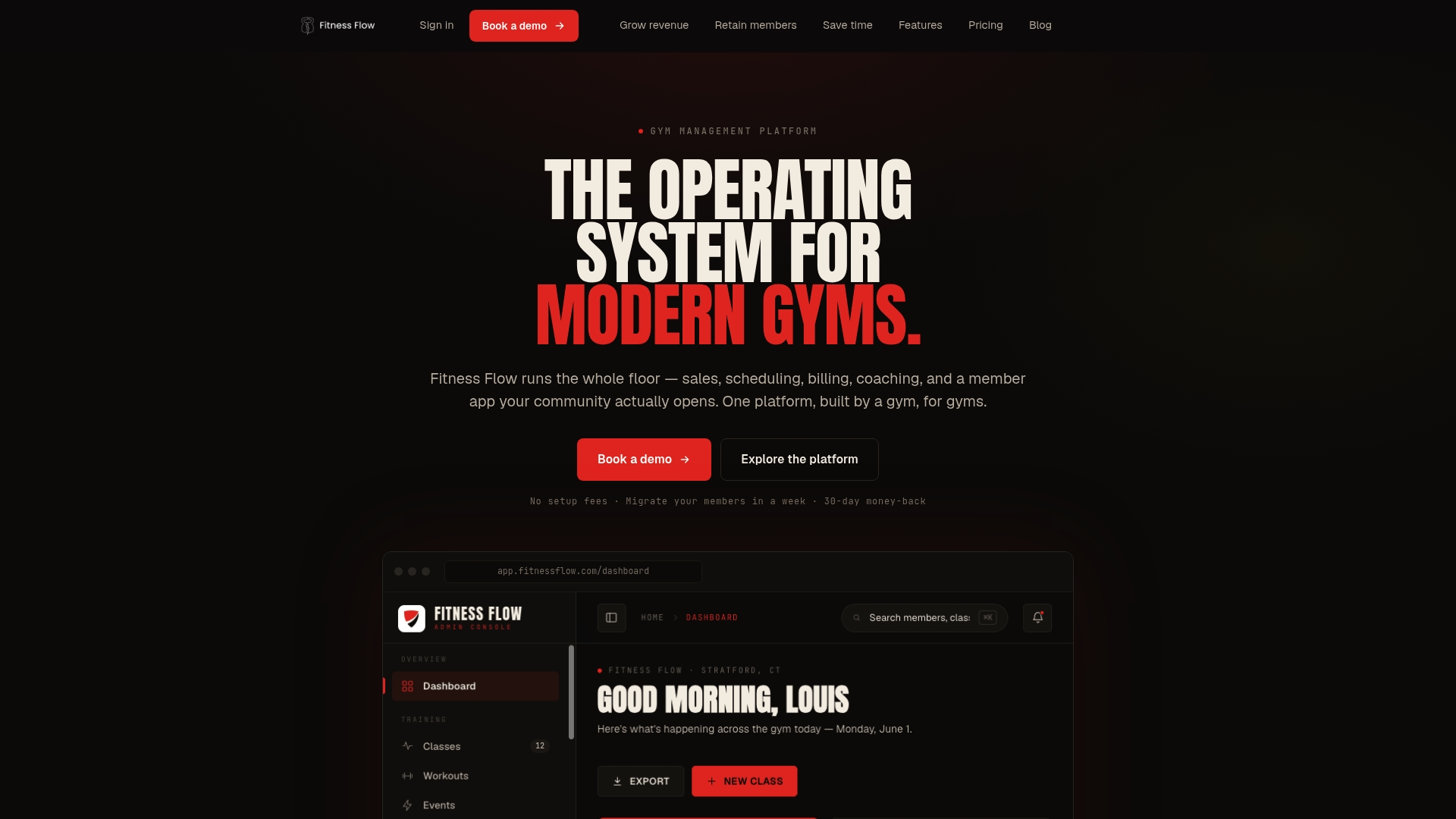
The demo includes a data review of your current setup, a migration estimate, and onboarding options ranging from self-guided to a dedicated rep who manages the full data import. If you are switching from another platform, Fitness Flow’s migration tools handle client records, memberships, class packs, and waivers, so you are not starting from scratch.
Schedule your demo at Joinfitnessflow and bring your two hardest operational scenarios. That is where the real evaluation starts.
Useful sources and vendor resources
Verify pricing, onboarding details, and PCI compliance statements directly with each vendor before signing. Published pricing pages and security statements can change; always confirm current terms during your demo.
- Pilates Studio Software Comparison: Feature Matrix — Waitlists, packs, capacity, and reporting evaluation framework; source for the 7–14 day live test script recommendation.
- Best Pilates Studio Software: Reviews and Selection Framework — Feature-matrix methodology and trust-signal checklist (published pricing, PCI statements, case studies).
- How to Choose the Right Pilates Studio Software — Budgeting guidance (3%–4% of monthly revenue) and contract-length advice.
- Pilates Studio Software: When Switching Is Worth It — Reformer-capacity requirements and apparatus booking logic for heavy-utilization studios.
- Acuity Scheduling — Official site for pricing, integrations, and free trial details for the entry-level appointment-first scheduler.
- Authentic Pilates Organization — Industry body resource for Pilates studio standards and instructor certification context.
FAQ
What is the best pilates studio software for a small studio?
Fitness Flow covers scheduling, memberships, and a branded app at a mid-tier price that suits most small studios. Solo instructors with simple private-session billing may find an entry-level scheduler such as Acuity Scheduling sufficient at under $100/mo.
How much should a Pilates studio spend on software?
Target 3%–4% of your monthly revenue as a software budget. Start with a monthly plan and convert to annual only after a successful 7–14 day live test.
What features matter most for reformer-heavy Pilates studios?
Apparatus-to-spot mapping, per-equipment capacity enforcement, and utilization reporting are the decisive features. Validate these specifically during your demo, not just in the feature list.
How long does it take to switch Pilates studio software?
A single-location studio typically takes several weeks from data export to full cutover. Multi-location operators should expect a longer timeline, especially if migrating large client and membership datasets.
Does Pilates studio software need to be PCI compliant?
Any platform that processes payment card data must meet PCI DSS requirements. Ask every vendor for their PCI compliance statement and confirm it covers your specific transaction flow before signing.