Class Waitlist Strategy: Fill Every Spot Automatically
The most effective class waitlist strategy for independent gyms and studios is this: automated sequential promotion, SMS-first notifications, a 15-to-30-minute claim window, and a 2-hour pre-class reminder with a one-tap cancel link. That combination recovers capacity without adding staff work, and it’s configurable in a single afternoon.
The payoff is real. Manual waitlist processes leave a significant share of class capacity unfilled every week, according to an IHRSA benchmark cited in automation guides. Studios that automate the full cycle, from cancellation detection through sequential notification to confirmed enrollment, can push fill rates from a ~71% industry average toward 95% in documented case studies. Three things drive that gap: speed of notification, a short claim window that forces a decision, and a reminder that creates real vacancies the waitlist can fill.
Key Takeaways
A well-configured automated waitlist, with SMS-first notifications and a short claim window, is the single highest-ROI operational change most independent gyms can make.
PointDetails
Automate sequential promotion
Enable auto-promotion so cancellations fill instantly, without staff involvement.
Use SMS-first notifications
SMS claims reach members in minutes; email alone is too slow for short claim windows.
Set a pre-class reminder about 2 hours before the class
A pre-class reminder with a one-tap cancel link creates real vacancies the waitlist fills.
Enforce a tiered late-cancel policy
Automated fee application produces the most predictable attendance and highest fill rates.
Joinfitnessflow implementation
Joinfitnessflow bundles scheduling, waitlist automation, notifications, billing, and reporting in one platform.
Table of Contents
- What does a class waitlist strategy actually need?
- How to set up waitlist automation step by step
- What should your waitlist messages actually say?
- How should you handle cancellation policy and late fees?
- What operational rules keep the system from breaking?
- What metrics tell you if your waitlist strategy is working?
- What mistakes do studios make with waitlist management?
- How does Fitness Flow implement these waitlist workflows?
- What are the legal and privacy rules for waitlist data?
- The part of waitlist strategy most guides skip
- Joinfitnessflow puts this system together for you
- Sources
- FAQ
What does a class waitlist strategy actually need?
Every effective waitlist system runs on the same eight components. If yours is missing even one, you’re leaving spots empty.
- Automated queue logic. When a cancellation triggers, the system moves the next person in line without staff involvement.
- Notification channels. SMS first for time-sensitive claims; push notifications as a secondary layer; email as a fallback for members who haven’t responded.
- Claim/acceptance window. A defined window (15–30 minutes for prime-time evening classes; up to 60 minutes for early-morning sessions) in which the waitlisted member must confirm or forfeit their spot.
- Priority rules. First-in-first-out (FIFO) is the default. Membership tier or attendance frequency can layer on top.
- Waitlist sizing. Set a cap per class. Oversized waitlists frustrate members who never get in.
- Cancellation webhook. The trigger that starts the whole chain. Without a real-time webhook, delays of even a few minutes kill conversion.
- No-show detection. Track members who claim a spot and don’t attend. Feed that data into your policy enforcement.
- Reporting. Weekly fill rate, conversion rate, and no-show rate tell you when to adjust settings.
Automated waitlist workflows can be configured and running in a few hours, not weeks, when the components above are already mapped in your scheduling platform.
How to set up waitlist automation step by step
Work through this sequence in order. Skipping steps, especially the testing phase, is where most studios create problems they spend weeks debugging.
- Audit class demand. Pull 90 days of booking data. Identify which classes consistently hit capacity and which don’t. Your waitlist settings will differ by class type.
- Set class-specific waitlist sizes. High-demand classes warrant a larger waitlist cap than moderate-demand ones. Keep it proportional to capacity; an oversized list creates systemic disappointment.
- Configure your cancellation webhook. Connect your scheduling system to trigger an immediate notification the moment a spot opens. Real-time is the goal.
- Build notification templates. Write SMS, push, and email versions now (templates in the next section). Map each to the correct channel in your platform.
- Set acceptance windows by class type. Evening prime-time: 15–30 minutes. Morning classes: up to 60 minutes. Off-peak: 45–60 minutes.
- Enable auto-promotion. If the claim window expires without a response, the system moves to the next person automatically. No manual intervention.
- Test on low-stakes classes first. Run the full cycle on a class with a short waitlist and a forgiving time slot. Confirm the webhook fires, the SMS delivers, and the booking confirms correctly.
- Launch and monitor daily for two weeks. Check accept rates, time-to-fill, and any failed webhook events every morning. Adjust windows based on what you see.
Pro Tip: Before going live, have a staff member join the waitlist under a test account and cancel a booking to trigger the full flow. You’ll catch template errors and timing gaps before members experience them.
What should your waitlist messages actually say?
The difference between transactional and relationship messages matters more than most studio owners realize. Transactional messages, booking confirmations, waitlist claims, and pre-class reminders, need to be immediate, short, and include one clear action. Relationship messages, monthly newsletters, re-engagement campaigns, belong in a separate cadence and should never be automated into the same flow.
For time-sensitive waitlist claims, SMS is the right channel. Response times for SMS are measured in minutes; email responses take hours, and by then the spot is gone.
Recommended send order for a waitlist claim:
- Immediate SMS when a spot opens
- Push notification 5 minutes later if no response
- Email 10 minutes later as a final fallback
SMS: Spot available (claim prompt) SMS: Booking confirmed SMS: 2-hour pre-class reminder Push notification: Spot available Email subject: Your waitlist spot is ready Body: “Hi [Name], a cancellation just opened a spot in [Class Name] on [Date] at [Time]. Tap the button below to confirm your booking. This offer expires in [X] minutes.”
Keep relationship messages, studio news, program launches, and re-engagement flows, completely separate from this transactional stack. Mixing them trains members to ignore your messages. For guidance on building that separation into a broader
How should you handle cancellation policy and late fees?
A cancellation policy without enforcement is just a suggestion. The studios that see the most predictable attendance are the ones that automate fee application and communicate the policy at every touchpoint, during onboarding, at booking, and in confirmation messages.
- Tiered cancellation windows work best. Free cancellation 12+ hours before class; a partial credit deduction (one class credit or $5–$15) for cancellations within 2–12 hours; a full no-show fee for members who don’t cancel and don’t attend.
- Automate fee application. Don’t rely on staff to manually apply charges. Connect your billing system to your scheduling platform so fees trigger automatically on no-show detection.
- State the policy at checkout. Members who see the policy before they book are far less likely to dispute a charge later.
- Communicate it in the 2-hour reminder. The one-tap cancel link in that message is your best tool for converting potential no-shows into real vacancies the waitlist fills.
Late-cancel penalties, when automated and consistently applied, produce the highest fill rates. The behavioral logic is simple: a small financial consequence changes the calculus for members who are “maybe” attending. The waitlist fills the spot; the studio recovers revenue either way.
Pro Tip: Give first-time offenders a warning instead of an immediate fee. A single grace message (“We noticed you missed class, here’s a reminder of our policy”) converts most members before you ever need to charge them. Reserve automatic fees for repeat no-shows.
What operational rules keep the system from breaking?
Priority and queue logic
FIFO is the right default for most studios. It’s transparent and members understand it. Layering membership-tier priority on top, where premium members move ahead of base-tier members, can work, but communicate it clearly or it will generate complaints. A hybrid model, FIFO within each tier, is the cleanest approach for studios with multiple membership levels.
Setting max waitlist size
Class demand levelSuggested waitlist capRationale
High (consistently full)
A significant share of class capacity
Enough depth to fill cancellations; not so large that most members never get in
Moderate (around 71% to 95% full)
A smaller share of class capacity
Smaller pool; most cancellations fill from the first 2–3 on the list
Low (under 71% full)
No waitlist needed
Focus on demand-building instead
Buffer seats and manual overrides
Some studios hold 1–2 buffer seats in high-demand classes, releasing them to the waitlist 30 minutes before class if not claimed by staff or instructors. This is a useful safety valve for equipment-limited formats like cycling or reformer Pilates. Manual overrides should require manager-level access and a logged reason; unchecked overrides erode the system’s fairness and create exceptions that are hard to explain to members.
What metrics tell you if your waitlist strategy is working?
MetricWhat it measuresTarget to aim for
Waitlist conversion rate
% of waitlisted members who claim and attend
a majority
Class fill rate
% of available spots filled at class time
90%+ (optimized) vs. ~71% (industry average)
No-show rate
% of confirmed bookings that don’t attend
a low no-show rate
Time-to-fill
Minutes from cancellation to confirmed replacement
Under 30 minutes
Revenue recovered
Dollar value of spots filled via waitlist
Track weekly; compare to pre-automation baseline
Check these weekly for the first month. After that, a monthly deep-dive is enough unless fill rate drops below your baseline.
- Watch for members who repeatedly appear on waitlists without getting in; this may suggest it’s time to add a class section rather than expanding the waitlist size.
- A rising no-show rate after a policy change usually means the fee is too low to change behavior or the policy wasn’t communicated clearly at booking.
What mistakes do studios make with waitlist management?
1. Claim windows that are too long. A 2-hour window sounds generous, but it means the spot sits open while other members assume it’s taken. Tighten to 15–30 minutes for evening classes.
2. Oversized waitlists. When the list is much larger than class capacity, most members never get in. They stop joining waitlists entirely, which kills your conversion data and your fill rate.
3. Sending waitlist notifications by email only. Email is too slow for a 20-minute claim window. SMS-first is not optional for time-sensitive spots.
4. Inconsistent policy enforcement. Waiving fees for some members and not others creates resentment. Automate enforcement so the system applies rules uniformly.
5. No webhook integration. If your scheduling and notification systems aren’t connected in real-time, you’re running a manual process with an automated label on it. The cancellation-to-notification delay is where capacity bleeds out.
Quick post-launch audit checklist:
- Webhook fires within 60 seconds of cancellation? ✓
- SMS delivers within 2 minutes of webhook? ✓
- Claim window set correctly per class type? ✓
- Auto-promotion moves to next person after window expires? ✓
- Late-cancel fee applies automatically on no-show? ✓
- Weekly metrics report scheduled? ✓
How does Fitness Flow implement these waitlist workflows?
Joinfitnessflow maps directly to the component stack described above. The scheduling module handles class setup and capacity limits; the cancellation webhook triggers automatically when a booking is dropped; the SMS and push notification templates are configurable per class type; and billing enforcement applies late-cancel fees without manual intervention.
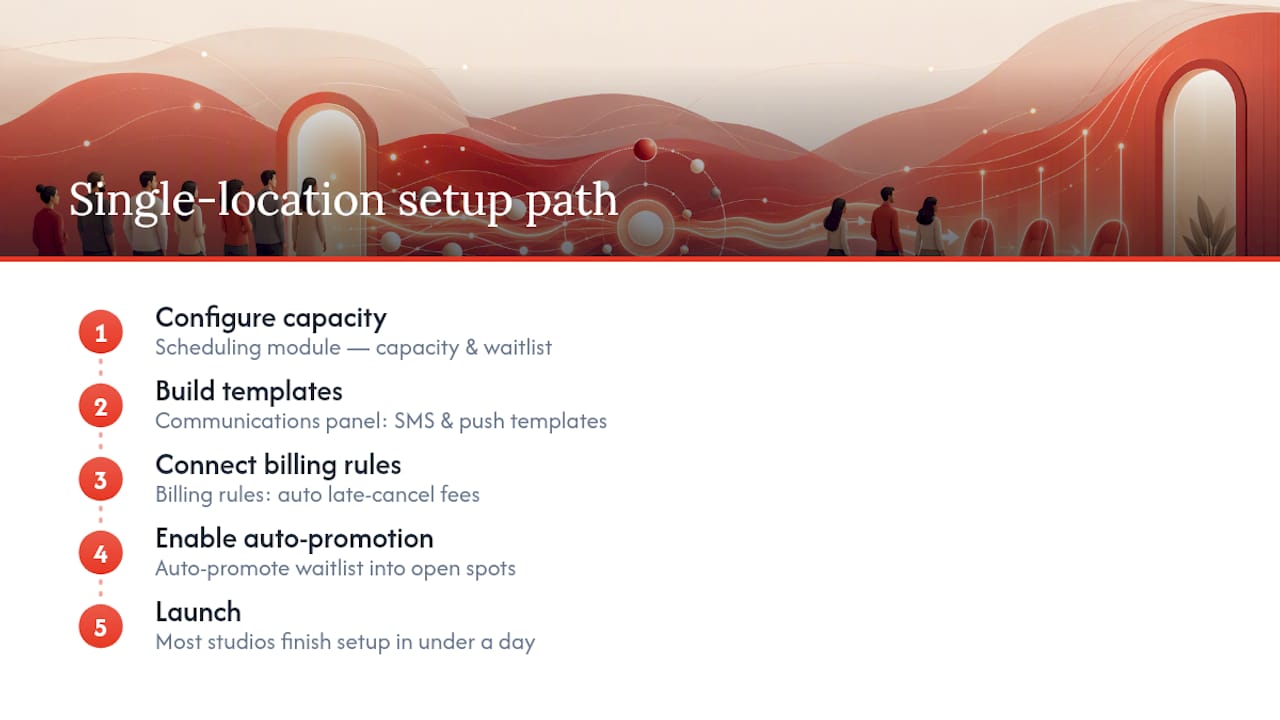
For a single-location studio, the typical path is: configure class capacity and waitlist size in the scheduling module, build SMS templates in the communications panel, connect billing rules for late-cancel enforcement, and enable auto-promotion. Most studios complete this setup in under a day.
For multi-location operators, Joinfitnessflow’s cross-location reporting lets you compare fill rates and waitlist conversion across sites, so you can identify which locations need tighter claim windows or different notification cadences.
Studios running high-demand specialty classes, think reformer Pilates or small-group HIIT, benefit most from the buffer seat logic and manual override controls. Joinfitnessflow’s manager-level override logging keeps that process auditable and fair.
Pro Tip: Use Joinfitnessflow’s reporting dashboard to pull your pre-automation fill rate as a baseline before you go live. That number is your ROI anchor for every conversation with ownership or investors about the system’s value.
For studios evaluating their current platform against these capabilities, the gym management software comparison on the Fitness Flow blog covers the key scheduling and automation features to look for.
What are the legal and privacy rules for waitlist data?
Waitlist data is personal data. In the U.S., the primary frameworks are state-level privacy laws, with California’s CCPA being the most comprehensive for fitness businesses with California members. Under CCPA, members have the right to know what data you collect, request deletion, and opt out of sale of their data.
Practically, this means three things for your waitlist system. First, collect only what you need: name, contact channel (phone or email), and class preference. Don’t store payment card details in your waitlist queue; capture payment at confirmation, not at waitlist signup. Second, your SMS and push notifications require prior consent. A booking confirmation that includes an opt-in to class notifications is the standard approach; document that consent in your member records. Third, if you use a third-party automation tool to send notifications, confirm it is compliant with the Telephone Consumer Protection Act (TCPA), which governs commercial SMS in the U.S. Sending automated texts without proper consent can trigger TCPA liability.
For multi-location studios operating across state lines, check whether any state where you have members has enacted its own privacy law beyond CCPA. Several states have passed or are passing similar frameworks. Confirm current requirements with a qualified attorney; this is general guidance, not legal advice.
The part of waitlist strategy most guides skip
Most waitlist guides treat automation as the destination. It isn’t. Automation is the floor.
That trust comes from two things most operators underestimate. First, consistent policy enforcement. When members know the late-cancel fee applies every time, without exceptions for regulars or friends of the owner, they cancel earlier. The waitlist fills faster. Second, the relationship between transactional and personal outreach. Automation handles the mechanics; a coach or front-desk message handles the exception. A member who’s been waitlisted five times in a row for the same class deserves a personal note, not another automated “you’re on the waitlist” text. That’s the moment where relationship marketing does what no webhook can.
The studios I’ve seen struggle most with waitlists aren’t failing on the technical side. They’re failing because they set up the automation and stopped paying attention. Waitlist strategy is a living system. The claim window that worked in January may be wrong by March when your class mix changes. Build the habit of a monthly metrics review into your operations calendar, not just the automation.
Joinfitnessflow puts this system together for you
Running a waitlist manually costs you capacity every week. Joinfitnessflow bundles scheduling, automated waitlist promotion, SMS and push notifications, billing enforcement, and reporting into one platform, so you’re not stitching together three tools to do what one should handle.
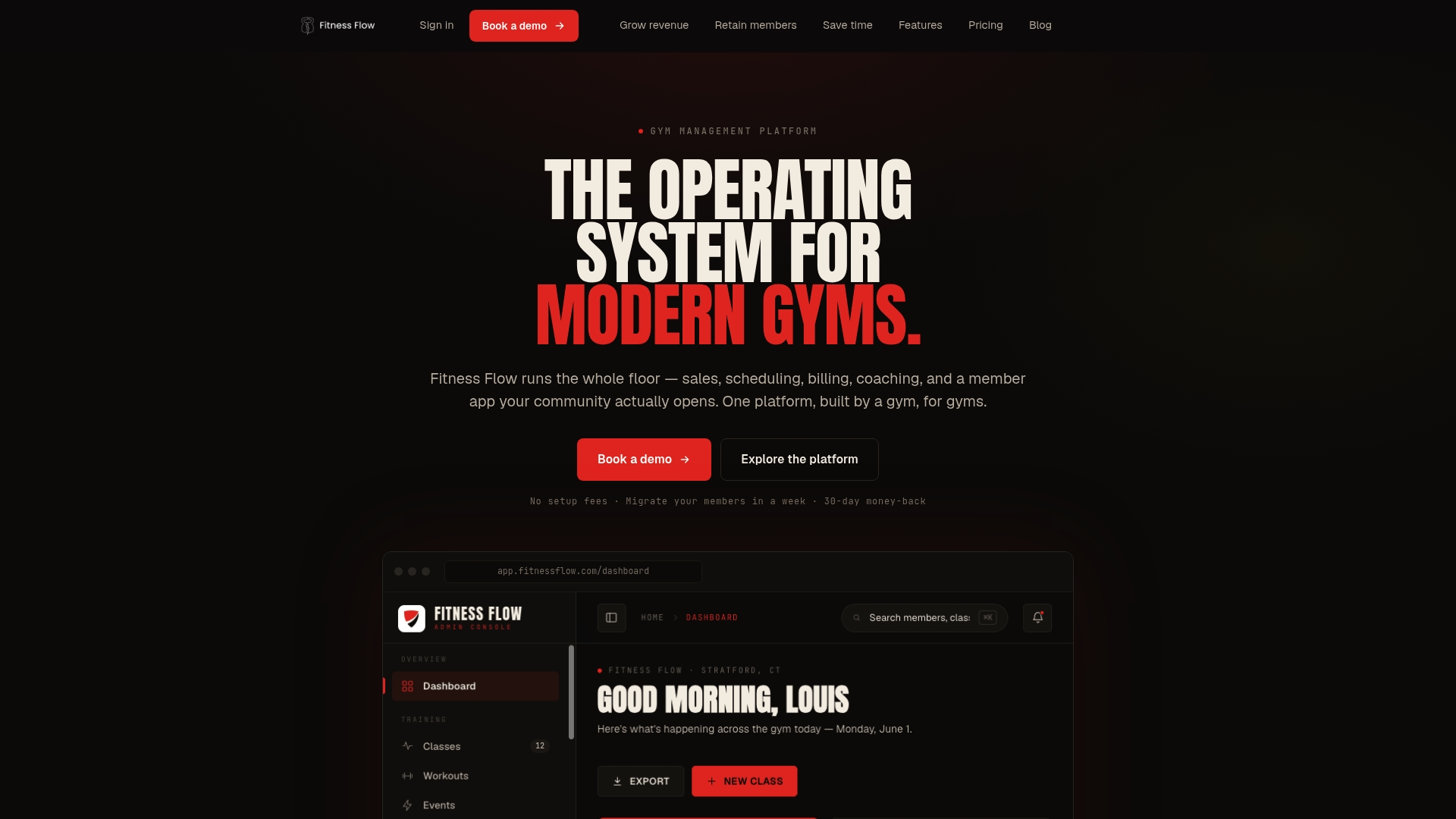
The setup path is straightforward: configure your class capacity and waitlist rules, build your SMS templates, connect billing for late-cancel enforcement, and turn on auto-promotion. Most studios are live within a day. From there, the weekly reporting dashboard shows you exactly where to tune claim windows and waitlist sizes as your schedule evolves.
If you want to see how it works for your studio’s class mix, start a free trial or book a demo at Joinfitnessflow and have the system running before your next high-demand class opens for booking.
Sources
- Fitness Studio Waitlist Management Guide | Orhuk Blog
- Automate Fitness Class Booking & Waitlists Guide
FAQ
What is the best claim window length for a waitlist spot?
For prime-time evening classes, 15–30 minutes works best; morning and off-peak classes can use a 45–60-minute window. Adjust based on your actual accept rates during the first two weeks after launch.
How do late-cancel fees improve fill rates?
Automated late-cancel penalties change member behavior by creating a small financial consequence for last-minute no-shows, which pushes cancellations earlier and gives the waitlist more time to fill the spot.

How many people should be on a class waitlist?
Larger lists frustrate members who rarely get in and reduce future waitlist participation.
Can Joinfitnessflow handle waitlist automation for multiple locations?
Yes. Joinfitnessflow’s cross-location reporting lets managers compare fill rates and waitlist conversion across sites and adjust claim windows or notification settings per location.
What consent do I need before sending waitlist SMS notifications?
Under the TCPA, you need prior written consent before sending automated commercial SMS messages. Capture that consent at booking or membership signup and document it in your member records.