
Launch Online Classes: A Gym Owner’s 30–90 Day Playbook

The fastest, lowest-friction way for an independent or mid-sized gym to launch online classes is to build a hybrid-first offering on a single gym-management platform that unifies booking, billing, and branded video delivery. Fragmented toolchains — separate booking apps, payment processors, and video links — are the primary barrier to virtual success, and the fix is consolidation, not more software.
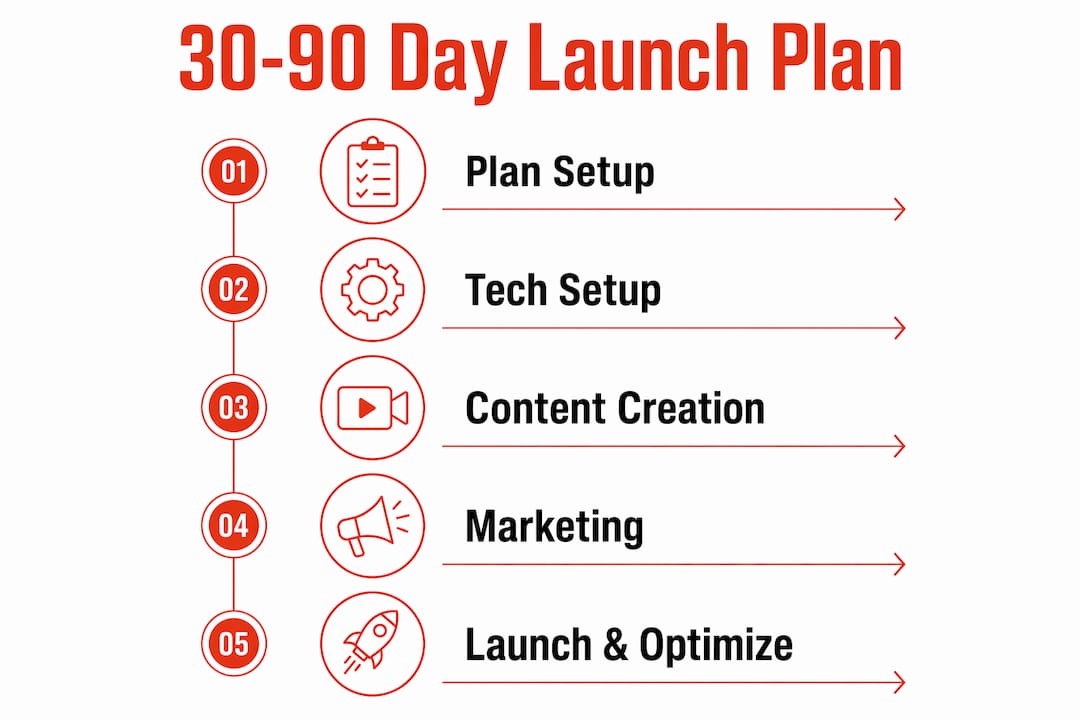
Your 30–90 day roadmap at a glance:
- Days 1–30: Choose your platform, configure scheduling and payments, pick 2–3 pilot class types, and run a streaming test.
- Days 31–60: Go live with hybrid classes, record sessions for your on-demand library, and onboard your first virtual members.
- Days 61–90: Hit 50+ on-demand videos, activate subscription pricing tiers, and run your first retention campaign.
- Minimum viable tech: A tripod, lavalier mic, ring light, and a 10 Mbps dedicated upload connection — a starter kit can run $150–$500.
Joinfitnessflow is built for exactly this: one platform covering scheduling, billing, branded member app, live and on-demand video, and compliance — built by a gym, for gyms.
Table of Contents
- How do you launch online classes in 30–90 days?
- What must your gym-management platform actually do?
- How should you design your hybrid class schedule?
- How do you onboard virtual members and keep them engaged?
- What pricing structure works for online fitness classes?
- Which KPIs tell you if your online classes are working?
- What compliance and security steps do you need before launch?
- How do you fix the most common launch problems fast?
- Key Takeaways
- What gym owners actually learn after going hybrid
- Joinfitnessflow makes it faster to go from planning to live classes
- Useful sources for gym owners going deeper
- FAQ
How do you launch online classes in 30–90 days?
A realistic timeline beats an ambitious one. Below is a milestone-based plan with approximate cost ranges so you can budget before you commit.

WeekMilestoneOwner/Staff TaskApprox. Cost
1–2
Platform selected, account live
Owner: sign up, configure billing
—
2–3
Scheduling and payments configured
Staff: set up class types, payment tiers
Included in platform
3–4
Streaming test completed
Instructor: test camera, mic, lighting
$150–$500 (starter kit)
5–6
First hybrid live classes
Instructor + staff: run 2–3 live sessions
—
8
On-demand recording begins
Instructor: record and upload sessions
—
9
Virtual member onboarding live
Staff: launch onboarding emails and app tour
Included in platform
11
Subscription tiers activated
Owner: set pricing, run launch promo
—
30-day priorities:
- Lock in your platform before anything else. Every other decision flows from it.
- Test your stream with at least 5 concurrent viewers before going public.
- Limit pilot classes to 2–3 formats (e.g., HIIT, mobility, beginner strength) to keep production manageable.
60-day priorities:
- Record every live session. Each recording is a future on-demand asset.
- Run a structured onboarding sequence for virtual members (see Section 5).
- Train staff on the platform’s booking and support workflows.
90-day goal: Reach 50–100 on-demand videos — operators report that libraries below 50 videos see higher churn among subscription members.
What must your gym-management platform actually do?
A unified platform isn’t a convenience — it’s a retention strategy. When members must toggle between a booking app, a payment portal, and a separate video link, drop-off happens before the first class plays.
Core features your platform must cover:
- Scheduling: Class calendar with booking, waitlists, and automated reminders.
- Payments/billing: PCI-compliant recurring billing, drop-in purchases, and proration.
- Branded member app: iOS, Android, and web access under your gym’s brand, not a third-party logo.
- Live and on-demand video: Low-latency streaming (under 5 seconds for interactive formats using LL-HLS) and a searchable on-demand library.
- CRM and single member record: One profile per member covering bookings, payments, waivers, and video history.
- Analytics dashboard: Attendance, completion rates, and revenue by class type.
For interactive formats like HIIT with timed intervals, standard HLS latency generally around several seconds, typically ranging between a few and over ten seconds creates a real problem — members are out of sync with cues. Low-latency HLS (LL-HLS) under 5 seconds solves it.
The operational reality: A member who has to log into three different systems to book, pay, and watch your class will not stay a member for long. A single branded app removes that friction entirely and signals professionalism from the first tap.
Integration checklist before launch:
- PCI-compliant payment processor connected
- Calendar sync tested across devices
- Push notifications confirmed (booking reminders, new video alerts)
- Waiver collection embedded in the signup flow
- Video CDN tested at peak concurrent load
Pro Tip: Before launch day, walk through the entire member journey yourself — sign up, book a class, receive the reminder, join the stream, and access an on-demand video. If any step requires a workaround, fix it before members see it.
How should you design your hybrid class schedule?
Hybrid classes — broadcasting an in-studio session to remote viewers simultaneously — deliver the highest return on production effort. One session serves two audiences and generates a recording for your on-demand library.
A practical starting mix: 60% live or hybrid, 40% on-demand for the first six months. As your library grows, that ratio can shift toward on-demand without adding instructor hours.
Schedule design principles:
- Lock in consistent time slots. Members build habits around predictability, not variety.
- Identify 2–3 peak demand windows (typically 6–7 AM, 12 PM, and 5:30–7 PM) and protect them for live sessions.
- Use off-peak slots for recording dedicated on-demand content (beginner tracks, mobility series).
Class types mapped to on-demand categories:
- HIIT and strength — high replay value; record every session.
- Mobility and yoga — strong on-demand performers; members return to favorites repeatedly.
- Beginner tracks — essential for virtual member onboarding; build a curated starter playlist.
- Specialty workshops — record once, sell repeatedly as a premium add-on.
For hybrid-specific production: camera placement must serve floor participants and remote viewers at the same time. A wide-angle camera at the front of the room works for most formats. Use a separate lavalier mic for the instructor to isolate voice from studio noise — this single step has the biggest impact on remote audio quality.
How do you onboard virtual members and keep them engaged?
Virtual members need a dedicated onboarding path — treat them as a distinct persona, not a subset of your in-person membership.
Onboarding sequence (days 1–7):
- Day 1: Welcome email with app download link and login instructions.
- Day 2: In-app tour highlighting the class schedule, on-demand library, and support contact.
- Day 3: Curated beginner playlist pushed via notification.
- Day 5: First live class reminder with a “what to expect” note.
- Day 7: Check-in message asking for feedback (one question, not a survey).
What actually keeps virtual members coming back isn’t the content — it’s the feeling that someone noticed they showed up. A simple automated “Great to see you in class today” push notification, triggered by a completed booking, does more for retention than a new video upload.
Ongoing engagement tactics:
- Weekly live Q&A slots where the instructor takes questions via chat.
- 30-day challenges with a leaderboard visible in the member app.
- Short-form clips (15–30 seconds) repurposed from live sessions and shared on social to drive re-engagement.
- Community platforms like Discord or Circle for async conversation, keeping engagement off algorithm-dependent social feeds.
Pro Tip: Use your branded member app as the single front door for support, bookings, and content. Members who contact support through a third-party channel (email, DM) are already partially disengaged — centralize everything in the app.
What pricing structure works for online fitness classes?
Subscriptions represent a dominant revenue model in online fitness. Build your pricing around them, then layer in drop-in and bundle options for members who aren’t ready to commit.
ModelPrice RangeBest For
Upgrade add-on (existing members)
$15–$25/month
In-person members adding virtual access
Live + on-demand subscription
$25–$40/month
Virtual-only members, primary tier
Premium production tier
$40/month
High-frequency users, specialty content
Drop-in / class pack
$10–$20 per class
Trial users, occasional participants
Billing checklist:
- Recurring billing with automated dunning for failed payments
- Free trial (7 or 14 days) configured before launch
- Proration logic for mid-month upgrades
- Refund policy documented and visible at checkout
- Tax handling confirmed for your state
Launch promotion ideas: A discounted first month, a referral bonus (one free month for each new member referred), and a free-trial-to-paid conversion email sequence starting on day 10 of the trial.
Which KPIs tell you if your online classes are working?
Track these weekly for the first 90 days, then shift to a monthly review cadence once trends stabilize.
Primary KPIs:
- Live attendance rate: Bookings vs. actual joins. Below 60% signals a scheduling or reminder problem.
- On-demand completion rate: Plays that reach 80%+ of video length. Low completion means content or length mismatch.
- Trial-to-paid conversion: Target 25–40% in the first 90 days.
- Virtual member churn rate: Monthly cancellations as a percentage of active virtual subscribers.
- ARPU (average revenue per user) for digital tiers: Total digital revenue divided by active digital members.
Supporting KPIs: Booking conversion rate (class page views to confirmed bookings), refund rate, and NPS or CSAT scores collected after the first virtual class.
Stat to watch: An on-demand library below 50 videos correlates with higher churn among subscription members — operators report this threshold consistently. Hit it by month three.
Run simple A/B tests on class times (same class, two different slots) and pricing pages (free trial vs. discounted first month) to validate assumptions before scaling spend.
What compliance and security steps do you need before launch?
Waiver checklist:
- Digital waiver covering virtual participation risks embedded in the signup flow.
- Waiver acceptance logged with timestamp and linked to the member’s record.
- Separate waiver language for live-streamed vs. in-person participation if your classes are hybrid.
Payment security:
- Use a PCI-compliant processor with tokenization (card data never stored on your server).
- HTTPS enforced across all booking and payment pages.
- Staff access to payment records limited to those who need it.
Privacy basics:
- Privacy notice published and linked at signup.
- Data retention policy defined (how long you keep inactive member records).
- Staff permissions scoped: front-desk staff should not have access to billing history.
Pro Tip: Store proof of every signed waiver — date, time, member ID, and IP address — linked directly to the member’s profile in your platform. If a claim arises, that record is your first line of defense.
This article is general operational guidance, not legal or compliance advice. Confirm waiver language and data-handling requirements with a qualified attorney for your specific state and business structure.
How do you fix the most common launch problems fast?
ProblemQuick Fix
Audio echo
Switch instructor to a lavalier mic; mute room speakers during stream
Buffering / dropped stream
Confirm dedicated upload bandwidth
Low live attendance
Check reminder timing; move class to a peak-demand slot and retest
Double-booking
Enable platform-level booking caps; disable manual override for staff
Member can’t access video
Confirm app version is current; check payment status on member record
Pre-class instructor checklist (run 15 minutes before every session):
- Camera framing confirmed for both floor and remote viewers
- Lavalier mic clipped and audio level tested
- Internet speed check (minimum 10 Mbps upload)
- Backup plan confirmed: local recording running in parallel
Plan B workflow: If the stream drops mid-class, switch to audio-only via phone, finish the session, and upload the local recording to the on-demand library within 24 hours with an apology note to attendees.
Pre-launch stress test: Simulate 10 concurrent streams, process a test payment, and trigger a push notification before your first public class. Problems found in testing cost nothing. Problems found live cost members.
Post-session feedback template (one question): “What’s one thing we could improve about today’s class?” Send via push notification within 30 minutes of class end.
Key Takeaways
Launching online classes successfully requires a unified platform, a hybrid-first content strategy, intentional virtual member onboarding, subscription-anchored pricing, and consistent KPI tracking from day one.
PointDetails
Platform first
Consolidate scheduling, billing, and video in one system before anything else.
Hybrid as your engine
Stream in-studio sessions live and record them to build your on-demand library simultaneously.
50-video threshold
Reach 50–100 on-demand videos by day 90 to justify subscription pricing and reduce churn.
Price by tier
Start with a modest monthly add-on for existing members; build toward a virtual subscription priced in a moderate range.
Joinfitnessflow
Covers scheduling, branded member app, billing, live and on-demand video, waivers, and analytics in one platform.
What gym owners actually learn after going hybrid
The conventional wisdom says the hard part of launching online classes is the technology. It isn’t. The hard part is treating virtual as a real product — with its own onboarding, its own pricing logic, and its own retention levers — rather than a bolt-on to the in-person schedule.
Gyms that make hybrid work tend to share three operational habits. First, they pick one platform and commit to it instead of stitching together cheaper tools that create member friction. Second, they record every live session from day one, even when the library feels embarrassingly small — because the library is what justifies the subscription six months later. Third, they assign one staff member ownership of the virtual member experience: someone who watches the KPIs weekly, responds to virtual member feedback, and escalates technical issues before they become cancellations.
The operators who struggle are almost always the ones who launched virtual as an afterthought — a Zoom link added to an existing membership, no dedicated onboarding, no pricing strategy. Members sense the difference immediately.
Staff training is underrated here. Your instructors need to learn how to serve two audiences at once: the people in the room and the people on screen. That skill takes practice, and it doesn’t happen without deliberate rehearsal before the first live hybrid session.
Joinfitnessflow makes it faster to go from planning to live classes
Most gyms spend weeks stitching together a booking tool, a payment processor, a video platform, and a member communication app — and still end up with a fragmented experience that frustrates members and staff alike. Joinfitnessflow eliminates that entirely.
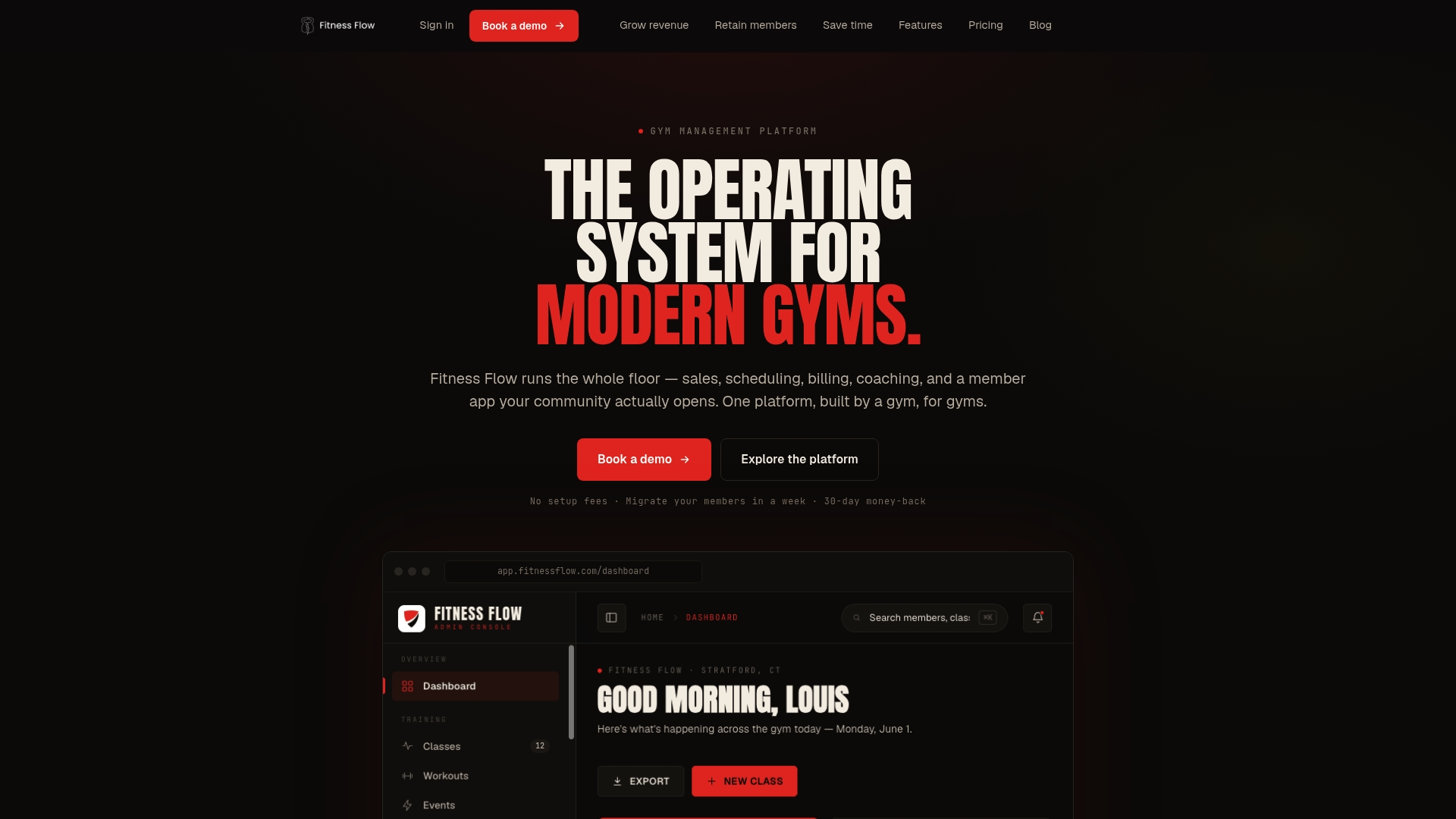
Built by a gym for gyms, Joinfitnessflow gives you unified scheduling, a branded member app (iOS, Android, and web), built-in PCI-compliant billing, live and on-demand video delivery, digital waiver tracking, and analytics dashboards — all under one login. Onboarding support and migration assistance are included, so you’re not starting from scratch alone. When you’re ready to grow to multiple locations, the platform scales with you.
Schedule a demo or start a free trial and see how quickly your gym can go from planning to live classes.
Useful sources for gym owners going deeper
Why these sources matter: The guides below informed the equipment cost ranges, pricing benchmarks, hybrid production guidance, and subscription thresholds in this article. Bookmark the streaming setup guide and the hybrid-class playbook before your first production test.
- Virtual & Hybrid Fitness Classes: A Gym Growth Playbook — Operational playbook covering hybrid production, on-demand library thresholds, and virtual pricing norms. The most directly applicable resource for gym owners.
- How to Start Your Online Fitness Business — Dacast — Equipment cost benchmarks ($150–$500 starter kit; $1,500–$4,000 professional setup) and latency guidance for streaming formats.
- 10+ Strategies to Help Your Hybrid Gym Succeed — Fitness Merchant Services — Covers fragmentation as the primary retention risk and the case for a unified branded platform.
- How To Start a Fitness Business — Shopify — Market context on subscription dominance in online fitness revenue.
- ClickCoach — scheduling and coach workflow integration — Useful reference for coaches managing scheduling and administrative workflows alongside a gym platform.
FAQ
What is the minimum equipment needed to launch online fitness classes?
A tripod, lavalier microphone, ring light, and a dedicated 10 Mbps upload connection form a workable starter kit for under $500. A professional setup with a 4K or PTZ camera and softbox lighting runs $1,500–$4,000.
How many on-demand videos do you need before charging a subscription?
Operators consistently report that libraries below 50 videos see higher churn among subscription members. Aim for 50–100 videos by the end of your first 90 days, with a regular upload cadence after that.
What pricing model works best for a gym adding virtual classes?
Start with a $15–$25/month upgrade add-on for existing in-person members, then build a standalone virtual subscription at $25–$40/month for virtual-only members. Drop-in pricing ($10–$20 per class) works for trial users.
Does Joinfitnessflow support both live and on-demand video?
Yes. Joinfitnessflow covers live streaming, on-demand video delivery, scheduling, billing, a branded member app, waiver tracking, and analytics in a single platform designed specifically for gym operators.
How do you reduce churn among virtual-only members?
A dedicated onboarding sequence (app tour, beginner playlist, first-class reminder within the first seven days) combined with consistent push notifications and a growing on-demand library are the most reliable churn-reduction levers for virtual members.