Launch Live Streaming for Gyms in One Week and Retain Members
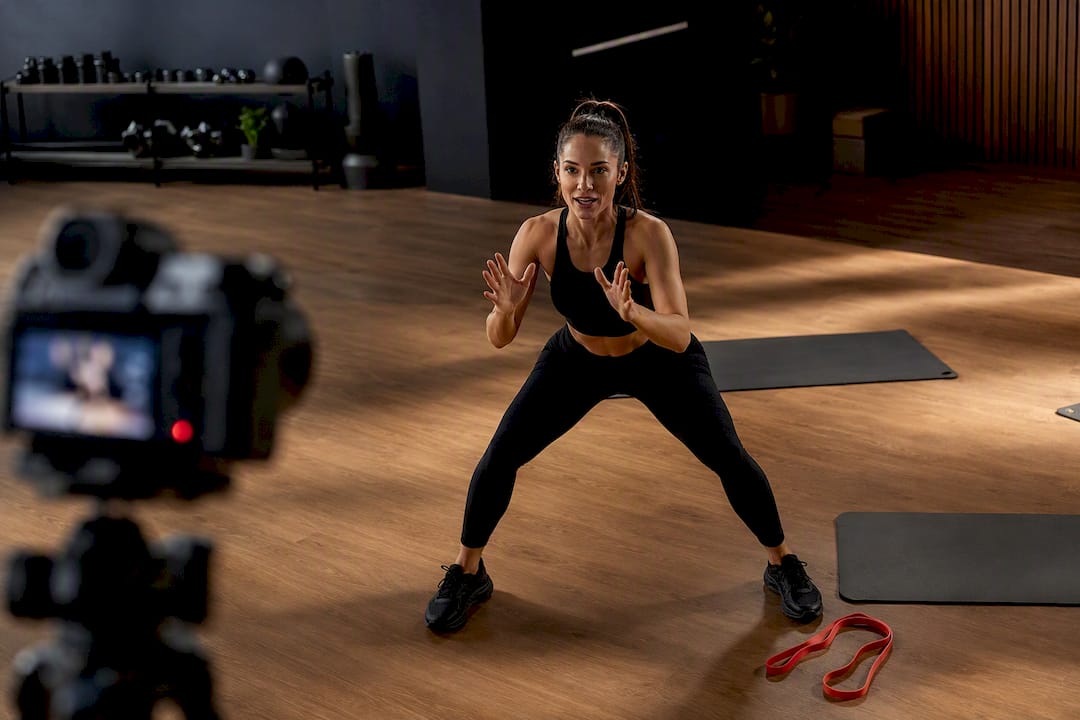
The fastest way to run stable live classes is a browser-based studio feeding a private player or branded member app for gated access. Start with a smartphone on a tripod, a lapel mic, and upload speed above 5 Mbps for a solid 720p stream. Charge through monthly digital memberships, class packs, or pay-per-class, and go live this week rather than waiting for perfect gear.
TL;DR:
- Consistency in scheduling, particularly early morning and evening slots, significantly improves member habits and live attendance.
- A smartphone with a stable internet connection and a lapel mic are sufficient for starting professional-quality live classes quickly.
- An upload speed of at least 5 Mbps and streaming at 720p ensure reliable, buffer-free streams, with higher resolutions demanding better bandwidth.
- Using a branded app or white-label player provides long-term control of access and member data, especially once class volume exceeds fifty weekly sessions.
- Clear engagement tactics like member recognition, on-screen cues, and post-class clips increase remote participation and foster community.
Table of Contents
- What Classes Should Live Streaming Gyms Offer First?
- How Do You Choose a Streaming Platform and Workflow?
- Camera, Audio, and Lighting Essentials for Live Fitness
- What Internet Speed and Bitrate Do You Need to Stream Reliably?
- How Do You Monetize and Control Access to Live Classes?
- How Do You Promote Live Classes and Keep Remote Members Engaged?
- Should You Offer Replays, Simulive, or Both?
- Live vs. Pre-Recorded: Which Fits Your Gym?
- Participant Safety and Liability During Live Workouts
- Technical Troubleshooting and Backup Plans for Live Streams
- Instructor Training and Engagement for Live Streams
- Making Live Classes Accessible to Every Member
- A Quick-Launch Checklist and the Mistakes Beginners Make
- Fitness Flow: One System for Branded Streaming, Billing, and Retention
- Where to Go for Deeper Technical Specs
- Sources
What Classes Should Live Streaming Gyms Offer First?
Not every class translates to a screen. Instructor-led flow formats (HIIT, strength circuits, yoga, and cycling) work best because they rely on verbal cueing rather than hands-on spotting. Low-equipment formats also travel well since home viewers rarely own a full rack of dumbbells or a squat rack.
Run a two-week pilot before committing to a permanent lineup. Pick your three most popular in-person classes, stream them at the same time slot they already run, and ask for quick feedback through your member app’s poll feature or a 30-second post-class survey.
Scheduling matters more than most owners expect:
- Keep the same weekly time slots. Consistency builds a habit loop that random one-off streams never will.
- Favor early morning and early evening slots, when home viewers are most likely to be free.
- Build a five to ten minute soft-start buffer before every class for technical checks and member greetings.
Pro Tip: Open the stream ten minutes early and just talk to whoever’s already logged in. That buffer catches audio glitches before class starts and turns dead air into a rapport-building moment.
How Do You Choose a Streaming Platform and Workflow?
Every platform decision comes down to one tradeoff: discoverability versus ownership. Social platforms (Instagram, Facebook) hand you built-in audience reach but no paywall and no member data. A branded app or white-label player gives you full control over access and billing, but you have to drive your own traffic to it.
For most live streaming gyms, the practical starter workflow looks like this:
- Broadcast from a browser-based studio. A tool in the StreamYard mold lets an instructor go live in minutes, add graphics or a countdown timer, and multistream to more than one destination at once.
- Route the feed through RTMP to a private player or app. Instead of streaming directly to a public feed, send that single clean signal to a members-only page or your branded app, where you control who sees it.
- Layer in a purpose-built member app once volume grows. When you’re running more than a handful of classes weekly, a dedicated app becomes worth the switch.
A dedicated app or white-label player earns its cost once you need consistent paywall enforcement and you want the member data that comes with a login system, rather than losing it to a social platform’s algorithm. The tradeoff is setup time versus long-term control, and it usually resolves in favor of control once your digital roster exceeds fifty regular streamers.
Other considerations:
- Multistreaming to social feeds still works as a promotional teaser layer, not your paid product.
- Webinar-style platforms suit large one-off events (a masterclass, a launch) better than daily class delivery.
Camera, Audio, and Lighting Essentials for Live Fitness
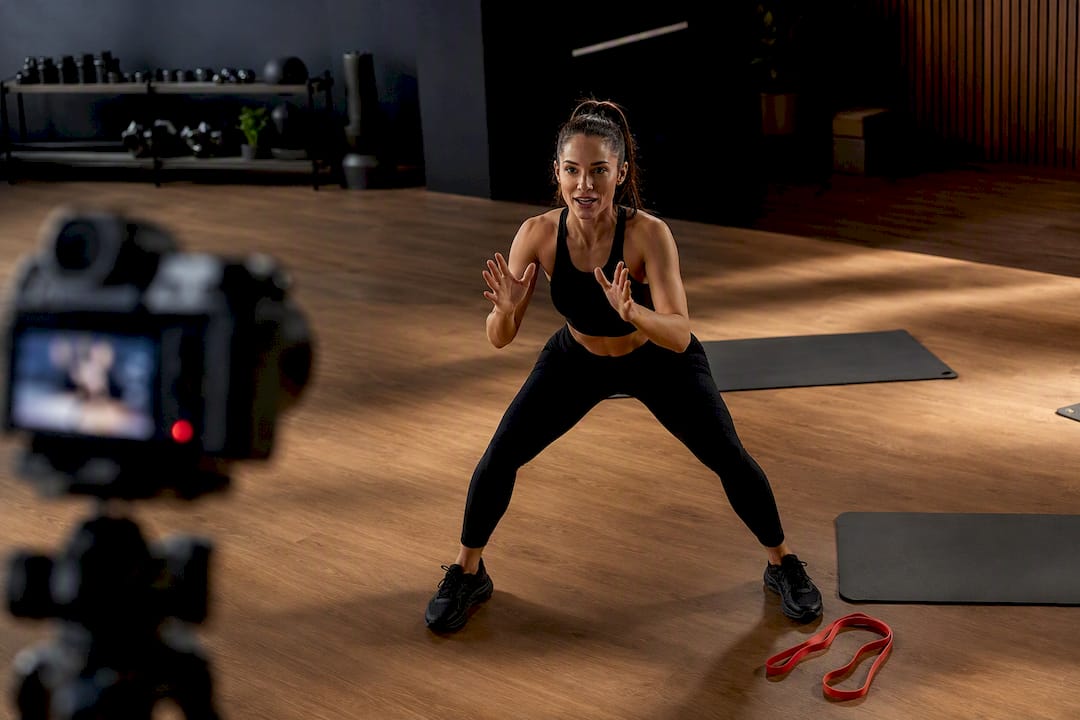
A smartphone on a stand and a stable connection is genuinely enough to run a professional first class. Don’t let gear anxiety delay your launch date. That said, three upgrades deliver outsized returns once you’re ready to invest:
- A lapel or handheld wireless mic. Audio clarity affects perceived quality more than resolution does. This is the single highest-ROI purchase you’ll make.
- A dedicated external camera or a second phone. Frees your primary device for chat moderation or backup duty.
- Two LED panel lights. Positioned at 45-degree angles to eliminate harsh shadows during fast movement.
Lighting deserves more attention than most studios give it. A multi-point setup with high color rendering, CRI 85 or above, keeps skin tones accurate and movement visible even during quick transitions between exercises. Frame the shot wide enough to show full-body movement, head to feet, with a few feet of buffer on each side for lateral steps or lunges. A plain wall or your branded backdrop beats a cluttered gym floor in the background, which pulls viewer attention away from the instructor.
On audio: keep music low enough that verbal cues carry over it, never the reverse. A simple mixer or even your phone’s built-in volume balance can prevent the instructor’s voice from disappearing under a bass line. If your studio has hard floors and bare walls, a few moving blankets or acoustic panels near the camera position cut down on echo more than any software fix will.
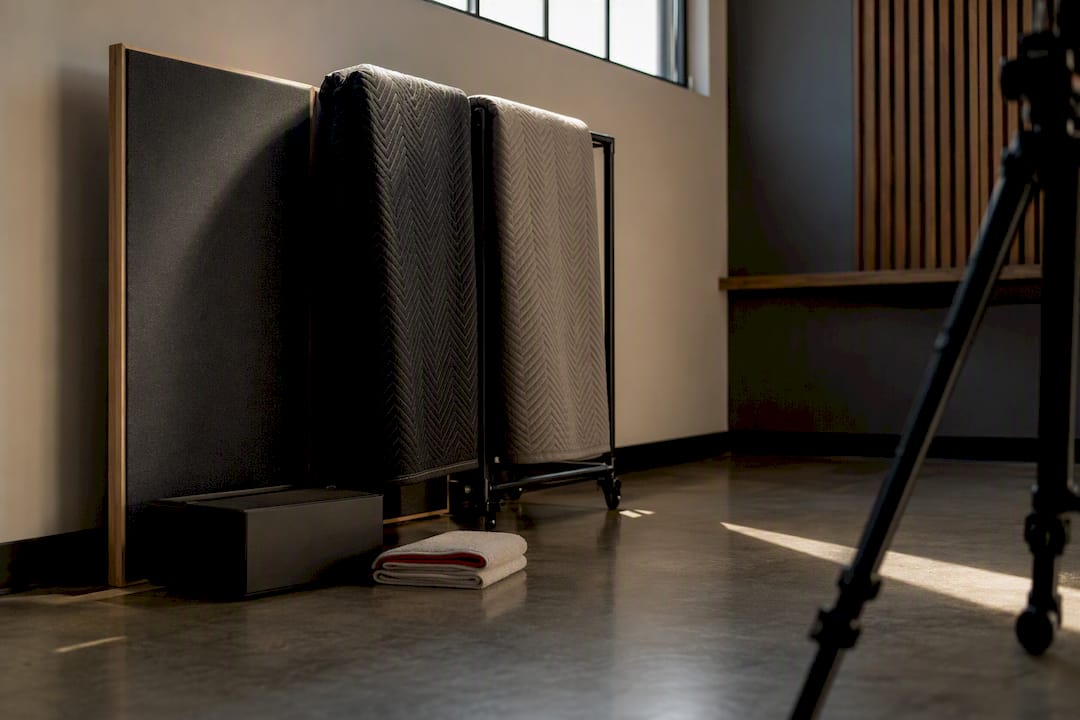
Pro Tip: Test your framing by having someone do a burpee at the edge of your shot before you ever go live. If a limb disappears off-screen, adjust the camera before members do.
What Internet Speed and Bitrate Do You Need to Stream Reliably?
Stability beats resolution every time. A stream that holds steady at a lower quality keeps members watching; a stream that buffers every ninety seconds loses them, no matter how sharp the picture looked in the brief moments it worked.
Aim for these defaults:
- 720p at 30 frames per second as your baseline. It looks clean on phones and tablets, which is how most members watch anyway.
- 1080p at 30fps only if your upload speed and encoder can sustain roughly 6,000 kbps without dropping frames.
- Upload speed of at least 5 Mbps, with 10 Mbps or higher giving real headroom for multiple simultaneous devices on the same network.
For encoder choices, a browser-based studio handles scene switching and graphics with zero setup, which is why it’s the right starting point for most gyms. Once you want multi-camera angles or custom overlays, a tool like OBS or Streamlabs gives you that scene control at the cost of a steeper learning curve. Many studios run a hybrid: browser studio for daily classes, OBS for special events.
Build in a backup plan before you need one: start the broadcast early to catch problems, keep a mobile hotspot on standby as a failover connection, and know how to drop resolution mid-stream if your bandwidth dips rather than let the whole feed freeze.
How Do You Monetize and Control Access to Live Classes?
Three mechanisms control who sees your stream: unlisted links (easy to set up, easy to leak), password-protected pages (better, still clunky to manage at scale), and member login through a branded app (the most secure and the only one that ties viewing data back to a specific member record).
Pricing models that work for most gyms:
- Pay-per-class. Good for occasional streamers or trial users testing the waters.
- Monthly digital membership. Unlimited live and replay access for a flat fee, ideal for your most engaged remote members.
- Class blocks or hybrid tiers. A set number of credits usable across live and in-person sessions, which works well for members splitting time between home and the studio.
Replay windows shape perceived value more than owners realize. A 24 to 48 hour replay window pushes members toward attending live, since they know the window closes fast. A longer or unlimited replay library increases convenience but can quietly reduce live attendance if members get comfortable watching on their own schedule instead.
Whatever pricing model you pick, run it through the same billing system that handles your in-person memberships. Splitting streaming payments into a separate tool creates duplicate admin work and makes it harder to see which members are actually using both formats.
How Do You Promote Live Classes and Keep Remote Members Engaged?
Attendance for live streaming gyms rises with a consistent schedule and a real promotional funnel: email reminders, push notifications through your member app, and short social teasers built from clips of last week’s class.
Once the class is live, engagement tactics keep remote participants from feeling like they’re watching a recording:
- Call out names when members check in or hit a milestone rep count.
- Assign someone (an assistant coach or the instructor between sets) to moderate chat and answer form questions in real time.
- Use on-screen timers and text overlays for interval cues, so viewers don’t have to strain to read a wall clock.
- Give verbal corrections that reference what you’d say in person: “drop your hips a bit lower,” not just “good job.”
After class, cut a 30 to 60 second highlight clip and push it to social as a teaser. Track how many clip viewers convert into a free trial or a paid class pack. That single metric tells you whether your promotional content is actually pulling new members in, not just generating likes.
Pro Tip: Save your best chat exchange from each class, a genuine laugh, a good question, and reference it at the start of next week’s session. It signals to remote members that they’re part of an actual community, not just watching a broadcast.
Should You Offer Replays, Simulive, or Both?
A generous replay window (a week or more) maximizes convenience but tends to soften live attendance, since members know they can catch up later. A tight window (24 to 48 hours) protects live numbers while still giving traveling or sick members a way to stay on track.
Simulive, streaming a pre-recorded class at a scheduled time as though it were live, is the right tool when you want to extend your class hours without adding staff. Schedule a simulive session in a time slot no instructor wants to work (early Sunday, late weeknight), and members get the live-chat experience without anyone showing up on camera in real time.
Organize your VOD library by program type (strength, cardio, recovery) rather than by date, so members can browse by goal instead of scrolling a chronological feed. Track completion rate and replay count per class type. If your yoga replays consistently outperform your HIIT replays, that’s a direct signal for where to expand your live schedule next.
Live vs. Pre-Recorded: Which Fits Your Gym?
Live classes generate the strongest engagement and community feel, but they come with real constraints: a fixed schedule, a single shot at getting the tech right, and instructor time that doesn’t scale past one class at a time.
Pre-recorded content flips those tradeoffs. It scales infinitely, the quality is consistent take after take, and there’s zero risk of a mid-class dropped connection. What it loses is the real-time energy that makes members feel like they’re training with people, not watching a video.
Most gyms land somewhere in between:
- Small studios (under 200 members): Two to three live classes weekly, supplemented by a small on-demand library built from past streams.
- Mid-size gyms: Daily live classes plus a growing VOD catalog, using simulive to fill off-hours.
- Multi-location operators: A rotating live schedule across locations, with a shared VOD library that any member can access regardless of home gym.
Participant Safety and Liability During Live Workouts
Live streaming doesn’t remove your duty of care, it just changes how you exercise it. Start every session with a verbal disclaimer covering modification options and reminding participants to work within their own limits, especially for high-impact or high-load movements.
Require a digital waiver before granting stream access, the same way you’d require one for in-person enrollment. Most gym management systems can attach this to account creation so it’s a one-time step rather than a per-class hurdle.
Instructors should verbally cue modifications throughout class, not just at the start. “If your knees are sensitive, step back to a lower-impact version here” costs three seconds and covers a real range of home setups and fitness levels you can’t visually assess the way you would in a studio.
Keep a visible chat moderator or co-host watching for members reporting pain, dizziness, or equipment problems in real time. Since you can’t physically intervene the way you could on a gym floor, a fast verbal response (“stop and rest, we’ll modify”) is your main safety tool.
Review your liability insurance policy specifically for remote or virtual class coverage. Many general fitness liability policies exclude virtual delivery unless it’s explicitly added, and that gap only becomes obvious after an incident. A quick call to your carrier before your first stream is cheaper than finding out the hard way.
Technical Troubleshooting and Backup Plans for Live Streams
Every live stream eventually breaks in some small way. The gyms that look professional aren’t the ones with perfect connections, they’re the ones with a rehearsed response.
Build these habits into every session:
- Start your broadcast five to ten minutes before the announced class time, catching connection or audio problems while it’s just you and early arrivals, not the full roster.
- Keep a mobile hotspot charged and ready as an instant failover if your primary internet drops mid-class.
- Know your platform’s manual resolution control. Dropping from 1080p to 720p on the fly preserves a stable feed better than letting the stream auto-buffer.
- Assign a second person, even remotely, to monitor chat and flag issues the instructor can’t see while mid-set.
- Have a backup device (a second phone or tablet) pre-logged into your streaming account, ready to swap in within seconds if your main camera fails.
Post a short, pre-written message template (“We’re experiencing a brief technical issue, stay with us”) that whoever’s monitoring chat can paste immediately, buying you time to fix the actual problem without members assuming the class is over.
After a rough session, do a five-minute debrief with whoever helped run it. Was it the router, the app, the venue’s WiFi congestion during peak hours? Naming the actual cause prevents you from throwing money at the wrong fix, like buying a new camera when your real problem was bandwidth.
Instructor Training and Engagement for Live Streams
Instructors who are great in person don’t automatically translate to camera. The skills are related but not identical, and skipping training here shows up immediately in member feedback.
Run every instructor through a practice stream before their real debut, ideally to an audience of one or two staff members giving honest feedback. Watch specifically for: are they talking to the camera lens or looking at their own reflection? Are cues clear enough for someone who can’t see a live demonstration up close?
Teach instructors to narrate more than they would in person. A verbal cue that would be redundant next to a hands-on correction becomes essential when it’s the only correction a home viewer gets. “Keep your chest up, shoulders back” needs to be said, not just modeled.
Build in deliberate engagement moments: reading a name from the chat, calling out a milestone, pausing for ten seconds to let people catch up on a tricky transition. These moments cost almost nothing in class time but they’re what separates a stream that feels like a broadcast from one that feels like a class.
Rotate instructors through a short refresher every few months as your platform or camera setup evolves. An instructor trained on your original phone-and-tripod setup may need a quick walkthrough once you add a second camera angle or overlay graphics.
Making Live Classes Accessible to Every Member
Closed captions matter more for fitness content than most owners assume, not just for members who are deaf or hard of hearing, but for anyone streaming from a noisy house, a shared space, or a phone with the sound off during a commute break. Many browser-based studios and social platforms now offer auto-captioning as a built-in toggle.
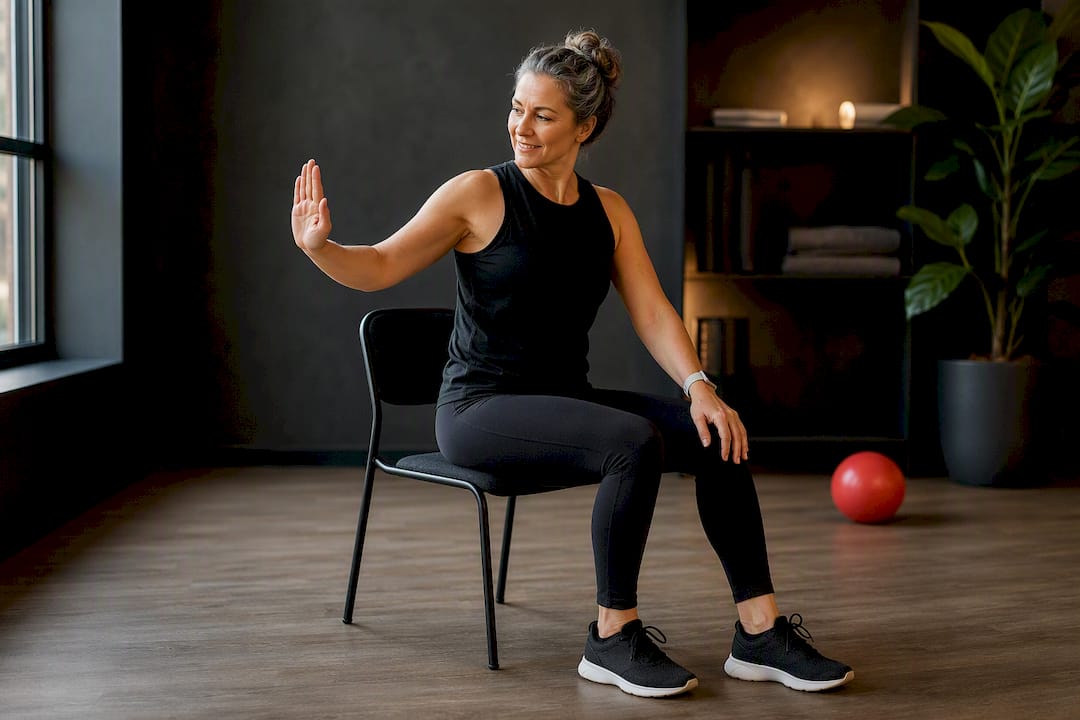
Beyond captions, build modification cues into your standard instructor script rather than treating them as an afterthought. Offering a seated or low-impact version alongside the standard movement, every time, means members with mobility limitations don’t have to ask or feel singled out.
Camera framing should show the full range of a movement, not just the instructor’s upper body, so members following along with a mobility aid or a modified stance can still see proper form. Verbal descriptions (“reach your right arm up and out to the side”) help members who may not be looking at the screen the entire time.
Consider a dedicated low-impact or seated class as a permanent slot on your schedule, not just a modification mentioned mid-class. That signals inclusion is built into your program design, not bolted on as an exception.
A Quick-Launch Checklist and the Mistakes Beginners Make
Three priorities get you live within a week: pick one class format that already works in person, set up a browser studio feeding your member app, and run a five-minute tech check with staff before your first real session.
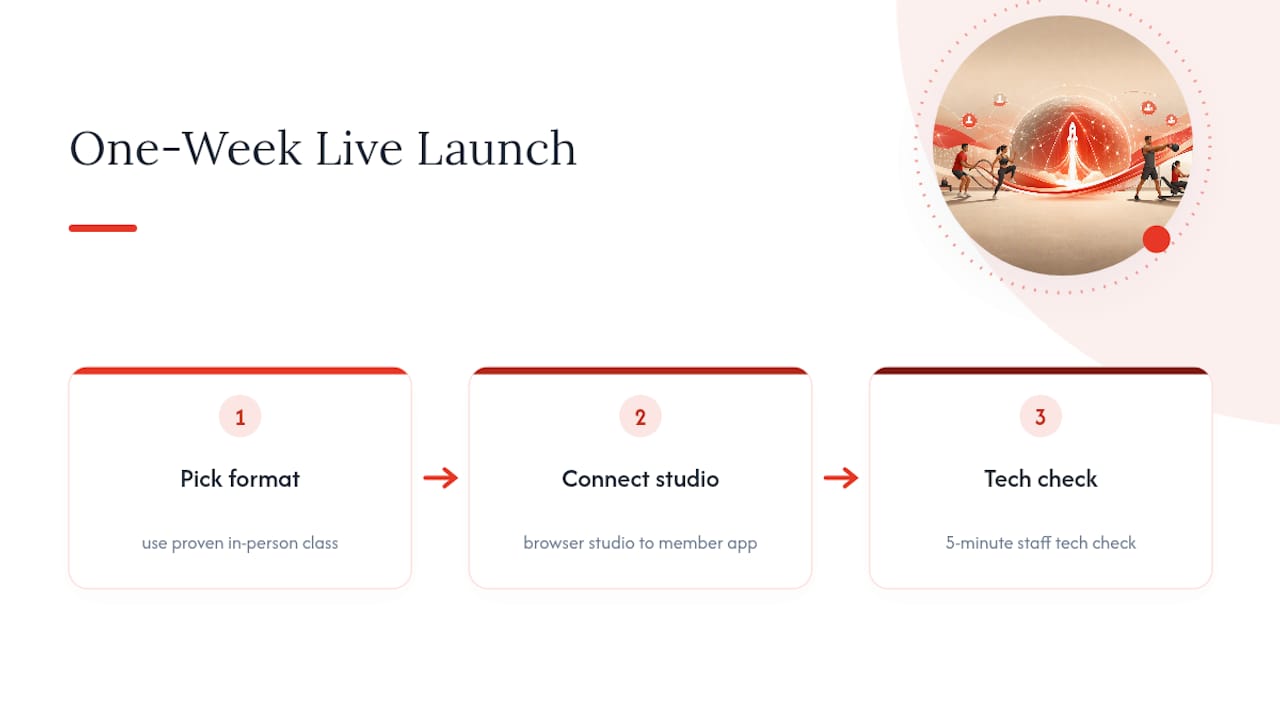
The most common beginner mistake is overbuying gear before proving demand. A phone and a lapel mic outperform an expensive camera rig nobody knows how to operate. Second is skipping the audio check entirely, since a garbled voice track kills a stream faster than shaky video ever will. Third is launching without a replay policy decided in advance. Members will ask, and “we haven’t figured that out yet” undercuts confidence in the whole program.
Fitness operations and gym management workflows reward the same instinct here that they do everywhere else: start simple, measure what actually happens, then invest where the data points.
— Louis
Fitness Flow: One System for Branded Streaming, Billing, and Retention
Running live classes well means juggling scheduling, member access, billing, and analytics, usually across three or four different tools that don’t talk to each other. Fitness Flow consolidates all of it into one branded system, so your members open one app to book a class, join the live stream, watch a replay, and get billed, without you patching together a paywall plugin and a separate video host.

The platform gates live and replay content behind member login, handles class scheduling and recurring billing in the same dashboard, and gives you analytics on who’s watching, how often, and which classes convert trial users into paying members. Gyms running on Fitness Flow report an average increase in member retention and save significant administrative time per week, time that goes back into coaching and programming instead of chasing separate software logins. If you’re ready to see how a branded app and streaming setup would look for your gym, book a demo and walk through your actual class schedule with the team.
Where to Go for Deeper Technical Specs
For platform-specific setup steps, see StreamYard’s streaming guide. For camera and lighting technique, check ISSA’s filming tips. For broader industry trend context, review ACSM’s fitness trends report, and for scripting safe modifications for home viewers, see IronAtForty’s beginner gym guide.