Gyms Keep Members With Branded On Demand Workouts, No Studio Needed

Yes, your gym can run a fully branded on-demand library and live classes through modern gym management software, and for most independent gyms it is worth the investment. On-demand video already accounts for roughly 57.9% of virtual fitness revenue, and platforms like Fitness Flow report retention gains when gyms add branded streaming. The rest of this guide walks through the setup choices, technical requirements, and privacy steps that make the difference between a feature members ignore and one that keeps them paying.
TL;DR:
- Launch with a small on-demand library of 8 to 12 classes, focusing on formats members already prefer, and add live sessions gradually based on demand.
- Ensure the platform provides a fully branded app, searchable content, tiered access, native billing, analytics, and support multi-site operation to prevent technical issues.
- Use simple, batch-recorded content with captions and tags, and update metadata regularly to improve searchability and engagement.
- Confirm data flow, consent, and breach procedures with your vendor to comply with health data privacy rules and avoid enforcement issues.
- Measure success through active viewers, watch time, completion rates, and retention differences between users of the digital library and non-users.
Getfitnessflow
getfitnessflow.com
Keep Members Connected Between Visits
Fitness Flow combines live classes, gamified features, and a fully branded member app to support engagement beyond the gym.
Table of Contents
- On-demand library, live streaming, or both: which fits your gym?
- Technical and product checklist owners must require from software
- Building a content library without a production team
- Privacy, security, and compliance before you launch
- Measuring success: KPIs and realistic timelines
- Step-by-step implementation roadmap
- Legal and licensing considerations for streaming fitness content
- Marketing and promotion strategies for your on-demand offering
- Customer support best practices for on-demand platforms
- Why retention should drive your on-demand decisions
- Fitness Flow: one platform covering the full checklist
- FAQ
- Sources
On-demand library, live streaming, or both: which fits your gym?
An on-demand library is a catalog of recorded classes members stream through your branded app whenever they want. Live streaming puts an instructor in front of a camera at a set time, with members joining in real time from home or another location. Each serves a different purpose, and most gyms end up running both once they see how members use them.
A library demands less staff time per view since you record once and members watch indefinitely, while live classes need a dedicated instructor and a reliable connection for every single session. Members tend to use libraries for flexibility, squeezing in a 20-minute session before work, and live classes for the accountability of a scheduled, interactive event.
By delivery mode, on-demand currently holds the larger share of virtual fitness revenue, while live-interactive streaming is the faster-growing segment. That split suggests a practical starting point:
- Launch with a small on-demand library to test member demand at low production cost.
- Add one or two live sessions weekly once you see which class types get watched most.
- Reserve bigger live production investment for formats members already request.
Technical and product checklist owners must require from software
Before you sign with any vendor, confirm the platform can actually deliver what your members will use daily. A missing piece here turns into a support headache three months after launch.
Core delivery requirements:
- A fully branded member app, not a generic white-label shell with your logo pasted on.
- A hosted on-demand library with searchable categories and class tagging.
- Live ingest with adaptive bitrate streaming so playback adjusts to each member’s connection.
- Tiered access controls so you can gate premium content behind specific membership levels.
Operational integration requirements:
- Native billing and scheduling tied to the same member record, not a separate login.
- CRM visibility so staff can see who watches what during a renewal conversation.
- Analytics dashboards covering views, completion rate, and watch time per class.
- Storage and upload workflows that do not require a video editor on staff.
- Multi-site support if you operate more than one location under the same brand.
Adaptive-bitrate streaming and content delivery network configuration are the technical details that most affect how smooth playback looks on a member’s phone or living room television, so make vendors demonstrate them on a real device during your demo rather than describing them in a slide deck.
Pro Tip: Ask any vendor to show you the upload-to-publish workflow live during the demo, start to finish, before you evaluate anything else.
Building a content library without a production team
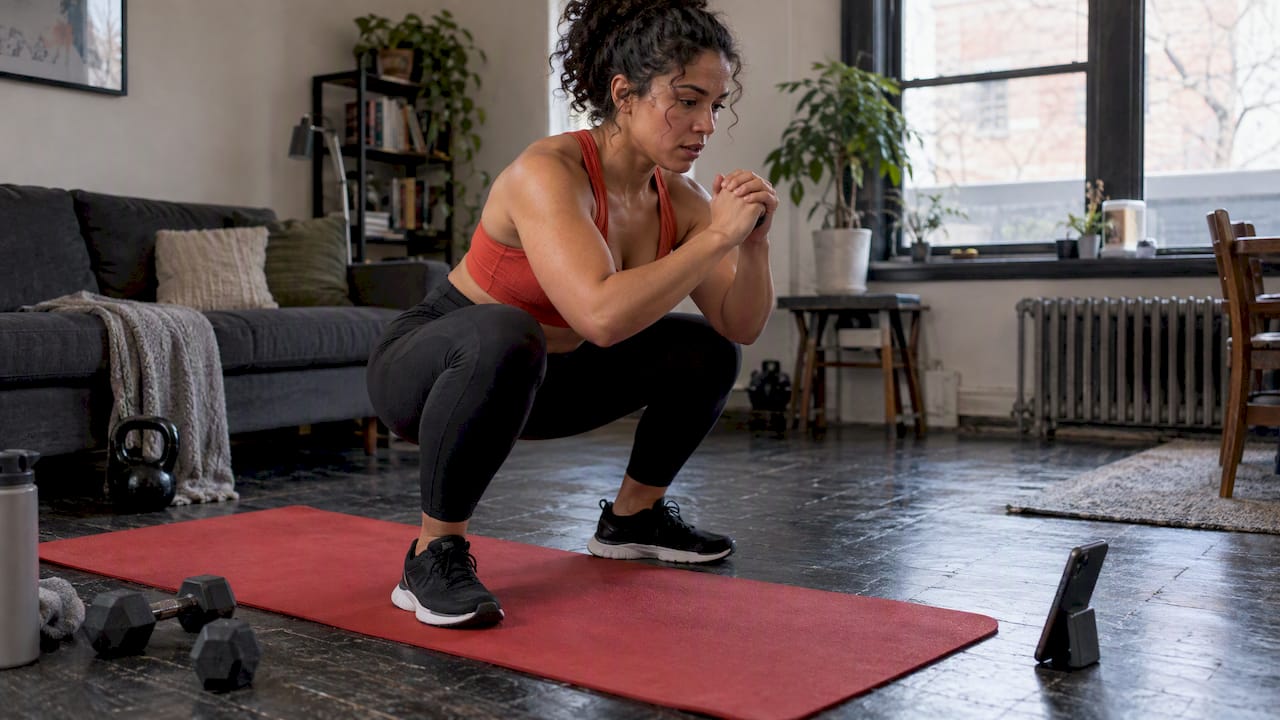
You do not need a studio to start. A phone on a tripod, a clip-on microphone, and consistent lighting cover most gyms’ first year of content, and the library grows faster when you treat it as a system rather than a one-time project.
- Pick two or three program tracks that match what members already book in person, such as strength fundamentals, mobility, and a beginner cardio series.
- Record in batches: block one morning a month and shoot six to eight classes back to back rather than filming one at a time.
- Mix short-form segments of 10 to 15 minutes with a handful of full 45-minute classes, since shorter content tends to get finished more often.
- Add captions to every video for accessibility and for members who watch with sound off.
- Tag each class by body focus, duration, and instructor so the app’s search and recommendation features actually work.
- Cut short clips from longer recordings for use in email and social promotion, which gives you marketing content without extra filming.
Metadata is not busywork. A library where members can filter by duration and intensity gets watched more than one organized as an undifferentiated feed.
Privacy, security, and compliance before you launch
Fitness apps collect more sensitive data than owners often realize, and obligations follow what the app actually does with that data, not what the privacy policy claims. The FTC’s enforcement record shows that apps sharing health-related information through third-party pixels or software development kits have faced orders, required deletions, and civil penalties, even when the sharing was unintentional.
Health-related data triggers specific rules. The FTC’s mobile health app interactive tool explains when an app that syncs with wearables or collects fitness inputs may fall under the Health Breach Notification Rule, a status that applies even to gyms that are not health care providers.
Before you launch, require your vendor to confirm:
- A documented map of where member data flows, including any third-party analytics or advertising tools.
- Affirmative, specific consent before any health-related data is shared for marketing purposes.
- Clear deletion and retention controls members can actually use.
- A defined breach notification process with timelines spelled out in the contract.
Loop in whoever handles compliance at your gym, even if that is just you, before any tracking tool goes live in the app.
Measuring success: KPIs and realistic timelines
Track a small set of numbers rather than drowning in dashboard noise. The metrics that matter most connect directly to retention and revenue, not vanity view counts.
- Active viewers per month as a share of total membership.
- Average watch time per member and completion rate per class.
- Retention differential between members who use on-demand content and those who do not.
- Revenue per member before and after the feature launches.
Some gym management platforms report notable retention increases and time saved on administrative tasks from on-demand and live programs, a useful benchmark rather than a guarantee for every gym. Use your own analytics to spot which instructors and formats drive the highest completion rates, then record more of what works and retire what does not.
Expect a pilot to show early engagement signals within four to six weeks, with measurable retention effects usually visible over one to two full billing cycles rather than immediately.
Step-by-step implementation roadmap
- Scope your requirements against the technical checklist above and shortlist two or three vendors for live demos.
- Negotiate migration support for existing member data, billing, and scheduling before signing.
- Launch a pilot library of 8 to 12 classes covering your most-requested formats, paired with basic analytics tracking.
- Announce the pilot to current members through email and in-app notifications, framing it as a new benefit rather than a replacement for in-person classes.
- Document staff procedures for publishing new content weekly, including tagging and quality checks.
- Review analytics after 30 days, cut underperforming classes, and expand the formats members actually finish.
- Add live sessions once the on-demand library shows consistent weekly engagement.
Resist the urge to build the full catalog before launch. A smaller library that members actually find and finish beats a large one buried under poor organization.
Legal and licensing considerations for streaming fitness content
Music licensing is the most common trip-up for gyms starting an on-demand program. Commercial streaming of copyrighted music in recorded or live fitness classes generally requires a license beyond what covers in-person studio playback, since distributing video content to members’ devices is treated differently than playing a speaker in your facility. Confirm with your music licensing provider whether your existing agreement extends to streamed and recorded content, because many standard gym licenses do not.
Instructor contracts need updating too. If your trainers are used to being paid for live, in-person sessions only, their agreements should specify whether recorded classes can be reused indefinitely, whether they are compensated differently for on-demand content, and who owns the resulting video once it is uploaded. Get this in writing before your first recording session, not after a popular class becomes a dispute.
Liability waivers written for in-person attendance rarely cover a member doing a recorded workout alone at home. Update your waiver language to address remote participation, and consider whether your general liability insurance covers injuries connected to video content delivered through your app. A quick conversation with your insurance provider and a local attorney before launch is cheaper than resolving a gap after an incident.
Marketing and promotion strategies for your on-demand offering
Treat the launch of a branded library as a retention campaign aimed at current members first, not a growth tool for new leads. Email your existing member base with a short clip library tour, and have front-desk staff demonstrate the app during check-in for the first few weeks.
Short clips pulled from full-length classes work well across social channels since they show real instructors and real production value without extra filming. A 30-second clip of a strength segment posted weekly builds familiarity with your content library faster than any single announcement post. Facilities that already use short-form video content, such as vibration plate activation protocols, show how brief, instructional clips can double as both education and promotion.

Inside the gym, a QR code at the front desk linking straight to the app download removes friction for members who are curious but have not yet tried it. New member onboarding is another natural moment: walk every new sign-up through the on-demand library during their first visit so it becomes part of how they experience your gym from day one, not an afterthought they discover months later.
Customer support best practices for on-demand platforms
Most support requests for a new streaming feature cluster around three issues: trouble logging into the app, playback buffering, and confusion about what content is included in a member’s plan. Prepare your front desk and any phone support staff with simple troubleshooting scripts for each before launch rather than scrambling after the first wave of calls.

Set expectations clearly inside the app itself. A short onboarding screen explaining how to find classes, filter by instructor, and download sessions for offline viewing prevents a large share of early confusion. Keep a visible, updated FAQ inside the app for common questions about device compatibility and account access.
Response time matters more for a digital feature than for in-person service, since a member who cannot get a video to load has no front-desk staffer to flag down in the moment. Aim to resolve app-related support tickets within one business day, and track recurring complaints as a signal that something in your content tagging or technical setup needs fixing.
Why retention should drive your on-demand decisions
Most gyms overbuild before they understand what members actually want. The instinct is to commission a slick production budget and a sprawling catalog before a single member has watched a class, and that instinct usually wastes money.
Start small, measure watch time and completion honestly, and expand only what members finish. Retention, not catalog size, is the number that justifies the investment.
— Louis
Fitness Flow: one platform covering the full checklist
Running the technical checklist above through separate tools, a video host, a billing system, a scheduling app, means stitching together logins and data that never quite sync. We built Fitness Flow to cover branded app delivery, on-demand libraries, live class support, scheduling, billing, and analytics in one subscription, so your member data and viewing habits live in a single record your staff can actually use at the front desk.

What that looks like in practice:
- A fully branded member app with on-demand and live classes under your own name.
- Native scheduling and billing tied to the same member profile as class viewership.
- Analytics showing watch time, completion, and engagement by member.
- Migration support to move existing member and billing data over at setup.
Some gyms report increased member retention and time saved on administrative work when using our platform. Our plans include options tailored for varying team sizes and larger operations. Visit our plans page to compare options and request a demo.
FAQ
How much does on-demand gym software typically cost?
Pricing varies by vendor and feature set. Current prices are available on the pricing page of our website.
How long does it take to launch a branded on-demand library?
A basic pilot with 8 to 12 classes and core analytics can go live within a few weeks once content is recorded and tagged. Full engagement and retention effects typically take one to two billing cycles to show clearly.
Do we need a professional video studio to start?
No. A phone on a tripod, a clip-on microphone, and consistent lighting are enough for a first library, and batch recording one morning a month keeps the workload manageable.
What privacy rules apply to a gym’s workout app?
Obligations follow what your app actually does with member data, not just what the privacy policy states. The FTC’s guidance shows that sharing health-related data through third-party tracking tools without clear consent can trigger enforcement action.
How do we know if the on-demand feature is working?
Track active viewers, watch time per member, completion rate, and the retention difference between members who use the library and those who do not. A steady rise in completion rate and a measurable retention gap are the clearest early signals of success.
Sources
For deeper reading on the topics covered above, these are the primary sources we drew from, plus our own platform details for gyms evaluating a direct option.