Wearable Integration for Gyms: A Practical Playbook for Owners
The fastest, lowest-friction path to wearable integration is BYOD-first: let members keep their own Apple Watch, Garmin, or Fitbit, and route everything through one gym platform that pulls in HealthKit and Google Fit data. No proprietary hardware to inventory. No forced upgrade cycle. Just a single system that turns heart-rate streams and workout history into leaderboards, coaching cues, and automated re-engagement.
For a typical mid-size studio, this setup tends to show up in the numbers fast. Owners running a focused pilot commonly see attendance ticks up in the piloted class within weeks, and a measurable ROI inside two to four months once enough members connect a device.
Here’s where to start this week:
- Pick one class format for the pilot. Group cycling or HIIT works best because heart-rate data is immediately visible and actionable mid-workout.
- Turn on member opt-in inside your branded app or check-in flow. Nobody should be forced to share data.
- Write your consent language before you launch anything. One paragraph, plain English, clear on what you collect and why.
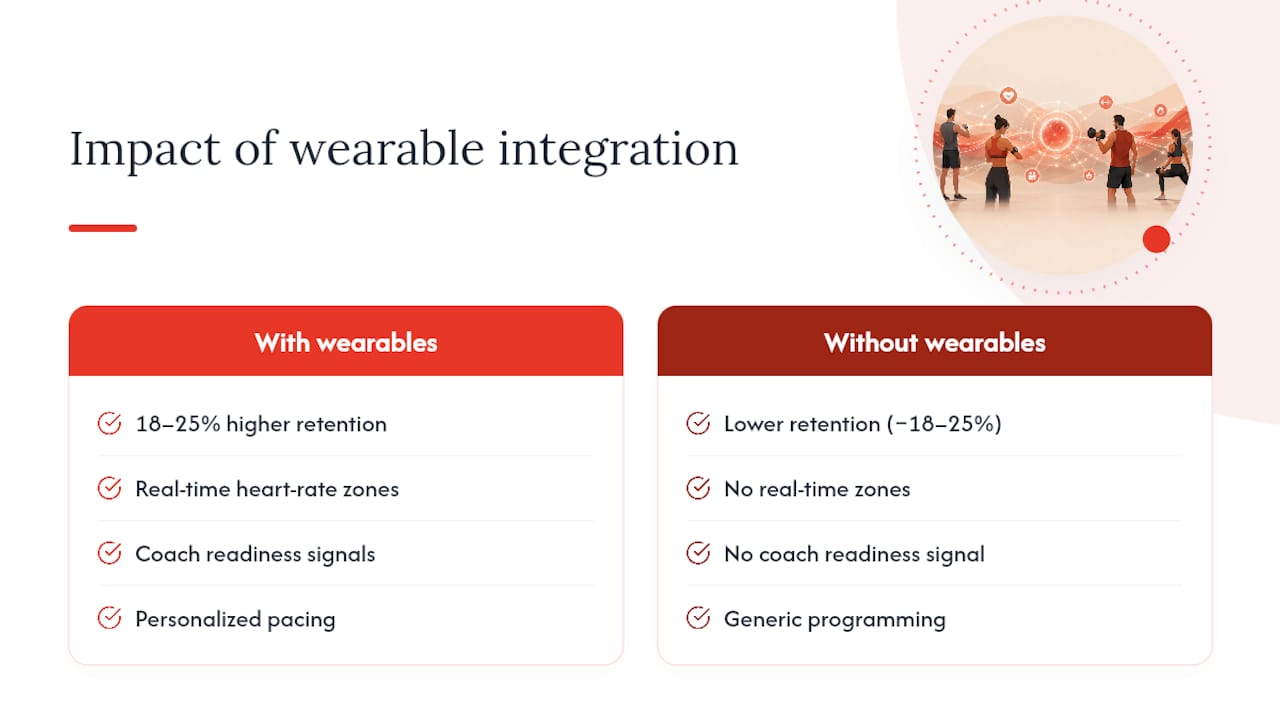
Fast fact: classes that display real-time heart rate during the workout see 18 to 25 percent higher retention than comparable classes that don’t.
Key Takeaways
BYOD-first wearable integration through a single centralized platform delivers measurable retention and revenue gains when paired with a scoped pilot and trained staff.
PointDetails
Choose BYOD-first
Let members use their own devices through HealthKit and Google Fit to cut onboarding friction and hardware costs.
Expect real retention gains
Classes with real-time heart rate displays show 18 to 25 percent higher retention than classes without them.
Hit the adoption threshold
Aim for at least 25 to 30 percent of pilot-class members connected, with 50 percent or more for stronger results.
Train staff before launch
Front-desk pairing scripts and instructor coaching on the data matter more than the hardware brand you pick.
Centralize with one platform
Fitness Flow links wearable data directly to member records and runs milestone and re-engagement automations from one dashboard.
Table of Contents
- Why Wearable Integration Matters for Retention and Revenue
- Integration Models: BYOD, Partner Platforms, or Proprietary Hardware
- Technical Checklist: Protocols, Data Flow, and Security
- What Makes Leaderboards Motivating Instead of Alienating
- Getting Staff and Front Desk Ready for Wearable Integration
- A 60 to 90 Day Pilot Plan With Real Adoption Targets
- Costs and ROI: What to Expect and How to Pitch It Internally
- Fitness Flow’s Approach to Wearable-First Integration
- Wearable Data Benefits Look Different for Every Member Type
- What Real Rollouts Look Like in Practice
- Where Wearable Integration Commonly Breaks Down
- Turning Wearable Data Into Management Decisions
- Where Wearable Technology in Gyms Is Headed
- Skip the Vendor Roundup, Run the Pilot Instead
- Start Your Wearable Integration Pilot With Fitness Flow
- Sources
- FAQ
Why Wearable Integration Matters for Retention and Revenue
Members who can see their own effort in real time behave differently than members who can’t. A heart-rate zone display turns a vague “good workout” into a specific, trackable number, and that number is what keeps people coming back. The retention data backs this up directly: classes with visible real-time heart rate outperform classes without it by 18 to 25 percent, a gap large enough to change a studio’s churn math on its own.
The mechanism isn’t mysterious. Wearable data gives members proof of progress between the moments they can see it in the mirror. It also gives your coaches a readiness signal they didn’t have before. A member whose resting heart rate is elevated and whose sleep data (where synced) shows disruption is a member who might need a lighter session, not a harder push. That’s personalization you can’t fake with a paper intake form.
Wearable integration works best when it’s framed as connective tissue for the member experience, not a gadget bolt-on. The data becomes a layer that touches coaching, programming, and retention all at once, and industry trend analysis for 2026 points to connected fitness as one of the categories growing fastest inside gyms specifically because it works this way.
There’s a social layer too. Leaderboards and shared milestones generate the kind of organic word-of-mouth that paid ads can’t replicate. A member who hits a personal record and shares it triggers curiosity in friends who aren’t members yet. Hybrid and virtual class formats depend on this even more heavily, since a remote participant’s only tether to the room is often the data on the screen.
The flip side is a real competitive risk. If a member gets used to seeing their heart rate zones at a boutique studio down the street, or on a national chain’s app, a gym that offers nothing comparable starts to look outdated by comparison. Members increasingly expect this experience as a baseline, not a premium feature, and studios that treat it as optional risk losing exactly the segment of members most likely to renew and refer others.
Integration Models: BYOD, Partner Platforms, or Proprietary Hardware
Every gym integrating wearables ends up choosing between three basic models, and the choice shapes your budget, your staffing, and how fast you can launch.
BYOD-first means members connect the device they already own through HealthKit or Google Fit, and your gym platform ingests that feed. There’s no hardware to buy, no loaner fleet to maintain, and no learning curve beyond a quick pairing step at check-in. Operator guidance on connected fitness consistently points to BYOD as the default recommendation precisely because it removes the biggest adoption barrier: asking members to carry or wear something new. The tradeoff is data consistency. An Apple Watch and a budget fitness band don’t measure heart rate with the same accuracy, so your coaching decisions need to account for that variance.
Partner platforms sit between BYOD and full proprietary systems. These are third-party services that unify multiple device feeds (Apple Watch, Garmin, Fitbit, Whoop, and often chest straps) into one dashboard your staff can view during class. You get more consistent data and built-in leaderboard tools, but you’re paying a subscription on top of your core gym software and depending on a vendor’s uptime during your busiest class hours.
Proprietary hardware, like a branded chest strap or wristband program, gives you the most accuracy and the tightest control over the member experience. Chest straps in particular remain more accurate for high-intensity interval training than wrist-based optical sensors, which matters if your programming leans heavily on max-effort intervals. The cost is real: inventory, cleaning, battery replacement, and a retail or rental line item that someone on staff has to manage.
Pro Tip: Don’t buy hardware to solve a data-accuracy problem you haven’t confirmed you have yet. Run a BYOD pilot first and see how much variance actually shows up before spending on chest straps.
Here’s how the three tend to map to gym types:
- Boutique studios with one or two locations: BYOD-first, full stop. Low overhead, fast to launch.
- Multi-location gyms needing consistent cross-site reporting: partner platforms, since they normalize data across sites better than raw BYOD feeds.
- High-end clubs with performance or rehab programming: a hybrid, BYOD for general members and proprietary chest straps for training-focused programs where accuracy carries more weight.
Technical Checklist: Protocols, Data Flow, and Security
Before signing any contract, confirm exactly how data gets from a member’s wrist to your front desk screen. Three ingestion paths cover most of the market: Apple HealthKit for iOS devices, Google Fit for Android and many wearable brands, and, where the equipment supports it, Apple’s GymKit protocol for direct pairing with cardio machines. Some wearable brands also expose their own APIs for gyms with development resources to build custom pulls.
Ask your vendor these questions before you commit:
- Is heart-rate data streamed in real time during class, or batched and synced afterward? Live leaderboards need real-time; post-workout summaries can tolerate batching.
- How does the platform map a wearable device to a specific member record without manual entry every visit?
- Does the system support webhooks or event triggers so a milestone (a new personal record, a hit streak) can fire an automated message?
- What’s the reporting layer look like, and can staff export data for coaching conversations?
- What happens to member data if you cancel the contract; is it deleted, exported, or retained?
Live class displays add their own requirements. A group cycling room with 20 riders streaming heart rate needs reliable local Wi-Fi, a display screen your instructor can glance at without breaking cueing rhythm, and a fallback plan for the day the network hiccups mid-class.
CapabilityWhat to verify before purchase
Data ingestion
Confirm support for HealthKit, Google Fit, and GymKit where your equipment allows it
Member linking
Confirm automatic device-to-profile mapping, not manual pairing every session
Live display
Confirm real-time streaming latency is low enough for in-class leaderboards
Consent capture
Confirm opt-in is logged, timestamped, and revocable inside the member app
Data retention
Confirm a stated retention window and deletion process on cancellation
Privacy deserves its own line of scrutiny. Industry guidance on facility technology is blunt about this: data privacy and transparent consent are the biggest operational hurdles gyms face with wearable programs, ahead of cost or hardware complexity. Build your checklist around consent capture at signup, data minimization (only collect what you’ll actually use), encryption in transit and at rest, and a written retention policy you can hand a member who asks. Ask any vendor for their SLA on data breaches and uptime during peak class hours before you sign anything.
What Makes Leaderboards Motivating Instead of Alienating
The single biggest design decision in wearable integration isn’t the hardware. It’s whether your leaderboard scores absolute output or relative effort. A 22-year-old and a 58-year-old riding the same cycling class will never post the same watts, but they can both hit 90 percent of their personal max heart rate. Effort-based scoring, ranking members by percentage of their own max rather than raw numbers, creates fairer competition across ages and fitness levels and avoids the demoralizing effect of an absolute leaderboard where the same three people always win.
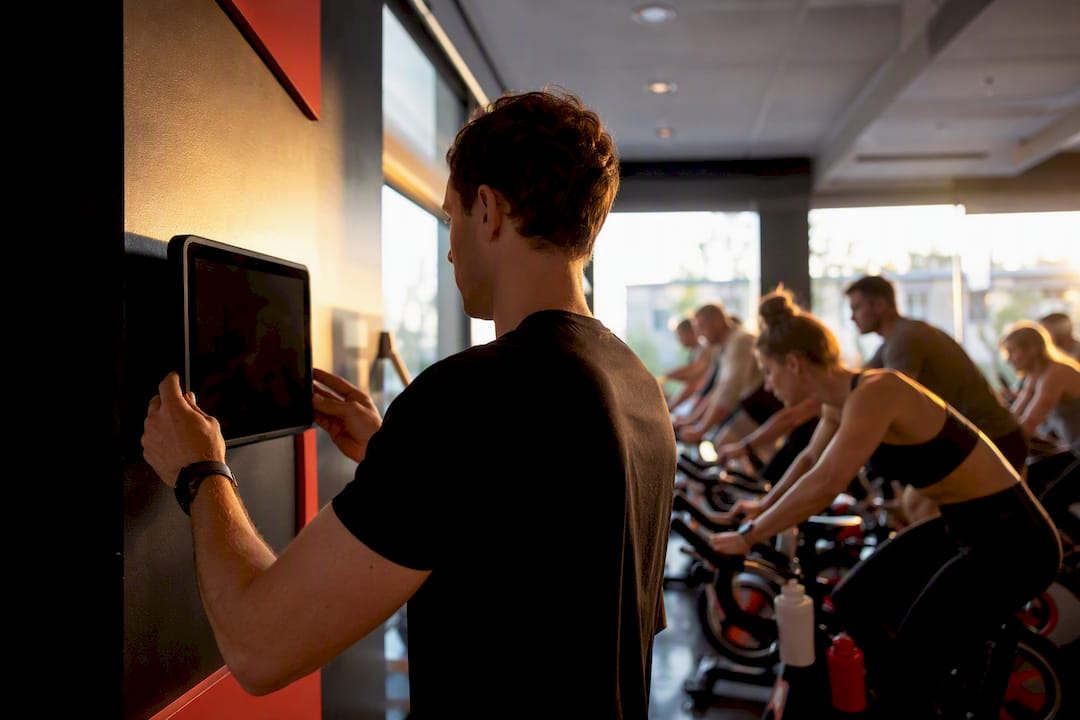
Opt-in matters just as much as scoring method. Some members thrive on public competition; others find it embarrassing to have their name on a screen mid-workout. A well-built system offers a private tile view (just your own zones, visible only to you) alongside the public leaderboard, and lets members switch between them freely. A study on wearable fitness technology and service experience found that gamification genuinely boosts accountability, but only when member expectations and provider design are aligned. Force the wrong feature on the wrong member and you get the opposite of engagement.
The commercial upside here goes beyond retention. Milestone celebrations, an automated message when someone hits a new personal record or a 100-class streak, create natural moments to prompt social sharing, which drives referrals without any extra ad spend. Those same milestones are also clean moments to surface a relevant upsell: a nutrition consult after a strength milestone, a recovery session after a big cardio push.
Pro Tip: Save absolute-metric leaderboards for one clearly labeled “competitive” class format and default everything else to effort-based scoring. You’ll get the energy of competition without the members who quietly stop coming because they never see their name near the top.
High-intensity interval formats, group cycling, and metabolic conditioning classes benefit most from visible heart-rate data, since the intensity swings make the numbers meaningful moment to moment. Slower-paced formats like yoga or mobility work rarely need a leaderboard at all. Some studios are also pairing wearable signals like cadence and heart rate with adaptive music systems that shift tempo in real time, another way the same data stream extends member experience beyond the screen.
Getting Staff and Front Desk Ready for Wearable Integration
A wearable program lives or dies on the five minutes before class starts. If pairing a device is confusing or slow, members stop bothering, and your leaderboard data quietly dies.
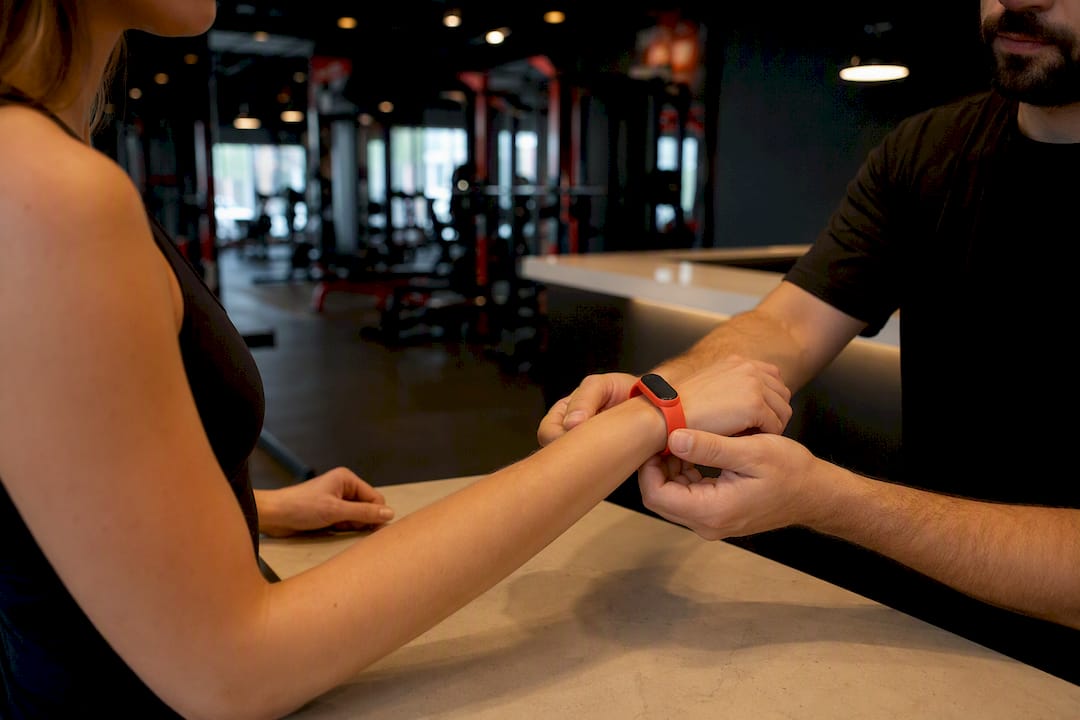
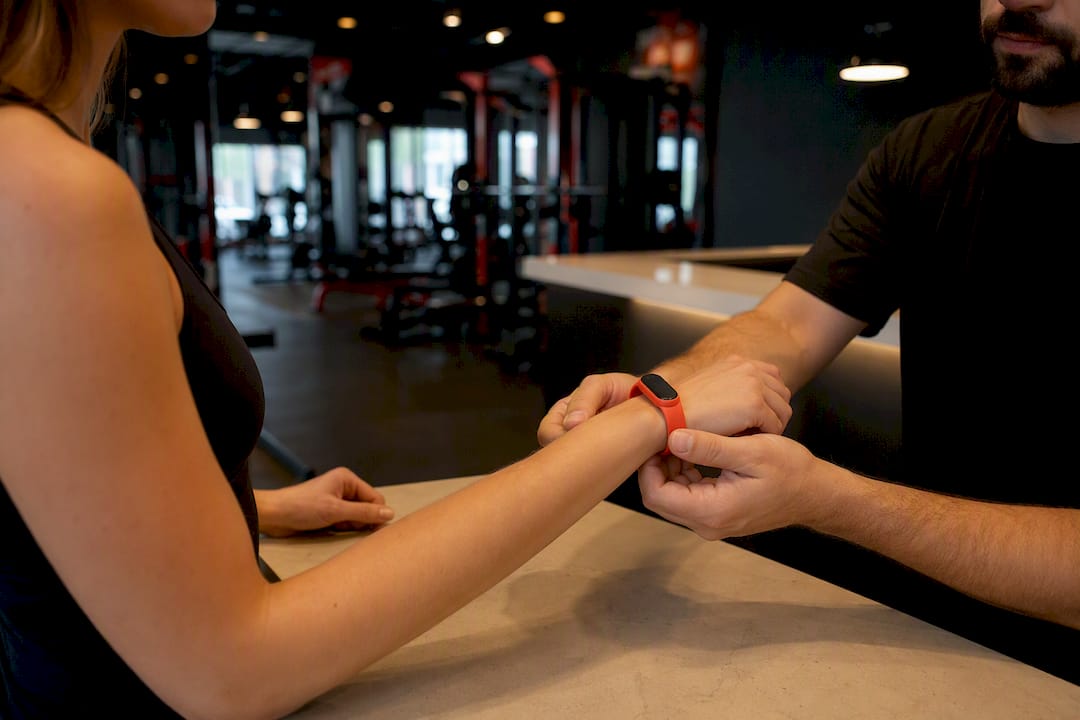
- Build a front-desk script. A one-page laminated card walking staff through pairing an Apple Watch or Fitbit to the class display takes ten minutes to write and saves hours of confused members standing at the check-in counter.
- Train instructors on reading the data, not just displaying it. A coach who can glance at a leaderboard and say “you’re at 85 percent, push the last thirty seconds” is coaching better than one who ignores the screen entirely.
- Teach staff to interpret readiness signals, not just performance ones. Practitioner guidance is consistent on this point: wearable data should augment a trainer’s judgment, not replace it, and a lack of staff comfort interpreting the numbers is one of the most common reasons integration programs stall.
- Build consent into the sign-up flow, not as an afterthought. New members should see the opt-in toggle during onboarding, with a plain-English explanation of what’s collected and an easy path to opt out later inside app settings.
- Decide who owns support before launch. If a member’s watch won’t sync, is that a front-desk problem or a ticket to your software vendor? Write the answer down before someone’s standing at the counter asking.
- Settle the loaner-device question early. Studios that sell or rent chest straps need a retail workflow, cleaning protocol, and someone accountable for inventory.
A 60 to 90 Day Pilot Plan With Real Adoption Targets
Don’t roll wearable integration out gym-wide on day one. Run a bounded pilot, measure it honestly, and only scale once the numbers justify it.
- Scope the pilot narrowly. One class format, ideally HIIT or cycling, and a target of 30 to 60 members. Piloting a single actionable format first makes the results easier to read and the business case easier to build.
- Run an adoption campaign before day one. A short in-app announcement, a demo during class, and a staff push at check-in for two weeks straight.
- Track adoption weekly. You need at least 25 to 30 percent of pilot-class members connected to see a measurable ROI signal; 50 percent or higher produces a much stronger effect on attendance and referrals.
- Measure the right KPIs monthly. Attendance lift in the piloted class, engagement events (leaderboard views, milestone shares), the churn delta versus non-piloted classes, and upsell conversion tied to milestone messages.
- Set a decision point at day 60. If adoption is below 25 percent and attendance hasn’t moved, pause and diagnose before spending more on rollout. If it’s tracking above 30 percent with a visible attendance bump, expand to a second class format.
Fast fact: many platforms need roughly 25 to 30 percent of members connected before the ROI math turns positive, which is why a focused pilot campaign matters more than a quiet, opt-in-only launch.
Costs and ROI: What to Expect and How to Pitch It Internally
Wearable integration costs scale with the model you pick. A BYOD-first setup layered into an existing gym platform typically adds the smallest incremental cost, since you’re paying for software features rather than hardware. Partner platforms that unify multiple device feeds add a separate subscription line. Proprietary hardware programs carry the highest upfront cost once you factor in devices, storage, cleaning, and replacement.
Four measurable drivers determine whether the investment pays off: churn prevention from members who stay engaged with visible progress data, staff time saved through automated milestone messaging instead of manual check-ins, upsell lift when milestone moments trigger relevant offers, and referral revenue from members sharing achievements. ROI benchmarking across studio implementations shows net ROI multiples ranging from 4x to 10x depending on how many of these four levers a gym actually activates.
Illustrative ROI models across mid-size studios show payback periods often landing under four months, with some implementations recovering costs in as little as two to three months once adoption clears the 25 to 30 percent threshold.
Studio profileTypical cost driverIllustrative payback window
Boutique, single location, BYOD-first
Software feature tier, no new hardware
2 to 4 months at 30%+ adoption
Multi-location, partner platform
Added subscription plus cross-site reporting
3 to 4 months once all sites clear adoption threshold
High-end club, proprietary hardware
Device purchase, retail/rental workflow, maintenance
Longer runway, offset by premium pricing and accuracy demand
The honest caveat: these numbers only hold if your baseline churn rate is high enough that prevention has room to matter, and if your adoption campaign actually gets a meaningful share of members connected. A gym with near-zero churn and low class volume won’t see the same multiple as a studio bleeding members monthly. Run your own numbers against your actual attendance and churn baseline before presenting a business case to a partner or investor.
Fitness Flow’s Approach to Wearable-First Integration
Joinfitnessflow was built around the BYOD-first model this guide recommends: members connect the device they already own through HealthKit or Google Fit, and Fitness Flow links that data directly to the member record inside the platform, not a separate app they have to check.
From there, the platform runs the engagement work that actually drives ROI:
- Automated milestone messages when a member hits a personal record or attendance streak, tied straight to the four ROI drivers of churn prevention, upsell, and referrals.
- Re-engagement sequences triggered when a connected member’s activity drops off, catching a churn risk before it becomes a cancellation.
- Cross-location reporting for multi-site operators who need consistent adoption and engagement data across every gym in the group.
Pro Tip: Start your Fitness Flow pilot inside a single class format and let the platform’s automation handle the milestone messaging from day one; that’s where most of the early retention lift comes from.
If you’re weighing whether to build this yourself or buy a platform that already does it, the practical next step is running a demo against your own class schedule and member list rather than a generic sales walkthrough.
Wearable Data Benefits Look Different for Every Member Type
A beginner, a competitive athlete, and a rehabilitation client all get value from the same wearable data, just through completely different lenses.
For beginners, the number one benefit is proof that the workout is doing something. Someone new to fitness often can’t tell if they’re working hard enough or not, and a heart-rate zone display answers that instantly. This group benefits most from encouragement-oriented messaging and effort-based scoring rather than competitive leaderboards, since public comparison against experienced members can push a nervous newcomer right back out the door.
For athletes and advanced members, the value shifts toward precision. This group cares about zone training accuracy, recovery metrics, and performance trends over weeks and months, not just a single class score. They’re also the members most likely to push back on data they think is inaccurate, so accuracy questions matter more here than anywhere else in your program.
Rehabilitation clients, working back from injury or surgery, get a different benefit entirely: safety guardrails. Heart-rate data lets a coach keep a recovering client inside a safe intensity range without constant verbal check-ins, and trend data over time gives both the client and their physical therapist a shared record of progress. This is also the group where staff training on reading readiness signals, not just performance, matters most, since pushing a rehab client past a safe threshold carries real risk. Design your onboarding conversation to ask which category a new member fits, and adjust the data view you show them accordingly.
What Real Rollouts Look Like in Practice
The pattern across successful rollouts is consistent: start small, measure honestly, and expand only once the pilot proves itself. A boutique cycling studio piloting a single class format with a two-week adoption push, staff trained to reference the leaderboard mid-class, and a milestone-message automation running in the background is a far more common success story than a full-gym hardware rollout on day one.
The common thread in programs that stick isn’t the brand of wearable or the sophistication of the display. It’s whether staff actually reference the data during class. A leaderboard nobody mentions out loud becomes wallpaper within two weeks. A leaderboard an instructor calls out by name (“Sarah, you’re at 88 percent, let’s see 90 for the last interval”) stays relevant because it’s part of the coaching, not a screen competing with it.
Programs that stall share a different pattern: no adoption campaign, no staff training on the data, and consent handled as an afterthought instead of built into onboarding. The technology in both cases can be identical. The difference is entirely in the rollout discipline, which is exactly why a scoped pilot with clear KPIs, rather than an all-at-once launch, keeps showing up as the more reliable path to results worth expanding on.
Where Wearable Integration Commonly Breaks Down
The most common failure point isn’t the technology itself. It’s staff who don’t know how to use the data once it’s on the screen. Practitioner commentary on facility technology points directly at this gap: gyms invest in the integration, then never train instructors to reference readiness or recovery signals during coaching, so the data becomes decoration instead of a tool.
The second recurring problem is consent handled poorly. Members who feel like their heart rate or sleep data got scraped without a clear explanation don’t just distrust the wearable program, they start distrusting the gym generally. The fix is procedural, not technical: consent copy written in plain language, presented at signup rather than buried in a terms-of-service scroll, with an opt-out that’s actually easy to find inside app settings.
Device accuracy inconsistency is the third common snag. A wrist-based optical sensor and a chest strap won’t produce identical numbers during a high-intensity interval, and members will notice if your leaderboard treats both as equally reliable. The practical solution most operators land on is a disclaimer on the display itself, noting that relative effort trends matter more than the raw number, paired with staff coached to explain the variance if a member asks.
Network reliability rounds out the list. A live leaderboard that freezes mid-class during your busiest hour does more damage to member trust than never launching one at all. Test your Wi-Fi under full class-capacity load, not an empty room, before you commit to displaying live data every session.
Turning Wearable Data Into Management Decisions
Wearable data earns its keep when it changes what an owner actually does, not just what shows up on a dashboard. Aggregated attendance and heart-rate trends across a class roster reveal which formats are genuinely driving intensity and which ones are coasting on reputation alone. A cycling class that looks packed but shows consistently low average effort scores is a programming problem worth addressing before it shows up as a retention problem.
Churn signals get sharper with wearable data layered in. A member whose connected-device activity drops off two weeks before they’d normally be due for a cancellation gives your team a window to intervene with an outreach message instead of finding out after the fact. That’s a meaningfully earlier warning than attendance data alone provides, since attendance data only tells you someone stopped, not that they were already disengaging.
At the reporting level, cross-class and cross-location comparisons let multi-site operators spot which locations are converting wearable adoption into attendance lift and which aren’t, often surfacing a staffing or onboarding gap rather than a technology one. None of this requires a data science team. It requires a reporting dashboard that surfaces adoption rate, average effort trends, and engagement events (milestone hits, leaderboard views) in one place your management team actually checks weekly, not a report that gets generated and ignored.
Where Wearable Technology in Gyms Is Headed
Connected fitness is consistently flagged as one of the fastest-growing trend categories heading into 2026, and the direction of travel points toward wearable data becoming the connective layer across every part of the member experience, not a standalone feature bolted onto class displays.
Expect tighter integration between wearables and programming itself: workout builders that adjust intensity recommendations based on a member’s recent recovery trends, not just their stated fitness goal. Expect adaptive environmental features too, music and lighting systems that respond to real-time cadence and heart-rate data are already emerging in early form. Expect deeper cross-platform data sharing as HealthKit and Google Fit continue expanding what they can pull from an ever-wider range of devices, reducing the friction of BYOD adoption even further over time.
The harder trend to predict is regulatory. Health data handling is drawing more scrutiny generally, and gyms holding member heart-rate and activity data will likely face more formal expectations around consent and retention than exist today. Building your privacy practices tightly now, rather than loosely with plans to fix it later, positions you ahead of that curve rather than scrambling to catch up.
Skip the Vendor Roundup, Run the Pilot Instead
Most advice on this topic reads like a shopping list: compare wearable brands, compare platforms, pick a winner. That framing misses what actually determines success. The technology choice matters far less than whether an owner treats integration as an operational rollout, with a scoped pilot, a staff script, and a defined adoption target, rather than a feature flip switched on gym-wide overnight.
The conventional advice to “offer wearable integration” as a checkbox amenity undersells what the data actually shows: retention gains cluster around programs where staff actively reference the numbers during coaching, and where consent is handled as a designed process rather than fine print. A gym that buys the fanciest hardware but skips staff training and adoption campaigns will underperform a gym running a disciplined BYOD pilot with clear KPIs.
If you take one thing from this guide, prioritize the pilot structure over the vendor decision. Pick one class, set an adoption target, train your staff to talk about the data out loud, and let the 60 to 90 day results tell you whether to scale. The platform choice can wait until you’ve proven the model works inside your own four walls.
Start Your Wearable Integration Pilot With Fitness Flow
Joinfitnessflow was built as the operating system for exactly the rollout this guide describes: BYOD-first wearable integration, HealthKit and Google Fit ingestion, opt-in leaderboards, and automated milestone messaging, all inside one platform instead of three separate tools stitched together.
That matters because most of the ROI drivers covered above, churn prevention, staff time savings, upsell lift, and referral revenue, depend on the wearable data actually reaching your CRM, your scheduling system, and your member app without manual work on your team’s part. Fitness Flow connects those pieces natively, so a milestone hit during a cycling class can trigger a re-engagement message without a staff member lifting a finger.
If you’re ready to move past the planning stage, the next step is straightforward: request a demo of the Fitness Flow platform and walk through a wearable integration pilot scoped to your own class schedule and member base, rather than a generic feature tour.
Sources
- Wearable Integration for Gyms: Heart Rate Tracking, Leaderboards & Partner Devices
- Using Connected Fitness to Deepen Member Relationships
- Fitness Facility Technology Benefits and Challenges - IDEA Health & Fitness Association
FAQ
What is wearable technology in fitness?
Wearable technology in fitness refers to devices like smartwatches, fitness trackers, and heart-rate chest straps that capture biometric data such as heart rate, activity level, and recovery signals, which gyms can then display or analyze to inform coaching and member engagement.
What is the biggest drawback of wearable technology in gyms?
The most commonly cited drawback is data privacy and consent management. Facilities need clear policies covering what’s collected, how it’s stored, and how members can opt out, since unclear practices erode member trust faster than any technical glitch.
What is the 3-3-3 rule for gym workouts?
The 3-3-3 rule isn’t a wearable integration standard; definitions vary depending on the source and context, and no single canonical version applies specifically to gym wearable programs.
How much wearable adoption do I need before it pays off?
Most platforms need roughly 25 to 30 percent of members in a pilot class connected before the ROI math turns positive, with 50 percent or higher adoption producing a noticeably stronger effect on attendance and referrals.
Does Fitness Flow support wearable integration?
Yes. Fitness Flow ingests wearable data through HealthKit and Google Fit, links it to member records, and automates engagement actions like milestone messages and re-engagement sequences from a single dashboard.