
Best Wodify Alternatives for Gym Owners in 2026

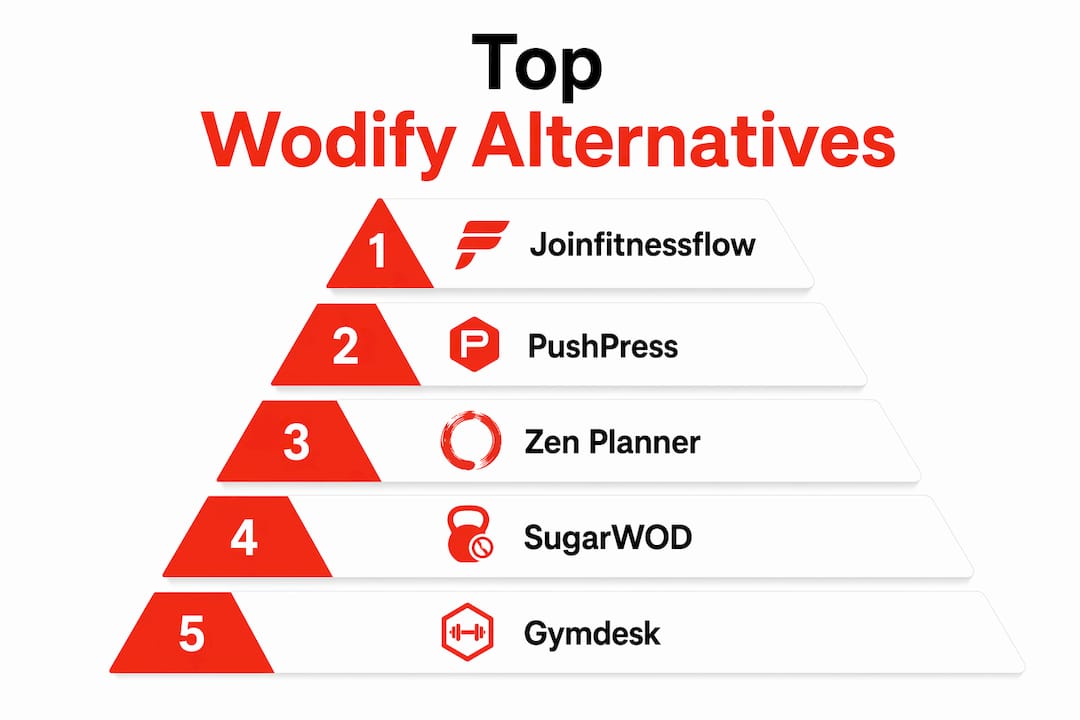
For most CrossFit and functional-fitness boxes, Joinfitnessflow is the strongest Wodify alternative in 2026, offering CRM, billing, branded member apps, programming, and multi-location reporting in one platform built specifically for gym operators. Runner-ups worth shortlisting: PushPress (clean UX, CrossFit-native), Zen Planner (deep reporting), Gymdesk (budget-friendly), and SugarWOD (athlete performance focus).
The three most common reasons operators leave Wodify: billing and payment processing rates that eat into margin, reporting that doesn’t surface the KPIs gym owners actually need, and a migration process that feels like pulling teeth. If any of those sound familiar, the options below are worth a serious look.
Quick shortlist:
- Joinfitnessflow — Recommended pick. CRM, billing, programming, branded app, multi-location oversight.
- PushPress — CrossFit-native, clean admin UX, transparent pricing.
- Zen Planner — Strong reporting and scheduling depth.
- SugarWOD — Best for athlete performance tracking and WOD sharing.
- Gymdesk — Most affordable entry point for smaller boxes.
- Kilo — Marketing-forward, good for growth-focused gyms.
Table of Contents
- How the top Wodify alternatives compare at a glance
- Short profiles: the top Wodify alternatives and who they fit
- Which alternative fits your gym type?
- How to choose the right Wodify alternative: criteria and red flags
- Migration playbook: how to switch from Wodify without losing data
- Key Takeaways
- What gym operators actually get wrong about switching software
- Joinfitnessflow is built for operators who are done duct-taping tools together
- Useful sources and vendor docs
- FAQ
How the top Wodify alternatives compare at a glance
Wodify’s published entry price is at the low end for Essentials plans, but the actual cost of running on Wodify typically climbs once you factor in merchant processing fees, onboarding costs, and features locked behind higher tiers. Most alternatives follow the same tiered model, so the starting price is a floor, not a ceiling.
PlatformBest forStarting priceCore featuresFree trial / demo
Joinfitnessflow
Independent & multi-location gyms
Custom (demo)
CRM, billing, programming, branded app, reporting
Demo available
PushPress
CrossFit boxes, functional fitness
Free tier available
Scheduling, billing, WOD builder, member app
Free tier + demo
Zen Planner
Reporting-heavy operations
~$99/mo
Scheduling, billing, reporting, member app
Free trial
SugarWOD
Performance tracking, athlete engagement
~$75/mo
WOD builder, leaderboards, performance logs
Free trial
Gymdesk
Budget-conscious single-location gyms
~$75/mo
Scheduling, billing, member management
Free trial
Kilo
Growth-focused gyms, marketing
Quote-only
CRM, website builder, scheduling, billing
Demo required
LegitFit
Boutique studios, European-rooted
Quote-only
Scheduling, billing, member app
Demo required
TeamUp
Multi-activity studios
~$99/mo
Class scheduling, billing, reporting
Free trial
RhinoFit
Small gyms, tight budgets
~$57/mo
Scheduling, billing, basic reporting
Free trial
ABC Glofox
Boutique studios, franchise chains
Quote-only
CRM, scheduling, billing, branded app
Demo required
Mindbody
Large studios, wellness centers
~$129/mo
Full suite, marketplace, reporting
Demo required
Exercise.com
Custom-branded, enterprise gyms
Quote-only
Full white-label, programming, billing, reporting
Demo required
Pricing note: Market comparison data shows alternatives ranging from roughly $57/month at the low end to quote-only enterprise tiers. Entry-level pricing rarely includes CRM, custom branding, or advanced reporting — those features typically require a higher tier or a sales conversation.
Short profiles: the top Wodify alternatives and who they fit
Joinfitnessflow
The only platform on this list built with the full operator stack in mind from day one: CRM and lead capture, sales pipeline, scheduling, class and workout builder, branded iOS/Android/web member apps, live and on-demand video, nutrition and meal plan builder, billing and recurring payments, referral and review management, multi-location oversight, compliance and waiver tracking, wearable device integration, and reporting dashboards. That’s not a feature list padded for marketing — it’s the actual gap most gym owners hit when they outgrow a single-purpose tool.

Best for: Independent gyms, mid-sized operators, and multi-location boxes that need a single platform to replace three or four separate tools. Pricing: Custom, based on gym size and features. Demo required. US availability: Yes. Pros: Full operator stack, multi-location reporting, branded member app, migration support. Cons: Pricing requires a demo call; not the cheapest entry point for a 30-member box.
1. PushPress
PushPress is the most CrossFit-native option on this list after Wodify. It offers a free tier for very small boxes, which no other major platform matches, and its admin UX is genuinely clean — operators consistently cite it as one of the easier platforms to learn. The WOD builder and scheduling tools cover the CrossFit workflow without much configuration.

Best for: CrossFit boxes of any size, especially those prioritizing ease of use. Starting price: Free tier available; paid plans scale with membership count. US availability: Yes. Pros: Free entry tier, clean UX, CrossFit-specific workflows, transparent pricing. Cons: Reporting depth is limited on lower tiers; integrations require paid plans.
2. Zen Planner
Zen Planner has been around long enough that most gym operators have at least heard of it, and its staying power comes from one thing: reporting. If you want to track attendance trends, revenue per class, and member retention in detail, Zen Planner surfaces that data better than most alternatives. The scheduling tools are solid, and the billing engine handles recurring memberships reliably.
Best for: Data-driven operators who prioritize reporting and retention analytics. Starting price: ~$99/month. US availability: Yes. Pros: Deep reporting, reliable billing, established platform with a large user base. Cons: UI feels dated compared to newer platforms; onboarding can be slow.
3. SugarWOD
SugarWOD does one thing exceptionally well: athlete performance tracking and community engagement around workouts. The leaderboard and WOD-sharing features drive member retention in a way that generic scheduling tools simply don’t. It’s often used alongside a billing platform rather than as a standalone replacement, which is worth knowing before you commit.
Best for: Performance-focused CrossFit boxes where athlete engagement and WOD tracking are the priority. Starting price: ~$75/month. US availability: Yes. Pros: Best-in-class WOD builder and leaderboards, strong community features, easy member adoption. Cons: Limited billing and CRM depth; often needs a second tool for full gym management.
4. Gymdesk
Gymdesk is the most affordable full-featured option on this list, starting around $75/month with transparent pricing and no surprise tiers for basic features. It covers scheduling, billing, and member management without the complexity of enterprise platforms. For a single-location box with under 150 members, it’s hard to beat on price-to-feature ratio.
Best for: Budget-conscious single-location gyms and martial arts studios. Starting price: ~$75/month. US availability: Yes. Pros: Transparent pricing, easy setup, solid core features for small gyms. Cons: Limited programming tools; not built for multi-location or high-volume operations.
5. Kilo
Kilo takes a marketing-first approach that sets it apart from most gym software. It bundles a website builder, CRM, and scheduling into a growth-focused package, which makes it appealing for gyms actively running lead-generation campaigns. Pricing is quote-only, so you’ll need a demo call to get numbers.
Best for: Growth-focused gyms that want marketing tools built into their management platform. Starting price: Quote-only. US availability: Yes. Pros: Integrated website builder, CRM, lead capture tools. Cons: Quote-only pricing; less depth on programming and performance tracking.
6. TeamUp
TeamUp handles multi-activity scheduling better than most platforms, making it a natural fit for hybrid studios running CrossFit, yoga, and personal training under one roof. The reporting covers class utilization and revenue well, and the free trial is a genuine 30-day window.
Best for: Multi-activity studios and hybrid fitness businesses. Starting price: ~$99/month. US availability: Yes. Pros: Flexible scheduling, solid reporting, 30-day free trial. Cons: WOD builder is basic; not purpose-built for CrossFit programming.
7. RhinoFit
RhinoFit is the lowest-cost option on this list with a published starting price around $57/month. It covers the basics — scheduling, billing, attendance tracking — without much depth beyond that. For a very small gym that needs to keep overhead low and doesn’t require advanced reporting or a branded app, it works.
Best for: Very small gyms and martial arts schools on tight budgets. Starting price: ~$57/month. US availability: Yes. Pros: Lowest published entry price, simple setup. Cons: Limited reporting, no branded member app, minimal integrations.
8. ABC Glofox
ABC Glofox is built for boutique studios and franchise chains, with a polished member app and strong CRM tools. It’s a solid Mindbody alternative for studios that want a cleaner UX, but pricing is quote-only and enterprise features require a sales conversation.
Best for: Boutique fitness studios and franchise operators. Starting price: Quote-only. US availability: Yes. Pros: Polished member app, strong CRM, franchise-ready multi-location tools. Cons: Quote-only pricing; onboarding can be lengthy for smaller operators.
9. Mindbody
Mindbody is the largest platform on this list and the most feature-complete, but it’s built for wellness centers and large studios rather than CrossFit boxes. The marketplace exposure is a genuine differentiator for studios that want new members to discover them through the Mindbody app. Starting around $129/month, it’s one of the pricier options.
Best for: Large wellness centers, yoga studios, and multi-service fitness businesses. Starting price: ~$129/month. US availability: Yes. Pros: Marketplace discovery, full feature suite, large integration ecosystem. Cons: Overkill for most CrossFit boxes; complex setup; higher cost.
10. LegitFit
LegitFit is a newer entrant with a clean interface and solid scheduling tools. It’s more common in European markets but available in the US. Pricing is quote-only, and the feature set is still maturing compared to established platforms.
Best for: Boutique studios looking for a modern, clean interface. Starting price: Quote-only. US availability: Yes (limited US presence). Pros: Clean UX, modern design, good scheduling tools. Cons: Smaller US user base; limited integrations; quote-only pricing.
11. Exercise.com
Exercise.com is the most customizable platform on this list — full white-label, custom-branded apps, and a programming engine that handles everything from CrossFit WODs to personal training plans. It’s built for gyms that want their software to look and feel like their own product. Pricing is quote-only and typically sits at the higher end of the market.
Best for: Enterprise gyms, large CrossFit affiliates, and operators who want a fully branded experience. Starting price: Quote-only. US availability: Yes. Pros: Full white-label, deep programming tools, custom-branded apps, strong reporting. Cons: High cost; requires significant onboarding time; overkill for single-location boxes.
Pro Tip: Before committing to any platform, check Capterra’s gym software reviews to see how each vendor handles support tickets and onboarding complaints — that’s where the real operational picture shows up, not on the vendor’s own site.
Which alternative fits your gym type?
Not every platform is right for every operator. Here’s how to match your gym profile to the right tool.
Independent single-location CrossFit box (under 200 members): PushPress or Gymdesk cover the core workflow at a price that makes sense. If you’re growing and need CRM and lead capture, Joinfitnessflow is worth the demo call.
Multi-location franchise or affiliate network: Joinfitnessflow’s cross-location reporting and multi-site oversight make it the clearest fit. Exercise.com is the alternative if you need full white-label branding across every location.
High-performance or athlete-focused gym: SugarWOD handles the programming and leaderboard side better than anyone else, but pair it with a billing platform. If you want one tool for both, Joinfitnessflow covers performance tracking alongside full operations.
Boutique hybrid studio (CrossFit + yoga + personal training): TeamUp’s multi-activity scheduling handles mixed class types well. ABC Glofox is worth a look if you want a polished member app and franchise-ready CRM.
Contract terms to check in every demo: Ask specifically about minimum contract length, cancellation notice periods, and whether your member data is exportable in full at any time. Some platforms lock data behind a support request process that can delay a migration by weeks.
How to choose the right Wodify alternative: criteria and red flags
Prioritized decision checklist
- Migration support — Does the vendor offer data import services, or do you handle it yourself?
- Programming parity — Does the WOD builder match what your coaches actually use?
- Billing and payment rates — What’s the merchant processing fee, and is it competitive with your current rate?
- CRM and lead capture — Can you track leads from first contact to first payment without a separate tool?
- Reporting and KPIs — Can you pull revenue per class, member retention rate, and attendance trends without exporting to a spreadsheet?
- Member app capabilities — Is the app branded, or does it carry the vendor’s branding?
- Integrations — Does it connect to your existing tools (Zapier, Stripe, Mailchimp, wearables)?
- Pricing transparency — Is the starting price published, or is everything quote-only?
Demo questions to ask every vendor
- What file formats do you support for data export (CSV, XLSX, JSON)?
- Who owns the member data if we cancel?
- What’s the merchant processing fee, and can we bring our own payment processor?
- What’s the onboarding SLA — how long from signed contract to live?
- Is cross-location reporting available on the base tier or only on enterprise plans?
Red flags during sales demos
- Pricing only available after a call with no ballpark on the website.
- Data export requires a support ticket with a multi-day turnaround.
- CRM and automated workflows locked behind a tier that costs significantly more than the advertised entry price.
- No clear answer on who owns member data post-cancellation.
Pro Tip: Budget beyond the base subscription. Merchant processing fees, onboarding costs, and custom integration work can add $50–$200/month to your real operating cost. Ask for a total-cost-of-ownership estimate, not just the subscription price.
Migration playbook: how to switch from Wodify without losing data
Switching platforms mid-season is the part most operators underestimate. The technical work is manageable; the revenue disruption from a botched billing cutover is not.
Migration timeline
PhaseTasksSingle locationMulti-location
Prep (Weeks 1–2)
Audit current data, request exports, select new platform
2 weeks
3–4 weeks
Export (Week 3)
Pull CSV/XLSX of members, billing, attendance, waivers, WOD history
3–5 days
1–2 weeks
Import (Weeks 3–4)
Upload data to new platform, validate records
1 week
2–3 weeks
Parallel run (Weeks 4–6)
Run both platforms simultaneously for one full billing cycle
2 weeks
3–4 weeks
Cutover
Cancel Wodify, communicate to members, go live
1–2 days
3–5 days
Data priority list — export these first
- Members: full contact records, membership type, start date, billing status.
- Recurring billing: subscription amounts, billing dates, payment method tokens (note: card data requires a payment processor transfer, not a CSV export).
- Class schedules: current and future bookings, attendance history.
- Programming/WOD history: at minimum the last 12 months.
- Waivers and compliance documents: export as PDFs; confirm the new platform accepts them.
- Payment history: for accounting and dispute resolution.
Request exports in CSV or XLSX for member and attendance data, and JSON where available for API-based transfers.
Pro Tip: Run a parallel pay period before cutting over. Process one full billing cycle on the new platform while Wodify is still active, then compare the two outputs line by line. Any discrepancy in recurring amounts is far easier to fix before you’ve cancelled the old system.
One legal note: member data is subject to applicable US privacy regulations. Confirm with your new vendor that data transfer and storage practices comply with your state’s requirements before initiating the import.
Key Takeaways
Joinfitnessflow is the recommended Wodify alternative for most independent and multi-location gym operators, covering CRM, billing, programming, and reporting in one platform with migration support built in.
PointDetails
Wodify’s entry price
Wodify’s published entry price is $79/month for the Essentials plan, with actual operating costs climbing when merchant fees and tier-locked features are included.
Best overall alternative
Joinfitnessflow covers the full operator stack — CRM, billing, branded app, programming, multi-location reporting.
Best budget option
RhinoFit starts at a low entry point for small gyms that need scheduling and billing without advanced features.
Migration must-do
Export members, billing, attendance, and WOD history in CSV/XLSX before switching; run a parallel billing cycle.
Joinfitnessflow next step
Request a demo at Joinfitnessflow to see migration support and pricing for your gym size.
What gym operators actually get wrong about switching software
The conventional wisdom on switching gym software goes like this: pick the platform with the best feature list, migrate your data, and you’re done. That framing misses the part that actually costs operators money.
The real risk isn’t the feature comparison — most platforms on this list cover scheduling, billing, and a member app. The risk is the billing cutover. A single missed recurring charge or a duplicated payment during the transition window creates member friction that takes weeks to resolve. The operators who switch cleanly are the ones who treat the parallel run as non-negotiable, not optional.
There’s also a subtler issue with pricing transparency. Platforms that publish a $75/month starting price often lock CRM, custom branding, and automated workflows behind a tier that costs two or three times that. The published entry price is a marketing number; the total cost of operation is what you negotiate during the demo. Ask for it explicitly.
One more thing worth saying: the “best” platform for a 50-member box is not the best platform for a 500-member multi-location operation. The operators who end up re-platforming twice in three years are usually the ones who picked a tool for where they are now, not where they’re going. If you’re growing, build that into the evaluation from the start.
Joinfitnessflow is built for operators who are done duct-taping tools together
Most gym operators running Wodify today are also running a separate CRM, a separate email tool, and a spreadsheet for reporting. Joinfitnessflow replaces all of it: CRM and lead pipeline, billing and recurring payments, class scheduling, workout programming, branded member apps (iOS, Android, and web), live and on-demand video, nutrition planning, multi-location oversight, compliance and waiver tracking, and reporting dashboards — one login, one subscription, one support team.
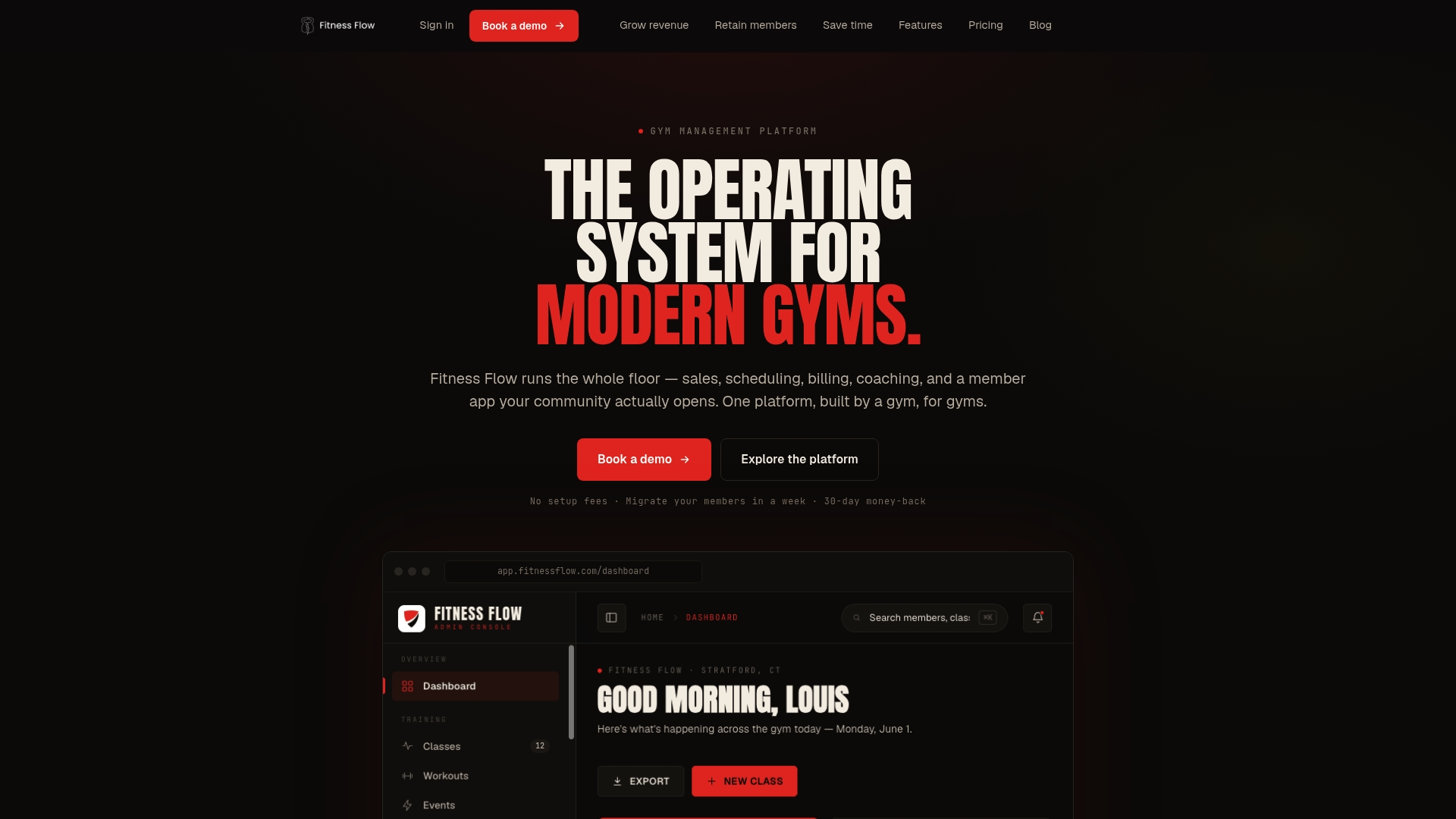
The migration process is supported from day one. Joinfitnessflow’s onboarding team handles data imports, walks your staff through the platform, and helps you run the parallel billing cycle that protects your revenue during cutover. No self-serve CSV upload and hope for the best.
If you’re actively evaluating alternatives, the fastest next step is a demo. You’ll see the full platform, get a pricing quote for your gym size, and walk through what a migration from Wodify would actually look like for your operation. Book a demo at Joinfitnessflow and get a migration estimate in the same call.
Useful sources and vendor docs
The following sources were used in researching this article. Use them as starting points for pricing verification, demo requests, and export documentation.
- Wodify pricing and plan details — The Front Desk Review
- Wodify pricing tiers ($79–$179/month) — CostBench
- Wodify product features overview — Wodify official site
- Capterra: Wodify alternatives and user reviews — Capterra
- Software Advice: Wodify alternatives — Software Advice
- PushPress official site — pricing and feature details
- Zen Planner official site — scheduling and reporting overview
For migration documentation, request the following directly from your prospective vendor during the demo: data export format specs (CSV/XLSX/JSON), API documentation, and onboarding SLA in writing.
FAQ
What is the difference between Gymdesk and Wodify?
Gymdesk starts around $75/month with transparent pricing and a simpler feature set suited to small gyms, while Wodify starts at $79/month and offers deeper CrossFit-specific tools like performance tracking and a more developed WOD builder. Gymdesk is the better budget pick; Wodify (and its alternatives) serve operators who need more depth.
How much does Wodify cost per month?
Wodify’s published entry price is $79/month for the Essentials plan, with plans ranging up to $179/month. Real operating costs are higher once merchant processing fees and tier-locked features are factored in.
Is Wodify a CRM?
Wodify includes basic CRM tools — lead tracking, member communication, and some pipeline features — but operators who need a full sales CRM with automated workflows and lead capture often find it limited, especially on lower tiers. Joinfitnessflow and Kilo both offer deeper CRM functionality as part of their core platform.
What is replacing CrossFit gym management software like Wodify?
Operators are moving toward all-in-one platforms that combine CRM, billing, programming, and branded member apps without requiring separate tools. Joinfitnessflow, PushPress, and Exercise.com are the most common replacements for CrossFit-specific operations in 2026, each covering the WOD builder and performance tracking that CrossFit boxes depend on.
Which Wodify alternative is best for a small CrossFit box?
PushPress is the strongest pick for small CrossFit boxes — it offers a free entry tier, clean UX, and CrossFit-native workflows. Gymdesk is the best budget option if you need a paid plan with transparent pricing around $75/month.