Gym Software Implementation: A Playbook for Owners

Gym software implementation comes down to seven moves, in this order: define your goals and KPIs, audit your current workflows and data, pick a platform that matches your actual operating needs, migrate your data with a tested process, train your staff and build champions, run a phased pilot before you flip the switch for everyone, then measure and adjust. Skip a step and you don’t save time. You just move the pain to launch week, when it’s most expensive.
Here’s the checklist in order:
- Prepare: Set 3 to 5 goals and the metrics that prove you hit them.
- Select: Shortlist platforms against your must-have features, not the demo’s shiniest ones.
- Migrate: Export, clean, map, test-import, and reconcile every record before cutover.
- Train: Run role-based sessions and confirm competency, not just attendance.
- Pilot: Test with one location or one shift before the full rollout.
- Launch: Go live during a low-risk billing window with staff on standby.
- Measure: Track adoption and error rates daily for the first two weeks, then weekly.
The three riskiest items in that sequence are billing continuity, saved payment tokens, and future bookings that already exist in the old system. Handle those wrong and members notice within 24 hours.
Pro Tip: Freeze all billing and booking edits in your old system 48 hours before cutover, run a full reconciliation against the new platform, and don’t unfreeze until the numbers match exactly. This single habit prevents the majority of “where did my membership go” support calls.
Key Takeaways
Gym software implementation succeeds when goals are defined first, data migration is tested before cutover, and staff competency is confirmed before members ever see the new system.
PointDetails
Set goals before shopping
Define 5 goals and 6 KPIs, including failed-payment and booking error rates, before contacting vendors.
Audit workflows first
Map front desk, bookings, payroll, and retail workflows before choosing a platform.
Test-import real data
Use actual exported data, not clean demo files, to catch duplicates and formatting errors early.
Freeze before cutover
Stop nonessential edits 48 hours before launch and keep the old system read-only until reconciled.
Train by role, not by group
Confirm competency through live tasks, not attendance, before go-live.
Pilot before full rollout
Test with one location or shift, and assign a named person to approve or roll back the launch.
Fitness Flow supports migration
Joinfitnessflow offers exportable reporting, tokenized billing, migration support, and multi-location controls for gyms implementing new systems.
Table of Contents
- Why Careful Gym Software Implementation Prevents Revenue Loss
- Step 1: Define Goals, KPIs, and Audit Your Workflows
- Step 2: How to Shortlist Software and Prioritize Vendor Support
- Step 3: Data Migration Strategy and Testing
- Step 4: Staff Training, Competency Checkpoints, and Champions
- Step 5: Pilot, Phased Rollout, and Go-Live Checklist
- Step 6: Monitor Adoption and Operational KPIs
- Best Practices and Mistakes to Avoid
- Templates You Can Use Today
- Author Perspective: Lessons From Real Rollouts
- How Fitness Flow Supports Gym Software Implementation
- Sources
- FAQ
Why Careful Gym Software Implementation Prevents Revenue Loss
A rushed migration reliably produces three problems: billing errors, missing bookings, and a spike in membership cancellations. None of these are rare edge cases. They’re the default outcome when a gym treats a software switch as a weekend task instead of a project with a timeline and an owner.
The pattern shows up the same way almost every time. Payment tokens don’t transfer cleanly, so a batch of members gets charged twice or not at all. Class reservations made weeks in advance vanish because nobody exported the bookings table. Front-desk staff, never trained past “click here to check someone in,” start improvising, and members get inconsistent answers about their accounts.
A single failed autopay run can cost a mid-sized gym thousands of dollars in support time and refunds within the first week of a bad cutover. That’s not a hypothetical. It’s the direct result of skipping the reconciliation step that a proper migration checklist builds in from the start.
Three reasons this deserves real planning time:
- Billing continuity protects revenue. Recurring payments are the backbone of gym cash flow, and any gap shows up on your bank statement fast.
- Member experience determines retention. A member who can’t book a class or gets double-charged doesn’t wait around to see if it gets fixed.
- Staff workflows break under improvisation. Front-desk teams working without training default to guesswork, and guesswork during a launch week compounds every other problem.
Tie this back to what you already manage daily: payroll runs on a schedule, class bookings fill a calendar, and billing hits accounts on fixed dates. Software implementation just adds a layer of risk to systems that were already running fine. Treat it that way.
Step 1: Define Goals, KPIs, and Audit Your Workflows
Before you look at a single vendor demo, write down five goals and six metrics you’ll use to know whether the new system actually worked.
The five essential goals most gyms should set:
- Reduce failed-payment rate below your current baseline.
- Cut booking errors (double-bookings, no-shows tied to system confusion) by a set percentage.
- Hit a target member-app adoption rate within 60 days.
- Reduce front-desk support tickets per week.
- Consolidate reporting so you can pull one accurate revenue number, not three conflicting ones.
Six success metrics to track from day one: failed-payment rate, booking error rate, member-app adoption rate, support-ticket volume, staff login/task-completion rate, and time to close month-end reporting.
Once goals are set, run a workflow audit across five areas: front desk, class bookings, staff training, payroll, and retail or add-on sales. For each area, document what happens today, what data it touches, and who owns it. This is tedious. It’s also the single best predictor of whether your migration goes smoothly, because it’s how you catch the workflow nobody remembers exists until it breaks.

Here’s a template for the data inventory you’ll hand to your new vendor:
Data CategoryWhat to ExportWhy It Matters
Member records
Names, contact info, membership type, join date, status
Prevents duplicate or orphaned accounts after migration
Billing history
Payment method type, billing cycle, outstanding balances
Needed to reconcile revenue and catch failed charges early
Class bookings
Future reservations, waitlists, recurring bookings
Missing this causes members to show up to classes that don’t exist in the new system
Waivers and compliance
Signed waiver dates, expiration, medical notes
Required for legal coverage and insurance compliance
Payroll and staff data
Roles, permissions, hours, commission structures
Prevents payroll gaps and access issues on day one
Assign one internal owner for this audit, even if you’re a solo operator wearing every hat. Set a deadline for the audit to be complete before you contact a single vendor. Most gyms that stall out on implementation stall here, not during the actual migration.
Step 2: How to Shortlist Software and Prioritize Vendor Support
Prioritize billing behavior, migration support, reporting depth, and staffing permissions before you get distracted by app aesthetics or workout-builder features. The platform that looks best in a fifteen-minute demo isn’t necessarily the one that handles your saved payment tokens correctly.
Ask every vendor these questions during evaluation, and get the answers in writing:
- What exactly does your migration team import, and what’s excluded?
- How do you handle saved payment tokens? Do members need to re-enter card details?
- What are your API and integration limits for third-party tools we already use?
- Do you support multi-location reporting if we expand?
- Can we export our data on demand if we ever need to leave?
Vendor-provided migration teams with a documented import scope and a required test-import round cut operational risk significantly, according to Deelo’s operations guide. If a vendor can’t tell you exactly what they migrate and what they don’t, treat that as a red flag, not a detail to sort out later.
A feature-priority matrix keeps the decision grounded:
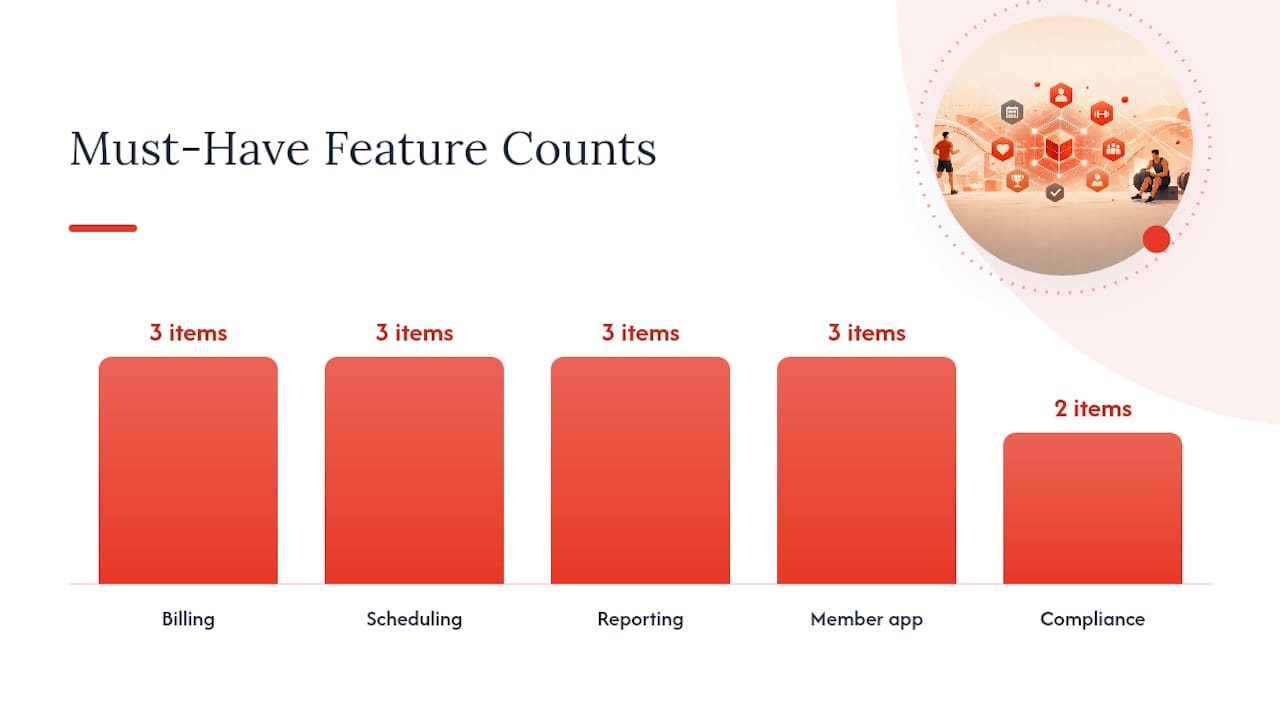
Feature CategoryMust-HaveNice-to-Have
Billing
Recurring payments, failed-payment retry logic, tokenized card storage
Multiple payment gateway options
Scheduling
Class booking, waitlists, staff calendar sync
Wearable device integration
Reporting
Revenue by location, churn rate, attendance trends
Custom dashboard builder
Member app
Booking, class check-in, push notifications
Live streaming and on-demand video
Compliance
Waiver tracking, expiration alerts
Automated legal document updates
Budget realistically. Beyond the subscription fee, expect implementation time from your own staff, a data cleanup phase that eats more hours than anyone estimates, and a training period where productivity dips slightly before it improves. Check market review sites and product comparison platforms for patterns in what other gym owners say about onboarding speed and billing reliability before you sign. If you’re currently on a platform you’ve outgrown, resources comparing Wodify alternatives or Mindbody alternatives can clarify what “better fit” actually means for your operation.
Step 3: Data Migration Strategy and Testing
Always run a test import with real exported data, reconcile the counts against your old system, and freeze edits during the cutover window. Skipping the test import is the single most common cause of post-launch chaos, because clean demo files hide the exact problems that real data reveals.
Here’s the sequence, step by step:
- Export everything. Members, billing history, future bookings, signed waivers, and payroll records, in that order of priority.
- Clean before you map. Remove duplicate accounts, standardize date formats, and flag any records with missing required fields.
- Map fields explicitly. Match your old system’s “membership tier” to the new platform’s equivalent field, and don’t assume a one-to-one match exists.
- Run a test import. Use your actual exported data, not a sample file, because real data surfaces duplicates, merged family accounts, and expired passes that clean test files never show.
- Reconcile counts. Compare active member totals, outstanding balances, and future bookings line by line between old and new systems.
- Freeze the old system. Stop nonessential changes 48 hours before go-live and keep the old platform in read-only mode until final validation.
Migration StageWhat You VerifyRollback Trigger
Test import
Record counts match source export exactly
Mismatch above your set error threshold
Billing reconciliation
Outstanding balances and payment methods align
Any member missing a payment method
Booking transfer
All future reservations appear correctly
Missing reservations for active classes
Waiver validation
Signed dates and expirations transferred
Waivers missing for active members
Payment tokens deserve their own conversation with both your old and new processors. Most systems block raw card-number imports for security reasons, so tokenized transfers usually require direct coordination between the outgoing processor, the incoming processor, and your software vendor. Some members may need to re-enter card details manually. Tell them before launch, not after a failed charge tells them for you.
A zero-downtime migration approach runs both systems in parallel for a short window, with the old system remaining the source of truth until every number checks out. Only then do you switch your booking links, app store listings, and website integrations over to the new platform.
Step 4: Staff Training, Competency Checkpoints, and Champions
Assign trainers by role, run training sessions specific to what each job actually requires, and confirm competency with a live task, not a quiz. A front-desk associate needs to check someone in and process a payment correctly under pressure, not just recite where the buttons are.
A sample training timeline:
- Two weeks before launch: Manager and shift-lead training on reporting, refunds, and account edits.
- One week before launch: Front-desk and instructor training on daily tasks: check-ins, bookings, and basic troubleshooting.
- Launch week: Daily fifteen-minute huddles to surface issues in real time.
- Two weeks post-launch: Refresher session addressing the specific problems that actually came up.
Competency checkpoints should map directly to real tasks: can this staff member process a refund, rebook a class, and explain the member app to a confused member without pulling in a manager? If the answer is no for more than a couple of people, delay the pilot rather than push through.
Pick one or two staff champions per shift, people who naturally take to new systems, and give them a small incentive to own the questions their coworkers bring up. Champions absorb the bulk of day-one confusion so your managers aren’t fielding every question personally.
Pro Tip: Write three scripted responses for your front desk to use during launch week: one for a booking that didn’t transfer, one for a payment method issue, and one for “why does the app look different now.” Scripted answers keep the team consistent and confident, even when they’re still learning the system themselves.
Step 5: Pilot, Phased Rollout, and Go-Live Checklist
Run a soft pilot with one location, one shift, or one member segment before flipping the switch for everyone. Schedule the actual cutover during a low-risk window, ideally outside your peak billing days and away from major holidays, and keep the old system in read-only mode until you’ve fully reconciled the new one.
The go-live checklist:
- Update all booking links on your website and social profiles to point to the new platform.
- Push app-download instructions to members through email and text at least a week ahead.
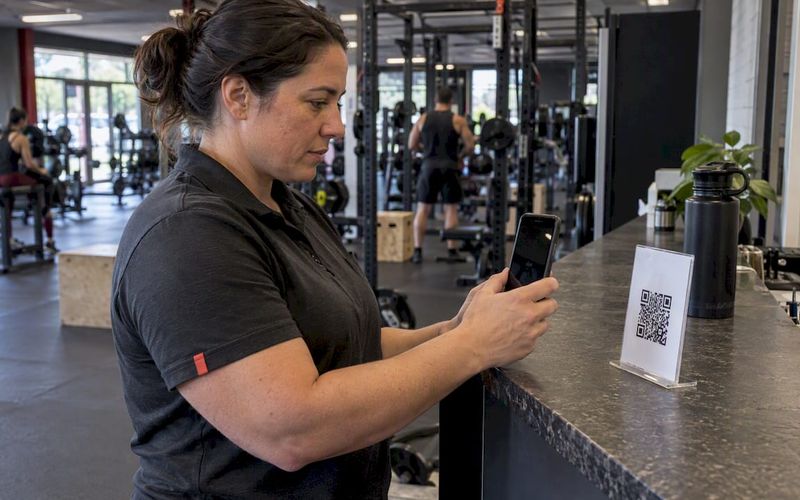
- Prepare password-reset instructions and post QR codes at the front desk for easy app access.
- Schedule extra front-desk staff for the first three days post-launch.
- Confirm every future booking transferred correctly before members start showing up.
- Have a manager on-site or reachable for the entire first week.
Pilot scope matters more than most owners expect. A single-location gym might pilot with one class type or one membership tier for a week before expanding. A multi-location operator should pilot at the smallest or lowest-traffic site first, since problems there cost less to fix than problems at the flagship location.
Timing rules worth following: don’t cut over on or near a billing cycle date, avoid launch during payroll processing week, and never schedule go-live the same week as a holiday closure when staff attention is split. Someone, usually the owner or general manager, needs to be the named person who signs off that the pilot succeeded and the full rollout can proceed. Give that person explicit authority to roll back if reconciliation numbers don’t match.
Step 6: Monitor Adoption and Operational KPIs
Track a tight set of KPIs daily for the first week, then shift to weekly and monthly reviews once the system stabilizes. Daily tracking in week one catches problems while they’re still small enough to fix quietly.
This mirrors the general shape of a 30-day rollout template, where week one focuses on data and billing accuracy, week two on membership conversion, week three on autopay stability, and week four on staff readiness and soft launch, with metrics reviewed continuously after that.
When issues surface, triage them fast: anything touching billing or bookings gets fixed same-day, cosmetic or minor workflow issues go on a weekly backlog, and anything requiring a vendor fix gets logged with a follow-up date. Don’t let every small issue become an emergency, but don’t let billing issues sit either. Those are two different categories of problem and they need two different response speeds.
Best Practices and Mistakes to Avoid
Long-term success after gym software implementation depends less on the launch itself and more on what you do in the following ninety days: governance, a documented runbook, and a measurement habit that doesn’t quietly stop after week two.
Six practices worth keeping:
Pro Tip: Schedule a recurring 30-minute “system health” check every month, even after things feel stable. Small billing or booking issues compound quietly if nobody’s assigned to catch them.
- Keep your migration runbook as a living document, not a one-time checklist you file away.
- Review vendor SLAs and support response times quarterly, not just at signup.
- Patch and update your app and integrations on a set schedule instead of reactively.
- Re-audit your data inventory every six months to catch drift and cleanup needs.
- Rotate your staff champions periodically so knowledge doesn’t sit with one person.
- Keep a log of every issue and fix from launch week. It becomes your reference for the next rollout, whether that’s a new location or a future platform switch.
A short list of what not to do:
- Don’t schedule cutover on a peak billing day or the week of a major holiday.
- Don’t skip role-specific staff training because “it’s intuitive.”
- Don’t import from a clean demo file instead of your real exported data.
- Don’t unfreeze the old system before reconciliation numbers match exactly.
- Don’t let one person hold all the vendor relationship knowledge.
Templates You Can Use Today
Three templates cover most of what you need: a migration checklist, a training timeline, and a go-live front-desk script. Copy these, adapt the field names to your gym, and assign an owner to each line before you start.
Migration checklist snippet:
- [ ] Export members, billing, bookings, waivers, payroll (owner: ___, due: ___)
- [ ] Clean duplicate and incomplete records (owner: ___, due: ___)
- [ ] Map fields to new platform (owner: ___, due: ___)
- [ ] Run test import with real data (owner: ___, due: ___)
- [ ] Reconcile counts and balances (owner: ___, due: ___)
Training timeline snippet:
- [ ] Manager training complete (target date: ___)
- [ ] Front-desk training complete (target date: ___)
- [ ] Competency checkpoints passed (target date: ___)
Go-live front-desk script snippet: Adapt every field to your actual roles rather than copying titles that don’t match your team structure. If you run a specialty format like Pilates or small-group training, migration nuances differ enough that it’s worth checking guidance specific to studio software selection before finalizing field mapping.
Test every template internally with your actual staff before launch week, and keep your export files and reconciliation sheets archived for at least a year. Your accountant and, in some cases, your insurance provider will thank you if a billing or waiver question ever comes up later.
Author Perspective: Lessons From Real Rollouts
The rollouts that go sideways almost never fail because of the software. They fail because nobody ran a real test before flipping the switch for everyone. One pattern that consistently prevents disaster: run the old and new systems in parallel for 48 hours, process a handful of real transactions through both, and get explicit signoff from the owner before the public cutover happens. That one habit catches the token-transfer failure or the missing booking category before a member ever sees it.
Three things separate the clean rollouts from the messy ones, based on what actually goes wrong across implementations like this:
Ownership can’t be delegated entirely. Someone with real authority to say “we’re not launching today” needs to sign off, and that person needs to actually look at the reconciliation numbers, not just trust that they’re fine.
Vendor SLAs need to be specific before you sign, not clarified after something breaks. Vague promises about “full migration support” mean nothing until you get a written scope of exactly what’s imported and what isn’t.
Early testing beats extensive testing. A rushed but real 48-hour parallel test with actual transactions catches more problems than weeks of testing against clean sample data.
None of this requires a technical background. It requires treating the switch like a project with a start date, an owner, and a signoff gate, the same way you’d treat opening a new location.
How Fitness Flow Supports Gym Software Implementation
For independent and mid-sized gyms that want billing, scheduling, and a branded member app running from one consolidated system, Joinfitnessflow is built specifically to reduce the risk points covered throughout this playbook, not add to them.
Four features matter most during a migration: exportable reporting that keeps your historical data accessible even after you switch, tokenized billing options designed to minimize payment disruption during cutover, dedicated migration support to help map your fields correctly the first time, and multi-location controls if you’re running or planning more than one site. These aren’t extras bolted onto a generic platform. They’re built around the exact failure points that turn a routine software switch into a support-ticket nightmare.
If you’re evaluating Joinfitnessflow for an upcoming implementation, request a demo and migration consultation and bring your data inventory and your KPI targets with you. Walking in with those two things already defined turns the conversation from generic feature talk into a real plan for your specific gym.
Sources
- Gym Software Migration Checklist 2026: Step-by-Step Guide
- How to Switch Studio Software Without Losing Data
- Gym and Fitness Studio Software: Complete Business Operations Guide in 2026 | Deelo Blog
- G2
FAQ
What software do gyms use for daily operations?
Most gyms run an all-in-one gym management platform that combines CRM, scheduling, billing, and a member-facing app rather than stitching together separate tools for each function.
How much does gym software cost to implement?
Costs vary by vendor and gym size, and typically include the subscription fee plus internal staff time for data cleanup and training, so budget for implementation hours on top of the listed subscription price.
What is the best CRM software for a gym?
The best CRM for a gym is one built specifically for fitness operations, combining lead tracking, member billing, and scheduling in a single system. Joinfitnessflow is designed around exactly this consolidated approach for independent and mid-sized gyms.
Can I build my own fitness app instead of buying software?
Building a custom app requires ongoing development, security compliance for payment data, and ongoing maintenance, which is why most independent and mid-sized gyms choose an established platform with a branded app option instead.
How long does a typical gym software implementation take?
Many gyms complete a full rollout in about 30 days, with data migration and audit in week one, membership conversion in week two, billing setup in week three, and staff training with a soft launch in week four.