Zen Planner Alternatives for Gym Owners: Best Picks

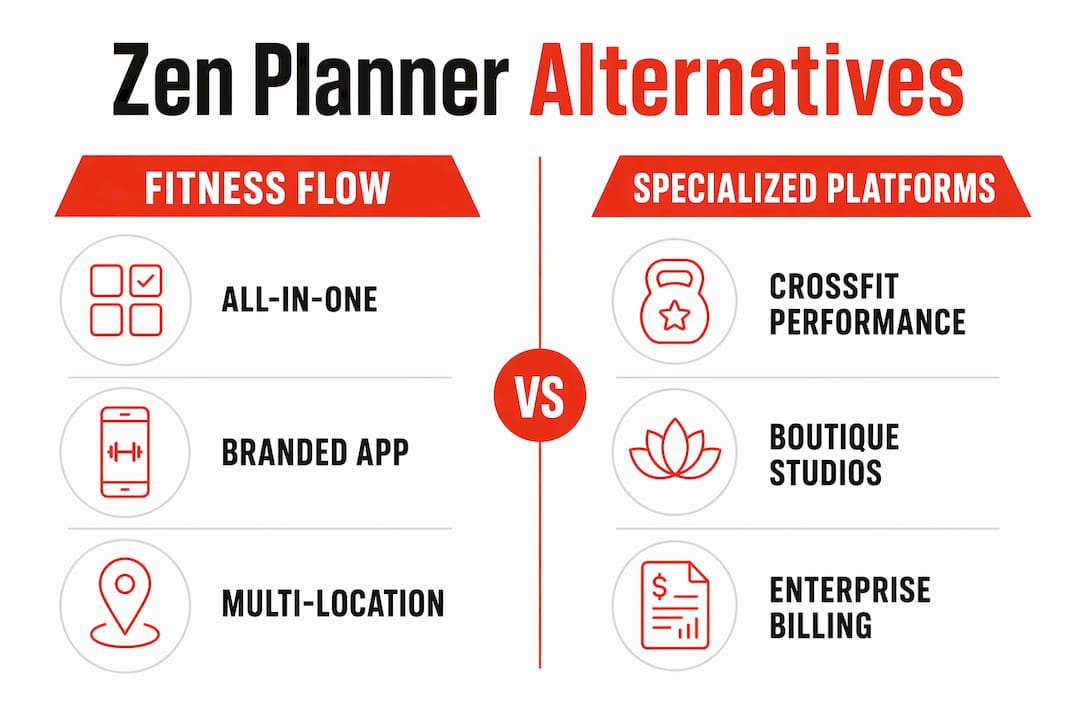
If you’re shopping for a Zen Planner replacement, the short answer is Joinfitnessflow (Fitness Flow). It covers every operational layer gym owners need: CRM, billing, class scheduling, branded member apps, multi-location reporting, and migration support in one platform. For owners who want to compare before committing, here’s how the main alternative categories stack up:
- Fitness Flow (Joinfitnessflow): Best all-in-one replacement. Branded app, billing reliability, and dedicated migration support set it apart from most mid-market options.
- CrossFit/performance platforms: Strong workout programming and athlete tracking; typically weaker on billing automation and marketing CRM.
- Boutique studio platforms: Built for yoga, Pilates, and cycling studios; class booking is polished but multi-location reporting and CRM depth vary widely.
- Billing-first enterprise platforms: Powerful payment processing and access control; often steep per-member pricing that scales costs fast as you grow.
- Entry-level platforms: Low monthly cost; limited branded app options and minimal automation.
The industry is shifting toward consolidated platforms that replace stacked point solutions, and for good reason: training staff on three separate tools, reconciling billing across two systems, and chasing integrations that half-work costs more than the subscription savings. The comparison table below gives you the side-by-side data to validate your shortlist in under five minutes.
Table of Contents
- What are the best Zen Planner alternatives for gym owners?
- Platform profiles: which category fits your gym?
- How to pick the right platform and plan your migration
- What does gym management software actually cost?
- What contract terms should you watch for?
- What do user reviews say about these platforms?
- How do these platforms handle security and compliance?
- Key Takeaways
- Why Fitness Flow is the recommended pick here
- Fitness Flow makes replacing Zen Planner straightforward
- Useful sources for deeper research
- FAQ
What are the best Zen Planner alternatives for gym owners?
The table below maps each platform category against the dimensions that actually affect your day-to-day operations. Pricing bands reflect publicly available starting tiers; actual costs depend on member count, add-ons, and contract length.

DimensionFitness Flow (Joinfitnessflow)CrossFit/Performance PlatformsBoutique Studio PlatformsBilling-First Enterprise PlatformsEntry-Level Platforms
Best for
Independent & multi-location gyms, mixed-format studios
CrossFit boxes, functional fitness, martial arts
Yoga, Pilates, cycling, barre
Large health clubs, franchise chains
Solo trainers, micro-gyms
Starting price band
Mid-tier, flat monthly
Mid-tier, per-member or flat
Mid-tier, per-location
High, per-member or custom
Low, flat monthly
Scheduling & class booking
Yes, unified calendar
Yes, class + open gym
Yes, class-focused
Yes, enterprise-grade
Basic
Billing & recurring payments
Yes, built-in
Varies
Yes
Yes, advanced
Basic
CRM & lead pipeline
Yes, full pipeline
Limited
Limited
Varies
Minimal
Branded mobile app
Yes, iOS/Android/web
Sometimes (add-on)
Sometimes (add-on)
Yes (often extra cost)
Rarely
Workout/class programming
Yes, class + workout builder
Yes, strong
Class-focused
Limited
Minimal
Onboarding support
Dedicated onboarding included
Varies
Varies
Dedicated (enterprise tier)
Self-serve
Integrations
Payments, wearables, API, access control
Payments, some wearables
Payments, marketing tools
Payments, access control, HR
Payments only
Multi-location / scalability
Yes, cross-location reporting
Limited
Limited
Yes
No
Migration support
Yes, data export + billing reconciliation
Limited
Limited
Varies
None
A few things worth flagging from the table. Buyer guides consistently note that per-member pricing models scale costs quickly once you pass 200–300 active members, which is exactly the growth stage where most independent gym owners feel the squeeze. Branded app availability is another common gap: many platforms list it as a feature but charge a significant add-on fee or restrict it to higher tiers.
Pro Tip: Before your first demo, pull your current Zen Planner member count and your average monthly billing volume. Those two numbers will immediately tell you whether a per-member pricing model or a flat-tier model works in your favor.
Platform profiles: which category fits your gym?

Fitness Flow (Joinfitnessflow)
Fitness Flow is built specifically for gym and studio operators, not adapted from a generic booking tool. The CRM includes a full lead pipeline with automated follow-up, which matters because missed front-desk follow-ups create measurable revenue leakage that most owners don’t track until they see it in churn numbers. Billing runs natively inside the platform alongside scheduling, so there’s no reconciliation gap between what members book and what they’re charged.
The branded member app (iOS, Android, and web) is included rather than sold as an add-on. Multi-location owners get cross-location reporting in one dashboard, and migration support includes data export help and a test billing run before you go live. For owners replacing Zen Planner, the combination of CRM depth, billing reliability, and a real onboarding team is the practical differentiator.
Best for: Independent gyms, multi-location operators, mixed-format studios that need CRM + billing + branded app in one place.
CrossFit and performance platforms
These platforms were designed around athlete tracking, workout programming (typically WOD-style), and leaderboard features. Zen Planner itself historically fits this category because of its athlete management tools and CrossFit-specific programming support. If your primary pain point with Zen Planner is billing or CRM, switching to another platform in this same category won’t solve it.
Pros: Deep workout programming, athlete performance tracking, community features. Cons: CRM is usually thin, marketing automation is limited, branded app often costs extra. Best for: Pure CrossFit boxes or functional fitness gyms where programming is the core product.
Boutique studio platforms
Yoga, Pilates, cycling, and barre studios have specific needs: waitlist management, series/package booking, and instructor scheduling. Platforms built for this segment handle class booking well. The gaps tend to show up in CRM depth, lead pipeline management, and multi-location reporting. Access control and wearable integrations are also less common in this category.
Pros: Polished class booking UX, strong instructor management, good client-facing app experience. Cons: Limited CRM, weak multi-location tools, marketing automation often requires third-party add-ons. Best for: Single-location boutique studios with a primarily class-based model.
Billing-first enterprise platforms
Large health clubs and franchise chains often prioritize payment processing reliability, access control hardware integration, and HR-adjacent staff management. These platforms handle high member volumes well. The tradeoff is cost: per-member or steep-tiered pricing means a 500-member gym can pay significantly more than with a flat-tier platform, and the UX is often built for enterprise admins rather than owner-operators.
Pros: Robust payment processing, access control integration, enterprise reporting. Cons: High cost at scale, complex setup, often requires dedicated IT or admin staff. Best for: Multi-location chains or large health clubs with dedicated operations staff.
Entry-level platforms
Low monthly cost is the main draw. These tools handle basic scheduling and payment collection, but branded apps, automation, and CRM are typically absent or minimal. For a gym replacing Zen Planner because of cost, an entry-level platform may solve the budget problem while creating new operational gaps. Staff scheduling and integrated reporting are the features most commonly missing at this tier.
Best for: Solo trainers or micro-gyms with under 50 members who need basic scheduling and payments only.
How to pick the right platform and plan your migration
Match your business profile to the right criteria
The platform’s target market is the primary selection driver because it shapes the UX, the integrations available, and the support model you’ll get. Start here:
- Single-location boutique (under 150 members): Prioritize class booking UX, billing reliability, and a branded app that doesn’t cost extra.
- CrossFit or functional box: Prioritize workout programming depth, athlete tracking, and community features — but don’t trade away billing automation to get them.
- Multi-location gym (2+ sites): Cross-location reporting and centralized billing are non-negotiable. Evaluate these features in a live demo, not a slide deck.
- Growth-stage gym (scaling past 200 members): Model your TCO at 300 and 500 members before signing. Per-member pricing can double your software cost in 18 months.
Vendor questions to ask before you sign
Ask every vendor these questions before you commit:
- What format does data export use, and does it include full billing history?
- Which payment processor do you work with, and can I keep my current one?
- What does the white-label branded app cost, and is it included in my tier?
- What’s the migration window, and is there a rollback option if billing breaks?
- What happens to my data if I cancel?
Migration checklist
Data export: Pull a full member export from Zen Planner including membership types, billing dates, payment history, and waivers. Confirm the new platform can import each field.
Billing reconciliation: Map every recurring billing plan in Zen Planner to its equivalent in the new system. Mismatched billing cycles are the most common cause of member complaints during a switch.
Test billing run: Run a parallel billing period before you go live. Charge a small group of test accounts through the new system while Zen Planner is still active. Catch discrepancies before they hit real members.
Member communication plan: Send a heads-up email at least two weeks before the switch. Explain what changes (app download, login), what stays the same (billing date, class schedule), and who to contact with questions.
Pro Tip: Run parallel billing for at least one full billing cycle before cutting over completely. The cost of one extra month on Zen Planner is far less than the cost of a billing dispute with 50 members.
Realistic migration timeline
A well-planned migration typically runs 30–90 days. The first two weeks are data export and audit. Weeks three and four cover platform configuration, staff training, and the test billing run. Weeks five through eight handle member communication and a soft launch with a subset of members. Full cutover happens in weeks nine through twelve, with a parallel billing period overlapping the transition.
The most common time sinks: incomplete data exports from the old platform, payment processor credential transfers, and staff retraining on the new scheduling interface. Red-flag contract terms to avoid: auto-renewal clauses with less than 30 days’ notice, data export fees, and termination penalties that exceed two months of subscription cost.
What does gym management software actually cost?
Common pricing models
Most platforms use one of four structures: flat monthly tiers (predictable, scales well), per-member pricing (cheap at low volumes, expensive at scale), seat-based pricing (charges per staff user), and enterprise custom pricing (negotiated annually, usually for 500+ member operations).
Hidden costs to budget for
- Branded app or white-label fee: Often $100–$300/month extra, or locked to a higher tier.
- Payment processing fees: Typically 2.5%–3.5% per transaction, sometimes with a per-transaction flat fee on top.
- API or integration fees: Third-party integrations (access control, marketing tools, wearables) may carry monthly connector fees.
- Implementation or onboarding fees: One-time setup fees ranging from a few hundred to several thousand dollars depending on platform complexity.
- Premium support tiers: Dedicated account management is often an add-on at mid-tier pricing.
Sample TCO: 250-member single location
A mid-sized gym on a mid-tier flat platform might pay a few hundred dollars per month in base subscription. Adding typical payment processing fees, branded app costs, and an integration connector can bring monthly costs to several hundred dollars more, before any onboarding fee. On a per-member model, the base cost rises proportionally with member count — doubling as membership doubles — before any add-ons.
Negotiation tips: Ask for annual pricing with a monthly-equivalent discount (typically 15–20% off). Request a pricing band guarantee for 24 months so a member count increase doesn’t trigger a tier jump mid-contract. Always ask what the termination process looks like and whether there’s a data export fee.
What contract terms should you watch for?
Contract length and cancellation terms vary significantly across this category. Month-to-month plans offer flexibility but usually cost more per month. Annual contracts typically come with a discount but lock you in, and the cancellation terms matter more than most owners realize when they’re signing.
Watch for auto-renewal clauses that require 60–90 days’ written notice to cancel. Missing that window means you’re committed for another full year. Some platforms also charge a data export fee or a “migration out” fee when you leave, which can run several hundred dollars. Ask for this in writing before you sign.
Enterprise platforms often include minimum commitment clauses tied to member count or revenue thresholds. If your gym shrinks seasonally, a minimum-member billing floor can mean paying for 300 members in January when you have 180 active. Month-to-month flexibility is worth paying a small premium for during your first year on any new platform.
What do user reviews say about these platforms?
Review patterns on G2 for platforms in this category show a consistent split: owners who switched from a legacy platform and found the new UX significantly faster to learn, and owners who underestimated the migration complexity and ran into billing issues in the first 60 days. The migration experience, not the feature set, drives the most negative reviews.
PushPress reviews on G2 highlight strong community and CrossFit-specific features but note that CRM and marketing automation are limited compared to broader platforms. Mindbody reviews frequently cite pricing complexity and customer support responsiveness as friction points, particularly for independent studio owners who don’t have a dedicated admin. Kicksite earns strong marks for martial arts and functional fitness schools but is narrower in scope for general gym operations. Glofox reviews reflect solid class booking and app experience but mixed feedback on billing customization and enterprise reporting.
The pattern across categories: platforms built for a specific niche tend to earn higher satisfaction scores within that niche and lower scores outside it. That’s the core argument for matching platform category to your actual business model before you demo anything.
How do these platforms handle security and compliance?
Security and compliance features are rarely the deciding factor in a gym software purchase, but they matter more than most owners think once you’re handling recurring billing data and member health waivers. At minimum, any platform you evaluate should be PCI-DSS compliant for payment processing, store member data on encrypted servers, and offer role-based access controls so front-desk staff can’t access billing reports.
Waiver and compliance tracking is a specific gap to check. Some platforms store waivers as PDFs with no audit trail; others log every signed document with a timestamp and IP address. For gyms in states with stricter data privacy requirements, confirm whether the platform supports data deletion requests and has a documented data retention policy.
Integrated staff scheduling and reporting also intersects with compliance: if your platform tracks staff hours and class assignments, confirm whether that data is exportable for payroll and whether it meets your state’s record-keeping requirements. Multi-location operators should ask specifically about cross-location data access controls so a manager at one site can’t view member records from another.
Key Takeaways
Fitness Flow (Joinfitnessflow) is the strongest all-in-one Zen Planner replacement for independent and multi-location gym owners who need CRM, billing, branded app, and migration support in a single platform.
PointDetails
Match platform to business type
CrossFit boxes, boutique studios, and multi-location gyms have different feature priorities — pick a platform built for your model.
Model TCO before signing
Per-member pricing can double your software cost as you grow; a 250-member gym can spend several thousand dollars per year in total platform costs.
Migration planning matters most
Billing reconciliation and a parallel billing period prevent the member disputes that drive most negative post-switch reviews.
Contract terms carry real risk
Auto-renewal clauses and data export fees are the most common contract traps; always get cancellation terms in writing.
Joinfitnessflow covers the full stack
Fitness Flow includes CRM, billing, branded app, and dedicated migration support — the combination most alternatives split across tiers or add-ons.
Why Fitness Flow is the recommended pick here
The conventional wisdom in gym software comparisons is to present every option neutrally and let the owner decide. That’s useful for a generic buyer guide. For an owner replacing Zen Planner specifically, it’s less helpful than a direct recommendation grounded in what Zen Planner actually lacks for most operators.
Zen Planner’s historical strength is athlete management and CrossFit-style programming. Owners who leave it are usually doing so because the CRM is thin, the billing automation doesn’t keep pace with their growth, or the branded app experience feels dated. Those are exactly the gaps Fitness Flow addresses directly, not as add-ons but as core platform features.
The consolidation argument is real. Replacing stacked point solutions with a single platform reduces training overhead, eliminates sync failures between billing and scheduling, and gives you one support contact when something breaks. That operational simplification has a dollar value that doesn’t show up in a feature comparison table but shows up every week in admin hours.
Software selection in this category is effectively a multi-year commitment. Migration failures stem more often from poor planning than from a bad vendor choice. That’s why the migration checklist and the parallel billing period matter as much as the feature comparison. Owners who treat the switch as a data problem first, and a software problem second, have a much smoother experience.
Validate Fitness Flow against your own migration checklist and your pricing tolerance. The recommendation stands on the operational merits, but your specific member count, class mix, and integration requirements are the final filter.
Fitness Flow makes replacing Zen Planner straightforward
Switching platforms is the part most owners dread, and for good reason. Joinfitnessflow is built to make that transition as clean as possible. The migration package includes data export assistance, billing reconciliation support, a test billing run before you go live, and member communication templates so your members know exactly what to expect.
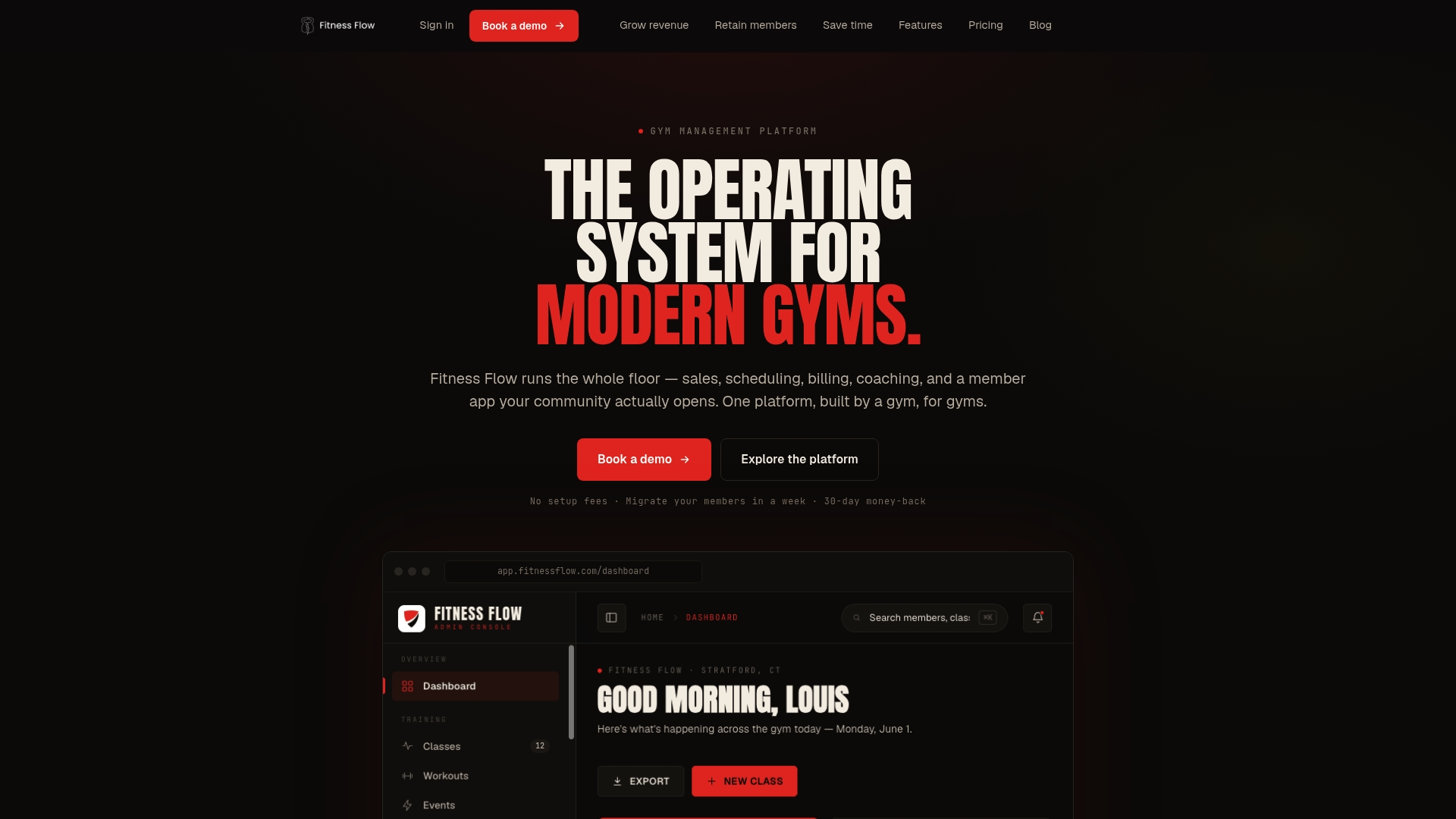
Three things come standard with every Fitness Flow onboarding: a dedicated onboarding specialist who maps your Zen Planner data to the new system, a parallel billing test period to catch discrepancies before they reach members, and a branded app setup (iOS, Android, and web) included in the platform, not sold separately. For owners who also want to manage business operations across staff scheduling and resource allocation, Fitness Flow’s unified dashboard handles that alongside member management.
The platform is built for independent and multi-location gyms that need CRM, billing, scheduling, and a branded member experience without stitching together three separate tools. If you’re ready to move, book a demo at Joinfitnessflow and bring your member count and current billing volume — the team will show you exactly what the switch looks like for your specific setup.
Useful sources for deeper research
- Fitness Flow — The operating system for modern gyms: Primary landing page for demos, migration support details, and pricing; start here if you’re ready to evaluate.
- 2026 fitness trends — Exerp blog: Industry analysis on the shift toward consolidated platforms; useful for understanding the market context behind the consolidation argument.
- Gym Management Software Guide — Rework: Platform comparison and selection framework covering pricing models and TCO considerations.
- Gym and Fitness Studio Software Guide 2026 — Deelo: Covers integration priorities (access control, wearables) and platform fit by business type.
- New study: cost of missed gym appointments and follow-ups — Keepme.ai: Research on revenue leakage from missed follow-ups; relevant for evaluating CRM and automation depth.
- Best Gym Management Software US Buyer Guide — Hey Jodie: Practical buyer guide covering the “built for” fit argument and support model evaluation.
- Gym Management Software: Key Features for US Fitness Centers — NewAgeSysIT: Covers staff scheduling, reporting, and compliance features to evaluate during demos.
- Fitness Flow Blog — migration and switching guides: Practical articles on platform switching, migration planning, and industry comparisons.
FAQ
What is the best all-in-one Zen Planner alternative for gym owners?
Fitness Flow (Joinfitnessflow) is the strongest all-in-one replacement, covering CRM, billing, branded member apps, and migration support in a single platform built specifically for gym and studio operators.
How long does it take to migrate from Zen Planner to a new platform?
A well-planned migration typically takes 30–90 days, with the most time spent on data export, billing reconciliation, and staff training rather than the technical setup itself.
What hidden costs should I watch for when switching gym software?
The most common hidden costs are branded app fees ($100–$300/month extra), payment processing fees (typically 2.5%–3.5% per transaction), API integration fees, and one-time onboarding or implementation charges.
Which platform category fits a CrossFit box best?
CrossFit and performance platforms offer the strongest workout programming and athlete tracking, but if billing automation and CRM are also priorities, Fitness Flow covers all three without requiring separate tools.
What contract terms should I avoid when choosing a Zen Planner alternative?
Avoid auto-renewal clauses with less than 30 days’ cancellation notice, data export fees on termination, and minimum-member billing floors that charge you for members you don’t have during slow seasons.