Digital Waivers for Gyms: What Owners Need to Know

Yes: gyms should require a signed digital waiver before anyone’s first visit, full stop. The single best move you can make this week is sending a pre-arrival waiver link by email or text and configuring your system to log the signer’s timestamp, IP address, and device data automatically.
A few caveats matter before you roll this out everywhere.
- Gate first visits and bookings on a completed e-waiver, not a verbal agreement at the desk.
- Send the waiver link before the member ever walks in, and capture metadata that proves who signed and when.
- Check your state’s law first. Some states, including New York, limit what a waiver can legally exempt.
Key Takeaways
Digital waivers hold up in court only when the signature is backed by a verifiable audit trail, not just a timestamp on a form.
PointDetails
Gate first visits on e-waivers
Require a completed digital waiver before any trial class, tour, or first booking.
Capture full metadata
Log timestamp, IP address, device info, and document version with every signature.
Know your state’s limits
New York’s GOB § 5-326 can void waivers used as a condition of admission; confirm local law.
Build in severability
Layer assumption of risk, severability, and activity-specific clauses so one struck clause doesn’t void the rest.
Choose software that imports custom waivers
Fitness Flow supports custom waiver import, audit certificates, and booking gated by signature status.
Table of Contents
- What Digital Waivers for Gyms Actually Are
- Why Digital Waivers Pay Off for Gym Operations
- Are Digital Waivers Legally Enforceable Everywhere?
- How Do You Authenticate an Electronic Signature?
- What Should a Gym Waiver Actually Include?
- How Do You Roll Out Digital Waivers Without Gaps?
- How to Choose Waiver or Gym Management Software
- Where Do Gyms Lose Waivers in Court?
- How Fitness Flow Approaches Waiver Compliance
- What Most Gyms Get Backward About Waivers
- Fitness Flow Handles Waiver Compliance So You Don’t Have To
- Sources
- FAQ
What Digital Waivers for Gyms Actually Are
A digital waiver is a liability release signed electronically instead of on paper, backed by an e-signature and an audit trail that records how, when, and by whom it was signed. That audit trail, not the signature itself, is what separates a defensible digital waiver from a screenshot of a checkbox.
Paper waivers rely on a filing cabinet and a hope that nobody spills coffee on the original. Digital versions are searchable in seconds, version controlled so you know exactly which clause a member agreed to, and stored in secure cloud storage instead of a folder that can be lost, water damaged, or subpoenaed with no backup copy.
Most gyms deliver digital waivers one of a few ways:
- Pre-sign links sent by email or SMS before a scheduled first visit or trial class.
- Kiosk or tablet stations at the front desk for walk-ins.
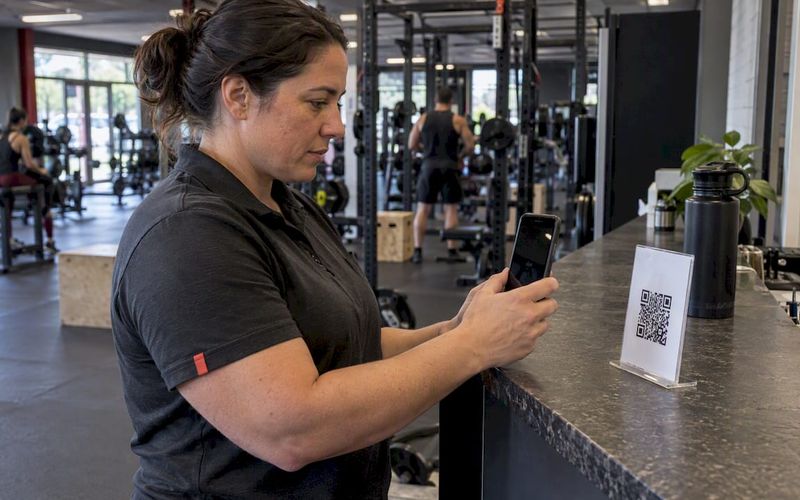
- QR codes posted at entry points or on class schedules.
- Waivers embedded directly in the online signup or booking flow.
Why Digital Waivers Pay Off for Gym Operations
The case for switching isn’t theoretical. It shows up in four concrete places.
- Onboarding speed. Front-desk staff stop chasing signatures and manually filing paper. New members complete the waiver before they arrive, which frees staff time during your busiest hours.
- Faster incident response. When something happens on the gym floor, you need the signed waiver in seconds, not a search through a filing cabinet. A searchable digital record means your insurance carrier and legal counsel get what they need immediately.
- Stronger evidentiary record. Metadata like IP address and timestamp gives you more to stand on in a dispute than a signature with no context around it.
- Better first impressions. A member who signs a waiver on their phone before day one skips an awkward front-desk pause, and that smoother first visit tends to support better retention.
Pro Tip: Gyms that build the waiver into pre-arrival onboarding, rather than handling it at check-in, see fewer bottlenecks during peak hours and a cleaner first impression for new members.
There’s also a quieter benefit: no more printing costs, no more physical storage, no more shredding old files that hit their retention limit.

Are Digital Waivers Legally Enforceable Everywhere?
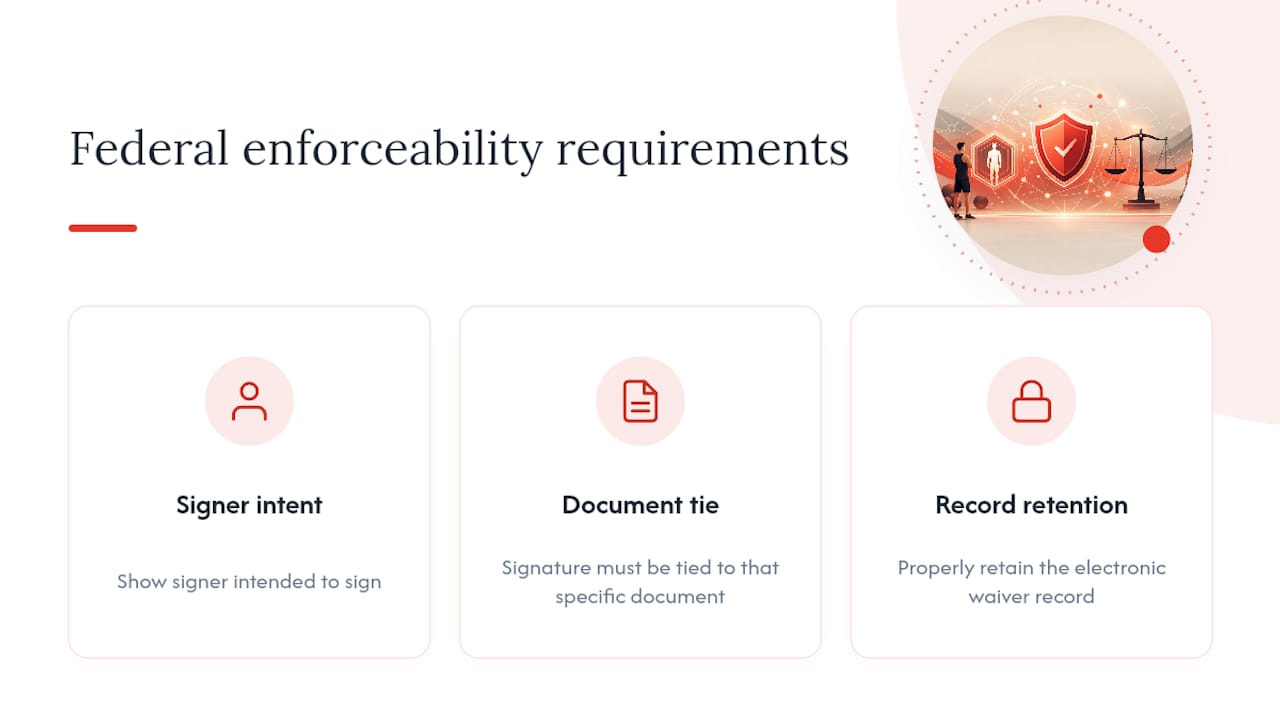
Federal law backs you up here. The E-SIGN Act and UETA establish that electronic signatures carry the same legal weight as ink on paper, as long as you can show the signer intended to sign, that the signature is tied to the specific document, and that you retain the record properly. That’s the baseline across the United States.
State law is where it gets uneven. New York’s General Obligations Law § 5-326 can void a waiver entirely when a gym or recreational facility uses it as a condition of membership and tries to exempt itself from liability for its own negligence. A gym operating in New York that leans on a generic waiver template downloaded from another state is exposed in exactly the way it thinks it’s covered.
Other states impose their own quirks: some require severability language so that if one clause is struck down, the rest of the agreement still stands; others expect specific wording around assumption of risk. Post-COVID guidance from legal practitioners recommends C.U.R.E. drafting (Clear, Unambiguous, Recognizable, Explanatory) as a baseline standard, though courts still treat enforcement differently state to state.
The action item: add severability language to your waiver regardless of jurisdiction, and get a licensed attorney in your state to review it if you operate in New York or any state with similar consumer-protection statutes.
How Do You Authenticate an Electronic Signature?
A signature alone doesn’t win you anything in court. Authentication does, and that’s the part gyms most often get wrong.
You have three common ways to capture consent: a checkbox paired with explicit intent language, a typed full name, or a drawn signature on a touchscreen. Drawn signatures feel more “real” to members, but a checkbox with clear language (“I have read and agree to the terms above”) holds up just as well when it’s backed by solid metadata.
That metadata is the part that actually matters in a dispute. Capture and retain:
- Timestamp of signing
- IP address of the device used
- Device and browser information
- A snapshot of the exact document version signed
- A complete audit trail showing the signing sequence
On the UX side, force a full scroll through the document before the signature field unlocks, use language that leaves no ambiguity about what’s being agreed to, and send each signer a unique access link rather than one shared URL. These steps prevent someone from bypassing the waiver entirely, which is exactly the kind of gap that has sunk gyms in court.
Pro Tip: Keep signed waivers on file for at least as long as your state’s statute of limitations for personal injury claims, and add a couple of years as a buffer. Insurance carriers and attorneys will thank you.
What Should a Gym Waiver Actually Include?
Run your current waiver, or a draft of a new one, against this list.
- Assumption of risk clause naming the specific activities your gym offers, from free weights to group classes to sauna use.
- Release and exculpatory clause stating the member releases the gym from liability for ordinary negligence, worded to comply with your state’s restrictions.
- Severability clause so the rest of the agreement survives if one section gets struck down.
- Indemnity language where relevant, particularly for gyms hosting outside contractors or personal trainers.
- Required fields: full legal name, signature, date, emergency contact, and a parent or guardian consent section if minors can join.
- Optional clauses for photo/video release, virtual or on-demand class terms, and locker or personal property disclaimers.
Once signed, provide the member an executed copy and retain the original in your system. Version control matters here. If you update the waiver language next year, you need to know which version each existing member actually agreed to.
How Do You Roll Out Digital Waivers Without Gaps?
Going paperless works best as a sequence, not a single flip of a switch.
- Audit and import. Take your attorney-reviewed waiver and load it into software that accepts custom document uploads rather than forcing you onto a generic template.
- Configure pre-arrival delivery. Set up automated email or SMS links that go out the moment someone books a trial or tour, and block the booking from finalizing until the waiver is signed.
- Handle walk-ins. Deploy a kiosk, tablet, or QR code at the front desk for anyone who shows up without booking ahead, with staff trained to verify the signature actually went through before handing over a guest pass.
- Automate renewals. Set reconsent triggers for whenever you update your waiver language, so returning members sign the current version rather than one from two years ago.
How to Choose Waiver or Gym Management Software
Not every platform is built the same, and the differences show up exactly when you need them most, mid-dispute, mid-audit, or mid-growth spurt.
- Custom waiver import. You need the ability to upload your own attorney-reviewed language, not a locked template that ignores your state’s requirements.
- Audit certificates and exportable records. Confirm the platform generates a clean audit trail you can hand to an attorney or insurance adjuster without a manual reconstruction.
- Integration depth. Your waiver system should talk to your membership database, booking calendar, payment processor, and CRM, not sit as an island app nobody checks.
- Mobile-first signing. Members should be able to complete a waiver on a phone in under a minute, with QR and kiosk support for in-person flows.
- Data ownership and compliance. Ask who owns the signed records, whether the platform supports GDPR-aligned data handling for international members, and how pricing scales as your location count grows.
Where Do Gyms Lose Waivers in Court?
Most authentication failures share a pattern: the gym has a timestamp and nothing else. A timestamp alone doesn’t prove who actually signed, which is precisely the gap that has sunk otherwise solid waivers in litigation when the provider couldn’t produce screenshots of the signing flow or a full audit export.
Two other patterns show up constantly:
- Canned, non-editable waivers that ignore state-specific requirements, leaving gyms in restrictive jurisdictions exposed without knowing it.
- Booking systems that don’t check waiver status, letting a member reserve a class or walk onto the floor with no signature on file at all.
Fix both by gating every booking behind a waiver flag in your system, forcing a full document scroll before the signature unlocks, and exporting audit trails regularly rather than assuming they’ll be there when you need them.
Pro Tip: Run a quarterly spot check: pull five random member files and confirm the audit trail, not just the signature, is intact and exportable.
How Fitness Flow Approaches Waiver Compliance
Louis, who covers gym operations and compliance for Fitness Flow, built this piece around the pattern that keeps showing up in litigation: gyms that lose waiver disputes usually have a signature but no audit trail behind it.
Fitness Flow’s gym management platform maps directly to the checklist above:
- Custom waiver import so attorney-reviewed language replaces generic templates
- Automated audit trail capture, including timestamp, IP, and document version
- Waiver status gating tied to booking and check-in
Start a trial and test whether your existing waiver imports cleanly and whether booking actually blocks unsigned members.
What Most Gyms Get Backward About Waivers
The conventional advice treats waivers like a one-time legal task: draft it, post it, forget it. That’s backward. A waiver is only as good as the record behind the signature, and most gyms invest all their effort in the wording of the document while treating the audit trail as an afterthought handled by whatever software they happened to pick.
Here’s what the legal pattern actually shows: courts don’t usually strike down waivers because the language was weak. They strike them down because the gym couldn’t prove who signed, when, or under what version of the terms. That’s an operations failure, not a legal one, and it’s entirely preventable with the right system configuration.
I’d also push back on the instinct to treat every state the same. Gyms build one waiver, copy it across every location, and assume it holds everywhere. New York alone should end that habit. If you operate in a state with restrictive statutes, the fix isn’t a better waiver, it’s a layered one: assumption of risk, severability, and specific activity listings, so a struck clause doesn’t take the whole agreement down with it.
Prioritize the audit trail first, the language second. Most gyms do it the other way around.
— Louis
Fitness Flow Handles Waiver Compliance So You Don’t Have To
If you’ve been running waivers through a generic e-signature tool or, worse, a paper stack in a drawer, the gap between that and a real compliance workflow is bigger than it looks. Fitness Flow was built by a gym, for gyms, which means waiver compliance isn’t bolted on as an afterthought, it’s built into the same system running your bookings, billing, and member profiles.

You can import your own attorney-reviewed waiver language directly, generate audit certificates for every signature, and gate class bookings and check-ins behind waiver status automatically. Pre-sign links go out the moment someone books a trial, kiosk and QR flows cover walk-ins, and renewal reminders fire automatically whenever you update your language.
During a demo, test three things specifically: whether your custom waiver imports without reformatting, whether the audit trail exports cleanly, and whether an unsigned member actually gets blocked from booking a class. If you run an independent or mid-sized gym looking for one system instead of five disconnected tools, start a Fitness Flow trial and run your own waiver through it before you commit to anything.
Sources
- New York State Senate — General Obligations Law § 5-326
- A Perfect Electronic Waiver Will Not Protect if the Provider Cannot Authenticate the Electronic Signature - Sportwaiver
- Online fitness in the COVID-19 era: How ‘C.U.R.E.’ online waivers protect - Post & Schell
- Gym Waivers & Member Onboarding: January 2026 Guide | Formfy Blog
FAQ
Can You Provide an Example of a Gym Waiver?
A typical gym waiver includes an assumption of risk clause naming specific activities, a release of liability for ordinary negligence, a severability clause, emergency contact fields, and a signature with date. The exact wording should be reviewed by an attorney licensed in your state, since acceptable language varies by jurisdiction.
Are Gym Waivers Legal?
Yes, in most states, gym waivers are legally enforceable when properly drafted. Some states, including New York under GOB § 5-326, restrict or void waivers used as a condition of gym membership, which is why local legal review matters.
Are Online Waivers Legal?
Yes, the E-SIGN Act and UETA give electronic signatures the same legal standing as handwritten ones nationwide, as long as intent, document association, and record retention requirements are met. Enforcement in court still depends on whether the gym can authenticate the signer with metadata like timestamps and IP addresses.
How Do I Get a Gym to Waive the Joining Fee?
This is separate from a liability waiver. Joining fees are a business policy decision, and gyms sometimes waive them during promotions, for referrals, or during negotiation at signup, so it’s worth asking the front desk or sales team directly.