Equipment Maintenance Tracking: The Software-First Playbook
The fastest way to stop missed maintenance and reduce downtime is to track assets in a single digital system that combines an asset register, preventive maintenance schedules, and mobile work orders. Spreadsheets and paper logs can’t scale past a handful of assets without something falling through the cracks. Digital tracking closes that gap.
At minimum, that system needs to handle:
- A complete asset register with service history, warranty data, and current status
- Preventive maintenance (PM) scheduling triggered by date or usage, not memory
Your next move is simple: run a two to four week pilot on your highest-impact assets, or work through the feature checklist below before you talk to any vendor.
Key Takeaways
Digital equipment maintenance tracking works because it enforces preventive schedules and centralizes history, cutting the unplanned downtime that manual logs consistently miss.
PointDetails
Start with asset register basics
Build a complete inventory with serials, warranty dates, and service history before adding advanced features.
Prioritize usage-based PM triggers
Runtime-hour and mileage-based schedules catch failures that calendar-only PMs miss entirely.
Pilot before you scale
Test on 10 to 20 high-impact assets for 30 days and measure PM compliance and time-to-close.
Watch three ROI signals
Track downtime reduction, emergency repair volume, and PM compliance rate quarter over quarter.
Consider adjacent platforms for lighter needs
Getfitnessflow centralizes scheduling and admin for gyms and studios, though heavy industrial fleets still need dedicated CMMS features.
Table of Contents
- What Is Equipment Maintenance Tracking?
- What Does Digital Tracking Get You That Manual Logs Don’t?
- What Features Should a Maintenance Tracking System Have?
- When Should You Move From Spreadsheets to Software?
- How Do You Roll Out a Maintenance Tracking System?
- What Does This Look Like in an Adjacent Industry?
- What Integrations Actually Improve Maintenance Accuracy?
- What Should You Expect to Pay, and How Fast Is ROI?
- What Would an Experienced Maintenance Manager Prioritize First?
- Looking for an Operations Platform Beyond Industrial Maintenance?
- Frequently Asked Questions
- Sources
What Is Equipment Maintenance Tracking?
Equipment maintenance tracking is the practice of recording, scheduling, and monitoring every service action performed on a piece of equipment, from a walk-in cooler to a fleet truck to a stamping press. In practice, it means four things working together: an asset register, preventive maintenance schedules, active work orders, and a searchable service history. Miss one and the system breaks down.
The daily workflow looks like this: a technician identifies an issue or a scheduled PM comes due, someone inspects the asset, a work order gets assigned, the technician performs the repair, and the job gets closed out with notes, parts used, and labor time. Every step generates data that feeds back into planning.
This matters because it’s a maintenance tracking system, not a filing exercise. It directly affects the metrics that show up in your operating budget: equipment uptime, mean time to repair (MTTR), PM compliance rate, and maintenance cost per asset. Facilities and fleet managers who can’t answer “what’s our PM compliance this month?” in under a minute usually don’t have a tracking problem. They have a visibility problem, and it’s costing them in unplanned downtime.
What Does Digital Tracking Get You That Manual Logs Don’t?
Digital tracking earns its cost back mainly through reduced downtime. When a PM schedule automatically flags an asset before it fails, you’re doing a planned 30-minute service call instead of an emergency four-hour teardown. That difference compounds across a fleet or a facility with hundreds of assets.
The audit trail matters more than most managers expect until they need it. A complete service history, timestamped and attached to the asset, is what backs a warranty claim when a manufacturer pushes back, and it’s what an insurance adjuster or compliance auditor wants to see after an incident. Siemens’ equipment maintenance guidance points out that shifting from reactive to proactive maintenance depends on the system actually enforcing process, not just logging what happened after the fact, including marking equipment unavailable while it’s being serviced so nobody accidentally puts a half-repaired asset back into use.
Vendor and industry case studies commonly report notable improvements in PM compliance and reductions in emergency repairs after teams move to digital tracking, according to Siemens. Treat those figures as directional. Every fleet’s starting point is different.
Here’s what a spreadsheet simply can’t do:
- Send an automatic reminder when a PM comes due based on runtime hours, not just a calendar date
- Attach a photo of a failed part directly to the work order for the next technician
- Roll up cost-per-asset data across a hundred pieces of equipment without a manual export
Spreadsheets also don’t stop two people from editing the same file at once, and they don’t survive a laptop crash without a backup habit nobody actually keeps.
What Features Should a Maintenance Tracking System Have?
Not every platform needs every feature on day one, but this is the order most facilities and fleet teams should evaluate them in, from foundational to advanced.
Asset hierarchy and identification. Each asset needs a unique ID, serial number, location, and parent/child relationships (a compressor that’s part of a larger HVAC unit, for instance). Warranty expiration dates should live here too, not in a separate file someone has to remember to check.
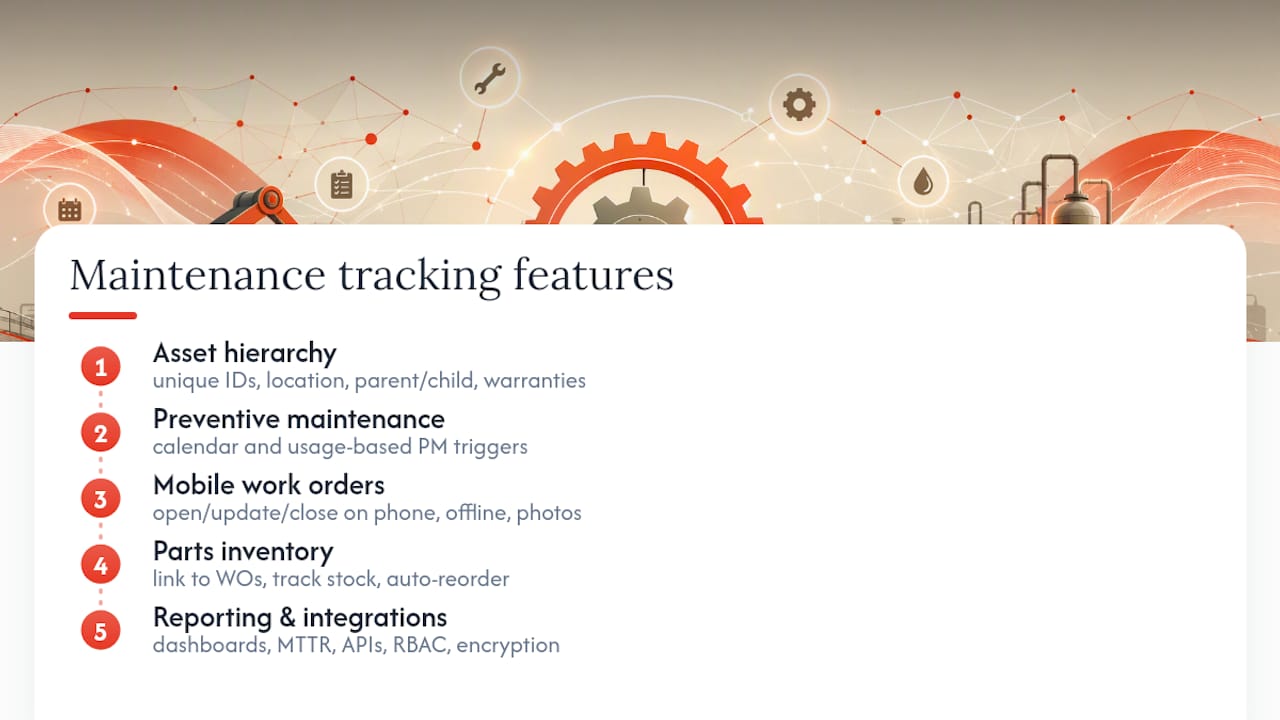
Preventive maintenance scheduling. The system should support both calendar-based triggers (service every 90 days) and usage-based triggers (service every 500 engine hours or 5,000 miles). Usage-based scheduling is the piece that most manual systems get wrong, because nobody’s tracking runtime hours on a clipboard.
Mobile work orders. Technicians need to open, update, and close work orders from a phone or tablet, ideally with offline mode for facilities with dead cell zones or vehicles that lose signal on rural routes. Photo attachments turn “the belt looked worn” into a picture the next tech can actually judge.
Parts inventory. Linking parts to work orders and tracking stock levels prevents the classic failure mode: a technician diagnoses the problem, then waits three days for a part that should have been reordered automatically.
Reporting and dashboards. You want PM compliance rate, MTTR, and cost per asset visible without building a custom report every time someone in finance asks.
Integrations and security controls. API access to ERP or procurement systems, role-based permissions, and data encryption at rest and in transit belong on the evaluation list, not as an afterthought once you’ve already signed a contract.
Pro Tip: Before you demo any platform, list your five most failure-prone assets and ask the vendor to show you, live, how a usage-based PM trigger would fire for each one. If they can’t walk through it in real time, the feature is probably more marketing than function.
When Should You Move From Spreadsheets to Software?
There’s a real threshold where spreadsheets stop working, and it usually shows up before managers notice it.
- Asset count. Once you’re tracking more than roughly 50 to 75 assets with active PM schedules, cross-referencing tabs and catching overdue services manually becomes a part-time job by itself.
- PM volume. If your team is running more than a few dozen preventive tasks a month, the odds of a missed or duplicated PM climb fast, especially across multiple technicians editing the same file.
- Hidden costs you’re not tracking. Time spent hunting for a warranty PDF, reconciling conflicting spreadsheet versions, or manually compiling a compliance report for an audit rarely gets counted as a maintenance cost, but it is one.
- Failure mode. Spreadsheets fail silently. Nobody gets an alert when a formula breaks or a technician forgets to update a row, so the first sign of trouble is often equipment failing on the floor.
If two or more of those apply to your operation, run a pilot: pick your 10 to 20 highest-impact assets, set up digital PM schedules and mobile work orders for just that group, and measure PM compliance and time-to-close for 30 days against your old process. If the pilot group shows fewer missed PMs and faster closeout, you have your answer.
How Do You Roll Out a Maintenance Tracking System?
A rollout that works follows a specific order, and skipping steps is where most teams lose momentum.
- Build a single source of truth at intake. Scan service manuals, warranty documents, and past repair logs, and attach them to each asset record as you import your list. Practitioner experience consistently shows that teams who skip this step end up hunting for a warranty PDF during an actual emergency, which defeats the entire point of centralizing records.
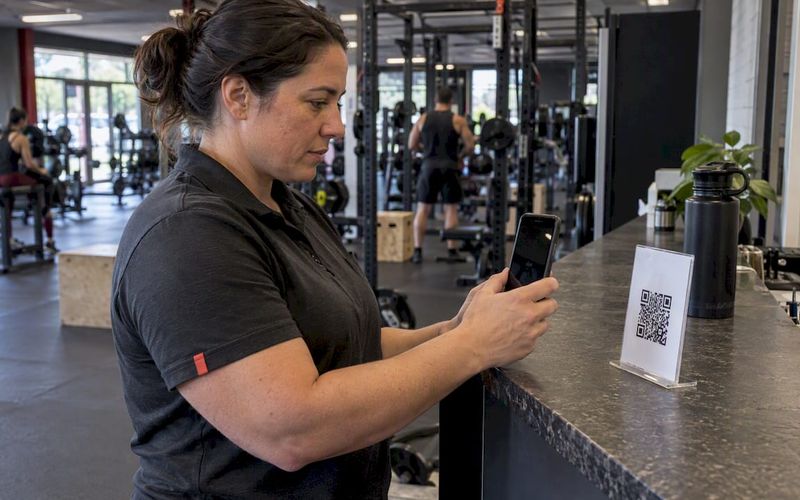
- Tag and label physically. QR codes or barcode labels on each asset let a technician scan and pull up history on-site instead of searching by name or location. Government facility guidance recommends standardizing this kind of documentation early, since retrofitting labels across hundreds of assets later is far slower than doing it during intake, per FEMP’s O&M best practices guide.
- Design a tight pilot. Choose 10 to 20 assets that cause the most downtime or carry the highest replacement cost. Define two or three success metrics up front, typically PM compliance rate and average time-to-close, and train the pilot technicians on mobile work order entry before go-live, not after.
- Scale deliberately. Once the pilot proves out, add parts inventory setup, connect ERP or procurement integrations, and assign roles and permissions across the wider team.
Pro Tip: Don’t wait for perfect data before you launch the pilot. Import what you have, flag the gaps, and fill in missing warranty dates and serial numbers as technicians touch each asset during normal service calls. Waiting for complete records before starting is the single most common reason rollouts stall for months.
What Does This Look Like in an Adjacent Industry?
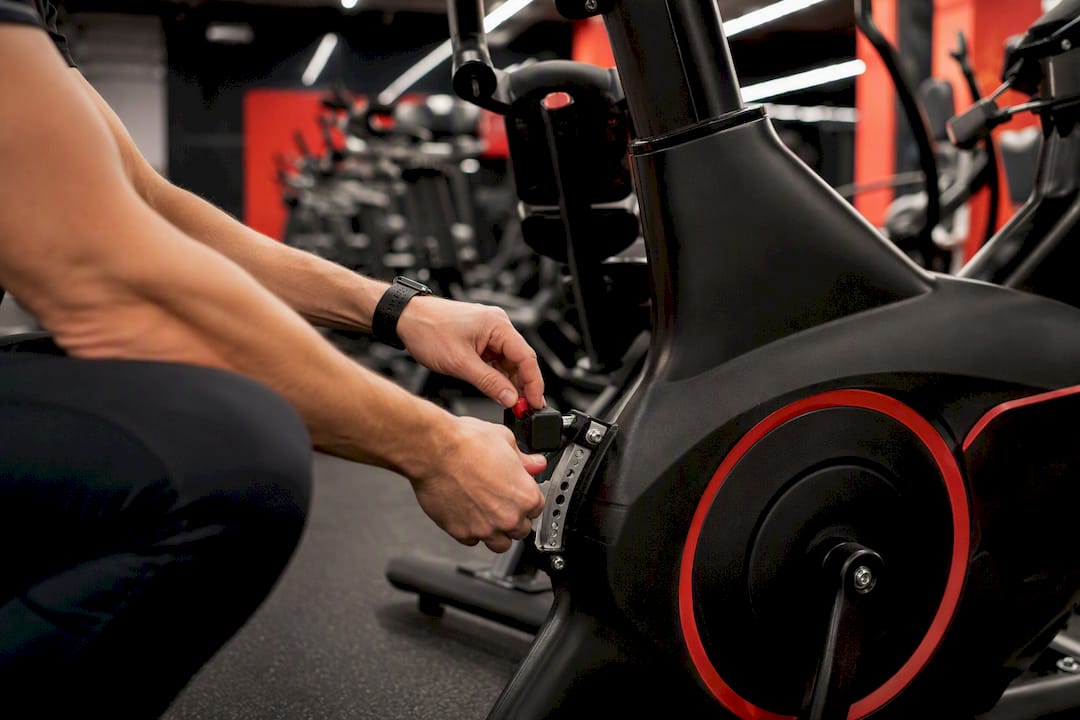
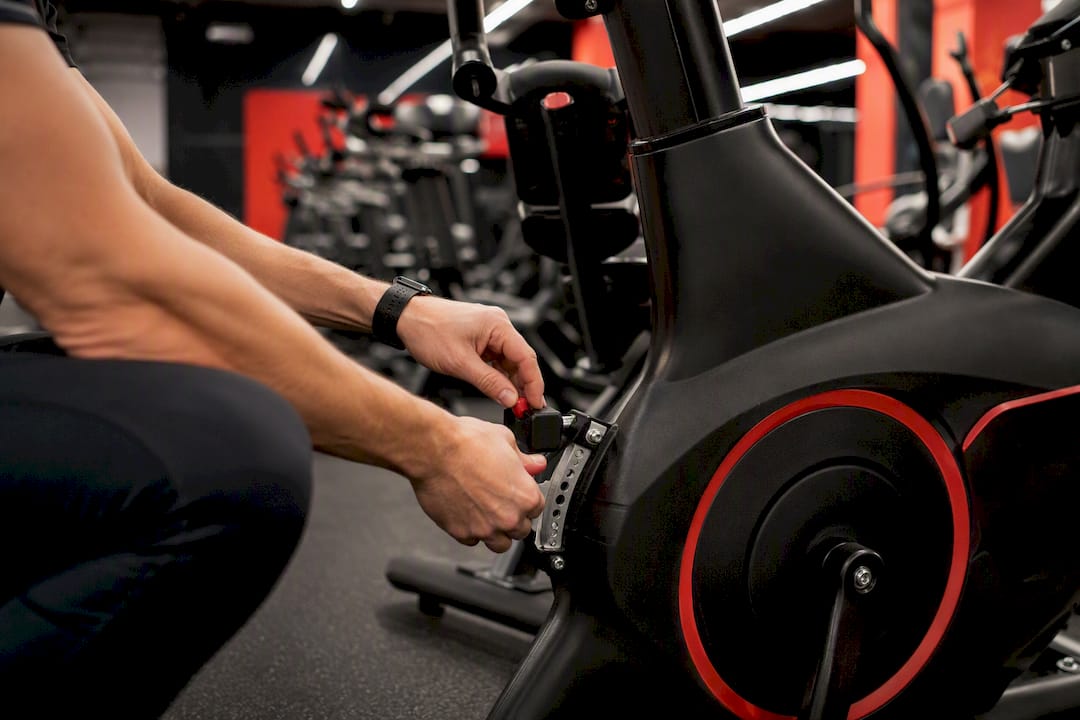
Maintenance tracking principles aren’t limited to industrial fleets. Gyms and fitness studios run their own version of the same problem: equipment goes down, schedules slip, and staff burn hours on manual coordination instead of member-facing work.

Getfitnessflow’s own platform data shows gym owners saving significant time on administrative tasks and seeing an average increase in member retention after centralizing scheduling, billing, and communication into one system instead of juggling separate tools. That’s not a maintenance statistic, but it’s the same underlying mechanism: centralizing operational data into a single system cuts the admin overhead that eats a manager’s week.
Map that to a maintenance context and the pattern holds. Less time spent hunting for information means faster service scheduling, fewer missed checks, and more hours for the technicians who actually fix things instead of chasing paperwork.
Worth being direct about the limits here: Getfitnessflow is a gym operations platform, not a computerized maintenance management system (CMMS). It handles class scheduling, member billing, and engagement, not asset registers, usage-based PM triggers, or parts inventory for industrial equipment. A boutique studio managing a handful of treadmills and a walk-in cooler might get by with lighter tracking layered on top of its operations software. A fleet of 200 delivery trucks needs dedicated CMMS features.
What Integrations Actually Improve Maintenance Accuracy?
Condition-based maintenance depends on the telemetry you’re actually pulling in. Vibration sensors on rotating equipment, temperature sensors on refrigeration units, and runtime hour meters on engines all let a system flag developing problems before a technician would notice them on a routine walk-through. Ask any vendor exactly which sensor types their platform ingests natively versus which ones need a custom integration.
Mobile expectations have gotten more specific too. Offline mode matters for facilities with dead zones or vehicles on rural routes, photo attachments turn vague descriptions into evidence, and push notifications for overdue PMs keep technicians from needing to check a dashboard manually.
ERP and procurement integrations streamline the handoff between “we need this part” and “the part is ordered,” pulling vendor pricing and lead times directly into a work order instead of requiring a separate purchasing step.
If you’re planning RFID tags or wireless telemetry for asset tracking, check applicable FDA guidance on radio-frequency devices to avoid interoperability or electromagnetic compatibility issues, particularly in facilities with sensitive electronic equipment nearby. On data ownership, ask directly: can you export your full asset history if you switch vendors, and who technically owns the sensor data once it’s ingested?
What Should You Expect to Pay, and How Fast Is ROI?
A focused pilot typically runs two to four weeks. Full rollout across a mid-size fleet or facility, including integrations and staff training, generally takes two to six months depending on asset count and data quality at intake.
Cost drivers break down into a few predictable categories:
- Licensing model: per-asset, per-user, or flat-tier pricing, which changes dramatically depending on your asset count
- Integration scope: ERP, procurement, or IoT sensor connections add setup cost beyond the base subscription
- Data migration: cleaning and importing years of paper or spreadsheet history takes real hours, whether done in-house or by the vendor
Watch three numbers to know if it’s working: downtime reduction, the drop in emergency repair volume, and PM compliance rate. Siemens’ industry data points to double-digit improvements in these metrics as a common outcome after digital rollout, though results vary by starting point and asset mix. If PM compliance isn’t climbing within the first full quarter, the problem is usually adoption, not the software itself.
What Would an Experienced Maintenance Manager Prioritize First?
Start with the assets that hurt the most, not the ones that are easiest to set up. A conveyor that causes a full-line stoppage matters more than a dozen low-cost tools sitting in a cage, even if the tools are simpler to tag and log first.
Technician buy-in decides whether any of this survives past month two. If mobile work orders take longer to fill out than the paper version did, adoption dies quietly, and you’ll be back to sticky notes within a quarter. Pick changes that remove friction, not ones that add a new box to check.
For the pilot itself, watch two numbers above everything else: time-to-close on work orders and PM compliance rate. Everything downstream, cost savings, downtime reduction, audit readiness, flows from getting those two right first.
Looking for an Operations Platform Beyond Industrial Maintenance?
If your equipment tracking needs are tangled up with member scheduling, billing, and staff coordination rather than a heavy industrial fleet, a dedicated CMMS might be more than you need right now. Getfitnessflow was built for exactly that middle ground: gyms and studios juggling class schedules, recurring billing, and facility upkeep on top of member engagement, all pulled into one branded platform instead of three or four disconnected subscriptions.

It won’t replace a full CMMS for a 200-vehicle fleet or a manufacturing floor. What it does well is cut the administrative drag that eats into a gym owner’s week, the same drag that turns equipment checks and maintenance requests into something that falls through the cracks between member calls and billing issues.
If that sounds like your situation more than a fleet-scale rollout does, book a demo of Getfitnessflow and run a simple 30-day pilot: track how much admin time you get back before deciding whether to expand it across your whole facility.
Frequently Asked Questions
What is the easiest way to start tracking equipment maintenance? Build a basic asset register first, listing every piece of equipment with a serial number and current condition, then layer in a PM schedule for your five highest-priority assets before expanding further.
How do maintenance log templates differ from full tracking software? A maintenance log template records what happened after the fact. Full preventive maintenance software schedules what should happen next and reminds you automatically, which is the gap that causes most missed services.
Can small facilities skip software and use spreadsheets instead? Below roughly 50 assets with light PM volume, a well-maintained spreadsheet can work temporarily, but it typically breaks down once multiple technicians need simultaneous access or usage-based triggers become necessary.
What’s the difference between a CMMS and an asset maintenance tracking system? The terms overlap heavily in practice. A CMMS (computerized maintenance management system) is the software category; asset maintenance tracking describes the practice itself, which the software exists to support.
How long does it take to see ROI from maintenance tracking software? Most teams see PM compliance improve within the first quarter after a proper pilot. Downtime and emergency repair reductions typically follow once the full asset base is onboarded, generally within two to six months.
Sources
- Equipment maintenance management — Siemens
- FEMP — Operations & Maintenance Best Practices: A Guide to Achieving Operational Efficiency
- FDA — Radio Frequency Identification (RFID)