Zenoti Alternatives for Gym Owners: 2026 Guide

For most U.S. independent and mid-sized gyms, Joinfitnessflow is the strongest direct replacement for Zenoti. It covers every core dimension: CRM, billing, scheduling, branded member apps, class and workout programming, multi-location reporting, and documented migration support. If your gym runs on class-based schedules, recurring memberships, and a branded member experience, Fitness Flow is built for exactly that.
The short version of the best zenoti alternatives, by fit:
- Fitness Flow (Joinfitnessflow): All-in-one for independent, mid-sized, and multi-location gyms. Flat-rate SaaS with no revenue share, plus full API access and migration support included.
- Enterprise/franchise platforms: Built for large chains with complex hardware bundles and franchise-level reporting. High cost, long implementation cycles.
- Boutique-native platforms: Fast to set up, lower entry cost, strong class-booking UX. Limited on CRM depth and multi-location management.
- CrossFit/athlete-first stacks: Purpose-built for programming and performance tracking. Weak on billing flexibility and member app customization.
Two trust signals to confirm before signing anything: documented migration support and a clear API or integration list. Platforms that hide both are usually the ones that trap your data.
Table of Contents
- How do Zenoti alternatives compare across key features?
- What each platform category actually offers
- How do you choose the right platform for your gym?
- Step-by-step migration checklist
- Which platform fits your specific gym type?
- Key Takeaways
- What most gym owners get wrong when switching platforms
- Fitness Flow is built to replace Zenoti for modern gyms
- Sources and further reading
- FAQ
How do Zenoti alternatives compare across key features?
The table below maps four platform categories against the dimensions that matter most when switching gym management software.
CategoryBest forPricing shapeCore featuresMulti-locationIntegrationsMigration friendliness
Fitness Flow (Joinfitnessflow)
Independent, mid-sized, multi-location gyms
Flat monthly/annual SaaS tiers
Scheduling, CRM, billing, branded app, workout builder, reporting
Full cross-location dashboard
Payment processors, access control, accounting, marketing, API
Documented migration support, data export, sandbox testing
Boutique-native platforms
Single-location studios, class-heavy formats
Per-member or low flat rate
Class booking, basic CRM, payments
Limited or add-on
Marketplace integrations, limited API
Variable; often self-serve only
CrossFit/athlete-first stacks
Affiliates, functional fitness, martial arts
Per-member or per-location flat
Programming/WOD builder, attendance, basic billing
Minimal
Narrow; few accounting or marketing tools
Manual export common
Enterprise/franchise platforms
Large chains, 10+ locations, franchise groups
Custom/revenue-share or high flat
Full suite plus hardware bundles, franchise reporting
Native
Broad but proprietary
Managed, but slow and expensive
A few things worth noting: per-member pricing looks cheap at 100 members and gets expensive fast. Modeling your cost at current size, 1.5x, and 2x membership before you commit is the single most underrated step in platform selection.
What each platform category actually offers
Fitness Flow (Joinfitnessflow)
Fitness Flow is positioned as an operating system for modern gyms, not just a booking tool. CRM and lead-capture pipelines sit alongside scheduling, recurring billing, and a branded iOS/Android/web member app in a single platform. The workout and class builder handles both group programming and individual athlete plans. For multi-location operators, cross-location reporting and unified member management are native, not bolt-ons.
Limitations worth knowing: Fitness Flow is built for gyms and fitness studios, so if your business model leans heavily toward spa or medspa services, it is not the right fit. The platform targets owners who want one system rather than a patchwork of integrations.
Best fit: Independent studios, mid-sized gyms, small chains (a few locations), CrossFit affiliates that need CRM and billing depth alongside programming tools.
Pro Tip: Before your demo, pull a member export from your current platform and ask Fitness Flow’s onboarding team to walk through a sample import. That single step surfaces 90% of data-mapping issues before you sign.
Boutique-native platforms
These platforms (Mindbody, Glofox, and similar tools) prioritize fast setup and a polished class-booking experience. They work well for a single-location yoga or Pilates studio where the owner wants a marketplace presence and simple payment collection. CRM depth is usually shallow, reporting is basic, and multi-location management is either limited or priced as a significant add-on.
User reviews across this category consistently flag two pain points: customer support response times and the difficulty of exporting clean member data when switching away. That second point matters a lot if you ever plan to migrate again.
CrossFit and athlete-first stacks
Platforms like Wodify and similar tools are built around programming first. The WOD builder, performance tracking, and leaderboard features are genuinely strong. Billing flexibility and member app customization are where they fall short. If your gym’s primary revenue is recurring memberships with upsells (personal training, nutrition, apparel), a programming-first stack will leave gaps. For CrossFit affiliates weighing their options, the trade-off between programming depth and CRM capability is the central decision.

Enterprise and franchise platforms
These are the right choice for a gym group with 10+ locations, complex franchise reporting requirements, and dedicated IT resources. Implementation timelines run 12+ weeks, onboarding costs are significant, and pricing is often custom or revenue-share based. For an independent gym owner, the overhead rarely justifies the capability.
How do you choose the right platform for your gym?
Selection should start with your business model, not a feature checklist. A class-based boutique studio has fundamentally different needs than a large membership gym or a CrossFit affiliate. Category fit drives better outcomes than feature-list matching.
Core criteria to evaluate:
- Scheduling flexibility (drop-in, recurring, waitlist, staff scheduling)
- CRM and lead-funnel depth (pipeline tracking, automated follow-up, referral management)
- Billing and payment models (recurring, one-time, payment plan, failed-payment recovery)
- Member app quality (branded iOS/Android, on-demand content, nutrition tools)
- Class and workout builder (group programming, individual plans, video integration)
- Reporting and multi-location oversight (cross-location dashboards, staff performance)
- API and integration ecosystem (payment processors, access control, accounting, marketing)
- Onboarding and migration support (documented process, sandbox environment, live support)
Questions to ask during every demo:
- What format does data export in, and does it include payment tokens?
- Do you offer a sandbox environment for billing tests before go-live?
- What is your documented SLA for migration support?
- Can you share a sample integration list with payment processors and access-control systems?
- How do you handle refunds and mid-cycle membership changes during cutover?
Red flags: opaque pricing with no published tiers, revenue-share models with no cap, data export limited to CSV with no API access, and zero case studies for gyms similar to yours.
Pro Tip: Run your cost projection at three membership levels: current, 1.5x, and 2x. Per-member pricing that looks affordable today can cost significantly more at growth. Flat-rate SaaS tends to get cheaper per member as you scale.
Step-by-step migration checklist
Switching platforms is one of the highest-risk operational moves a gym owner makes. A structured migration checklist cuts that risk substantially.
Phase 1: Pre-contract
- Confirm the vendor offers documented migration support (not just “we’ll help you”).
- Verify data-export formats: member records, payment tokens, transaction history, waivers, class credits, attendance logs.
- Review contract clauses for data-access rights and vendor lock-in terms.
- Confirm all third-party integrations (payment processor, access control, accounting software) are compatible.
Phase 2: Data export and mapping
- Export member records, membership plans, and payment tokens from your current platform.
- Map membership plan names and billing cycles to the new system’s structure.
- Export transaction history (minimum 12 months) and attendance/class credit records.
- Export waivers, consent records, and staff accounts separately.
Phase 3: Testing and parallel run
- Run a sandbox billing cycle with a test subset of 10–20 active accounts.
- Reconcile billing outputs against your current platform’s records.
- Test live payment processing with a small cohort before full cutover.
- Confirm access-control integrations (door readers, key fobs) function correctly. Hardware compatibility with gym access control systems is a common cutover gap that delays go-live.
Phase 4: Go-live and continuity
- Set a cutover date at least two weeks before a billing cycle renewal.
- Send member communication at least one week before cutover (new app download, login instructions).
- Keep your old platform active in read-only mode for 30 days post-cutover.
- Assign one team member as the migration owner for the first 30 days.
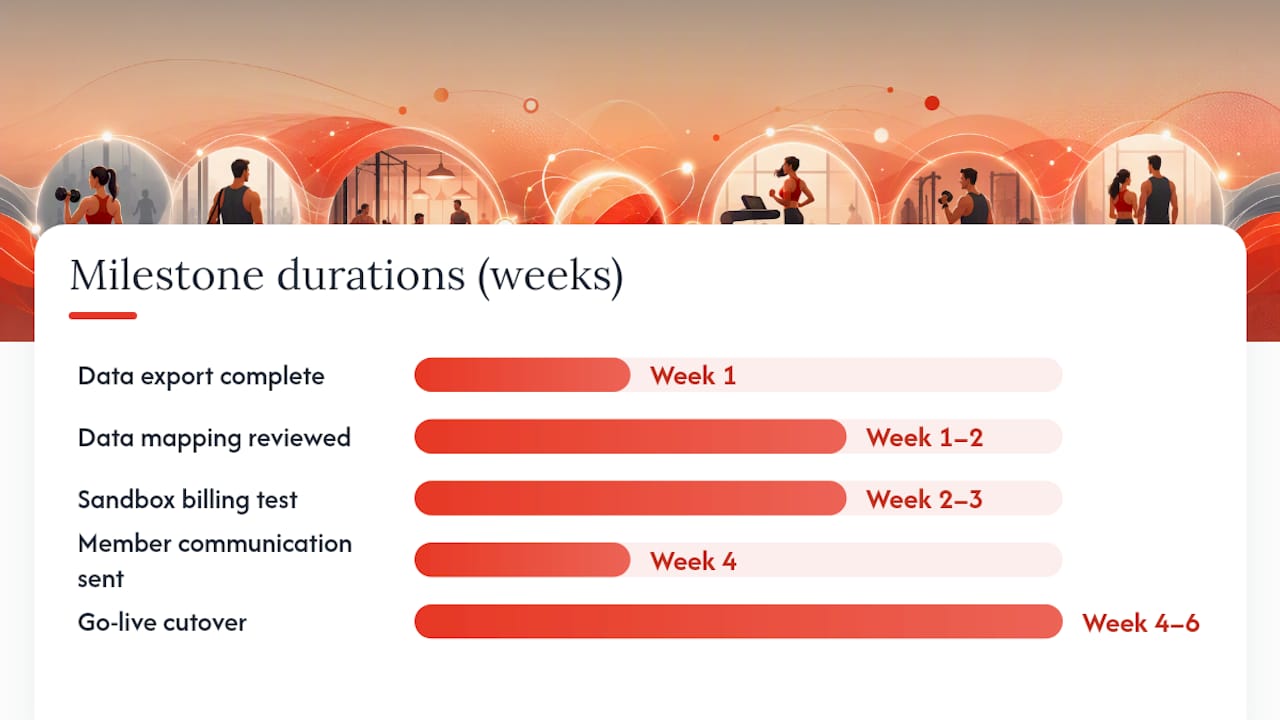
MilestoneOwnerTiming
Data export complete
Gym operator
Week 1
Data mapping reviewed
Vendor + operator
Week 1–2
Sandbox billing test
Vendor
Week 2–3
Integration testing
Vendor + operator
Week 3
Member communication sent
Gym operator
Week 4
Go-live cutover
Both
Week 4–6
Pro Tip: Never cut over on a Monday. Friday afternoon gives you the weekend to catch billing errors before members notice.
Which platform fits your specific gym type?
- Mid-sized multi-location gym: Fitness Flow. The best gym management software for fitness studios at this scale needs CRM depth, multi-location oversight, and a real API. Migration priority: payment tokens and recurring billing continuity.
Key Takeaways
Fitness Flow is the most practical Zenoti alternative for U.S. independent and mid-sized gyms, covering CRM, billing, scheduling, branded apps, and multi-location management in a single flat-rate platform.
PointDetails
Start with business model fit
Choose by gym type (boutique, affiliate, multi-location) before comparing feature lists.
Model cost at growth
Project platform cost at current, 1.5x, and 2x membership before committing to any pricing model.
Migration support is non-negotiable
Confirm documented migration support, sandbox testing, and data-export formats before signing.
Timeline scales with complexity
Single-location gyms can switch in 2–4 weeks; multi-location operators should budget 6–12 weeks.
Fitness Flow covers the full stack
Joinfitnessflow offers CRM, billing, scheduling, branded apps, and multi-location reporting with migration support included.
What most gym owners get wrong when switching platforms
The conventional wisdom says to compare feature lists and pick the platform with the most checkboxes. That is the wrong frame. Features are table stakes at this point. Every major platform in 2026 has scheduling, billing, and a member app. What actually separates a smooth migration from a painful one is data portability and billing continuity.
The gym owners who struggle most are the ones who discover, mid-migration, that their current platform stores payment tokens in a proprietary format with no export path. That means re-collecting payment details from every active member, which triggers cancellations. It is not a technical problem. It is a contract problem, and it should have been caught in the pre-contract phase.
The second mistake is underestimating member communication. Members do not care about your backend switch. They care that their app still works, their class credits are intact, and their card is not charged twice. A clear communication plan, sent at least a week before cutover, prevents most of the support tickets that follow a migration.
One more thing: the platforms that push hardest against data export are usually the ones most worried about losing you. That resistance is information.
Fitness Flow is built to replace Zenoti for modern gyms
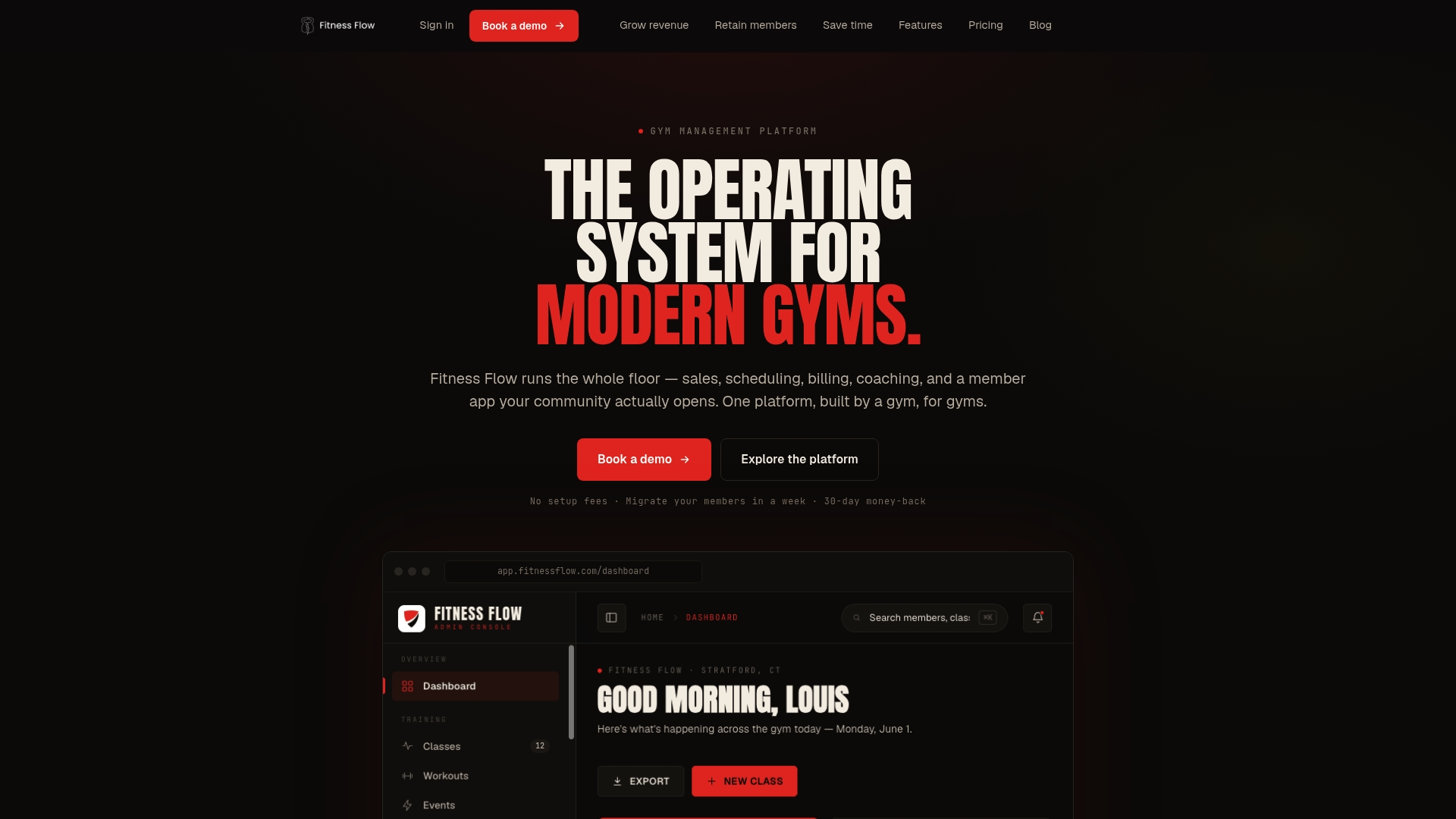
If you have been running on Zenoti and need a platform built specifically for gyms rather than spas and medspas, Joinfitnessflow maps directly to every dimension you care about: CRM and lead pipelines, recurring billing and payment recovery, unified scheduling, a branded iOS/Android/web member app, class and workout programming, live and on-demand video, nutrition tools, multi-location reporting, and compliance and waiver tracking. All of it in one flat-rate subscription, no revenue share.
Migration support is documented, not a promise. Fitness Flow’s onboarding team works through data export, sandbox testing, and integration verification before you go live. Case studies, API documentation, and a full integration list are available before you sign. For studios switching from marketplace-driven platforms, the Mindbody alternatives guide walks through the switching decision in detail.
Start a free trial or book a migration consultation at Joinfitnessflow to see the platform against your current setup before you commit.
Sources and further reading
These are the primary sources used to build this guide. Each one is worth reviewing directly if you are mid-evaluation or preparing a migration plan.
SourceWhat it covers
Gym Management Software Guide: Platform Comparison & Selection Framework
Pricing-model trade-offs, cost-projection methodology at growth
Gym Software Migration Checklist 2026
Step-by-step migration process, data-export requirements, vendor lock-in checks
Best Gym Management Software in 2026 — Deelo Blog
Market segmentation, enterprise vs boutique-native category trade-offs
Fitness Flow — The operating system for modern gyms
Core feature set, integrations, demo and trial options
Best Gym Management Software for Fitness Studios — Fitness Flow Blog
Platform fit for boutique and small-chain studios
Best Mindbody Alternatives for Studios in 2026 — Fitness Flow Blog
Switching from marketplace-driven platforms, practical considerations
Momence Alternatives for Studio Owners — Fitness Flow Blog
Trade-offs when moving from vertical-specific stacks to all-in-one platforms
FAQ
What is the best Zenoti alternative for independent gyms in the U.S.?
Joinfitnessflow is the strongest fit for most U.S. independent and mid-sized gyms, covering CRM, billing, scheduling, branded apps, and multi-location management in a single flat-rate platform built specifically for gyms.
How long does it take to migrate from Zenoti to a new platform?
Single-location gyms typically complete a migration in 2–4 weeks; mid-sized or multi-location operators should budget 6–12 weeks depending on integration complexity and data volume.
What data do I need to export before switching gym management software?
Export member records, membership plans, payment tokens, transaction history (at least 12 months), attendance logs, class credits, waivers, and staff accounts before initiating any migration.
Are there affordable Zenoti alternatives with flat-rate pricing?
Yes. Flat-rate SaaS platforms like Joinfitnessflow offer predictable monthly costs that become more cost-effective per member as your gym grows, unlike per-member pricing models that scale linearly with membership.
Which platforms work best for CrossFit affiliates looking for Zenoti alternatives?
CrossFit affiliates that need both programming tools and strong CRM and billing should evaluate Fitness Flow; affiliates whose primary need is WOD tracking and leaderboards may prefer a CrossFit-specific stack, though those platforms typically lack CRM depth.